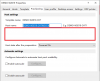
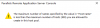
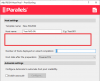
The error message looks like an oversight in the user interface/error validation.
The ID in your host name can be up to 1 character long. It seems that internally, the value 999 is stored (requires 3 characters).
If you change the host name format to the following one, it should work:
Code:
DEMO-W2019-CHT%ID:3%
As for the option for "the maximum hosts to create". That has been moved to the host pool's auto scale settings. I believe the settings are now configurable only when auto scaling is enabled.
Hi,
I have exactly the same error. Unfortunately we cannot work with 3 digits.
How can we fix the problem so that we can work again as before with, for example, 2 digits?