Report ID: 397472048
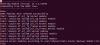
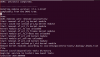
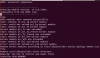
I want to reinstall Parallels tools to resolve my other issues with file sharing and clipboard. However, the installer reports errors every time I try to install. I tried installing from the prl-tools-lin.iso in Finder and from the terminal as root user. I cannot attach the log since my file sharing isn't working but the errors are mostly "Error: could not unload <prl_module> kernel module" in my /var/log/parallels-tools-install.log file.
I am using the following:
I want to reinstall Parallels tools to resolve my other issues with file sharing and clipboard. However, the installer reports errors every time I try to install. I tried installing from the prl-tools-lin.iso in Finder and from the terminal as root user. I cannot attach the log since my file sharing isn't working but the errors are mostly "Error: could not unload <prl_module> kernel module" in my /var/log/parallels-tools-install.log file.
I am using the following:
- Parallels Desktop Version 17.1.2 (51548)
- Host: macOS Big Sur Version 11.6
- Guest: Ubuntu 18.04
- Kernel: 5.10.60-051060-generic