
Install the app
How to install the app on iOS
Follow along with the video below to see how to install our site as a web app on your home screen.
Note: This feature may not be available in some browsers.
You are using an out of date browser. It may not display this or other websites correctly.
You should upgrade or use an alternative browser.
You should upgrade or use an alternative browser.
Cannot connect to the network
- Thread starter qi yes
- Start date
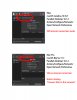
Thanks, it works. See if it sustained.Every time I start up windows 10, it says it not connected, but I've found going to Devices>Network>Shared Network (it should already be checked) and reselecting it instantly fixes the issue.
Same thing with me. Immediately after the update, just a few minutes ago: "Network initialization failed". Second time already. It also happened with the previous update. Very, very annoying!
It shocks my confidence in this software that I use every day for professional purposes.
It is incomprehensible that this can just happen. Especially now that I read that several - many even - users have to contend with this same problem. This is no longer serious! This must be fixable, without causing such an overload to the users.
It shocks my confidence in this software that I use every day for professional purposes.
It is incomprehensible that this can just happen. Especially now that I read that several - many even - users have to contend with this same problem. This is no longer serious! This must be fixable, without causing such an overload to the users.
P
Parallels User
>>> Message has been deleted by the user <<<
has anyone gotten an answer about this? I feel like support has completely shut down regarding compatibility with big sur.
the knowledge-base article has not been updated since december and the last updates did not mention this bug.
https://kb.parallels.com/125039
the knowledge-base article has not been updated since december and the last updates did not mention this bug.
https://kb.parallels.com/125039