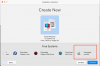
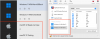
I have already created a ticket, but so far no response.
Thank you for contacting Parallels Support. This message has been automatically generated by the Parallels Support Portal, in response to your support request "No Configure/Snapshot Option for macOS VM on M1". The Ticket ID created to track your request is [Parallels #3132301].
I have successfully created a macOS VM on an Apple Silicon macBook. The VM runs fine, but there are issues:
I have got Windows 11 ARM working, but that, for me at least, is useless because there is no Dropbox client which I need (other than Dropbox S Mode - which is basically a waste of space - lots of complaints to Dropbox, no action). So the whole ARM thing is very disappointing.
Anyway, rant mode off. Has anyone been able to get the fully featured macOS VM Menu System on ARM with all of the menu items and options?????
Thank you for contacting Parallels Support. This message has been automatically generated by the Parallels Support Portal, in response to your support request "No Configure/Snapshot Option for macOS VM on M1". The Ticket ID created to track your request is [Parallels #3132301].
I have successfully created a macOS VM on an Apple Silicon macBook. The VM runs fine, but there are issues:
- There is no Configuration menu item
- The CLONE menu item is greyed out
- There are no Snapshots menu items
I have got Windows 11 ARM working, but that, for me at least, is useless because there is no Dropbox client which I need (other than Dropbox S Mode - which is basically a waste of space - lots of complaints to Dropbox, no action). So the whole ARM thing is very disappointing.
Anyway, rant mode off. Has anyone been able to get the fully featured macOS VM Menu System on ARM with all of the menu items and options?????