Both XP and Mac OSX very slow when running Parallels

Problem returned a few days later...

My Parallels virtual machine running Windows XP became very slow and unresponsive again along with Mac OS when running Parallels. I once again fixed the problem by uninstalling and installing Parallels Tools (unfortunately, reinstalling without explicitly uninstalling doesn't work). Unfortunately, the problem recurred after another couple of days. Because the machine is so slow, the entire process takes about 20 minutes or longer.

It seems that there is a serious problem with the stability of the Parallels Tools installation on my system. Anyone else having this problem?
 
Several times per week I need to kill Parallels after it locks up. It's so slow that I get double vision icons on the dock. And everything is so slow that it takes about 5 minutes to get to a spot to kill it.

So for months I have checked weekly for upgrades, hoping for a bug fix.

But no luck so far.
 
Hi pjkim,
would be helpful to check Add/Remove programs list - if possible, please make a screenshot and post here. Also, problem report sent from Help menu > Report a problem would be good (you can post its ID here).
 
I-Che, I recently had to erase my hard drive. I do remember that upon startup, the following were running:
Parallels Security Suite, Bluetooth Device Driver, Quicktime, Parallels Tools, and various windows updates. other than that, I couldn't do much! I did happen to send a support request. the ticket # was 2269524. thanks!
 
Hi patddfan88,
as I understand, you have reinstalled Windows now - does the problem with CPU usage still persist on new installation? From the problem report I can't say now what application on Windows side caused the problem.
 
Hi pjkim,
can you please try to remove (not disable, remove) Microsoft Security Essentials and check how performance changes?
 
OK so far

Since last uninstalling and reinstalling Parallels Tools, both the VM and host OS were running at acceptable speeds. I uninstalled Security Essentials and no difference in performance although it was running fine prior to uninstalling.

The real test will be whether the VM and host OS continue to work fine in the coming days/weeks. Will keep you posted.
 
Same Problem

I am running parallels desktop 5, and boot up is so slow it slows down the mac os too.
Once booted nothing seems to respond for at least 1-2 minutes and the programs open slowly with the hour glass seeming to be stuck for ages, before suddenly everything kicks in.

I sometimes have to quit parallels and restart the whole thing because it just seems to take forever to boot, or open anything.

This only seems to be an issue with version 5, parallels 3 and 4 didn't seem to have these problems.
I'm thinking of rolling back to the previous versions.
 
tboufflet, memory is not the only parameter affecting VM's speed. Can you please specify - is Parallels Desktop 5 slow or virtual machine in Parallels Desktop?

Can someone clarify the guidance on number of processors to recommended for a Windows 7 VM on a dual-processor MBP? In my case I'm running current version of Parallels 5, current version of windows 7 enterprise on an early 2008 MBP with 4 GB ram. MBP running latest version of Snow Leopard.

VM worked fine for weeks after building from scratch, but now is almost unusable.

Will try manually changing RAM setting and also reinstalling Parallels tools as suggested elsewhere on this thread.

VM:
1 processor
2 GB ram (within recommended range; near the high end)
optimize performance for virtual machine selected
tune windows for speed selected
 
Jean-StéphaneS said:
Memory was on manual, 708MB / 3072
Maybe try something like 1 or 1.5 GB.

Jean-StéphaneS said:
BTW, why does Parallels say I have 3072 MB when the "About the Mac" box says 4 GB?
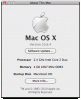
Where are you seeing that? Screen shot?
 
I meant where are you seeing that Parallels says you have 3 GB? I don't know what you mean by Automatic.
 
You're using Parallels 5. That memory option doesn't exist anymore in Parallels 6. It is used for specifying the maximum total RAM used by all running virtual machines.
http://download.parallels.com/desktop/v5/docs/en/Parallels_Desktop_Users_Guide/22624.htm

Go to the virtual machine configuration and change the Memory setting of the virtual machine. Try making it less than the total memory allocated to Parallels.
http://download.parallels.com/desktop/v5/docs/en/Parallels_Desktop_Users_Guide/22497.htm

Also try the Optimize Performance options.
http://download.parallels.com/desktop/v5/docs/en/Parallels_Desktop_Users_Guide/26699.htm
 
Back
Top