DanielA150
Bit poster
I had some free space on my windows partition so Parallels popped up in a little window saying "Would you like to compress your hard disc? It appears you have free space." So I clicked ok, it shut down, and then when I try to boot it up I get this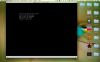 And also when i try and compress it manually or change the partition size it says "Your disc is corrupt" and some other stuff. I'm 14 By the way so I need something simple and not overly complicated, I am using a MacBook air 13" 2013 with i5, 256gb storage space & 4gb of ram. I need a fix quickly as my Windows partition contains programs I need for school
Thanks!
And also when i try and compress it manually or change the partition size it says "Your disc is corrupt" and some other stuff. I'm 14 By the way so I need something simple and not overly complicated, I am using a MacBook air 13" 2013 with i5, 256gb storage space & 4gb of ram. I need a fix quickly as my Windows partition contains programs I need for schoolThanks!