Hi all,
I'm using a Mac Mini M4 Pro and Parallels Desktop 20 (Pro Edition).
I'm experiencing a peculiar problem with my Windows 11 VM on my Mac. Normally, when the VM is running and I connect an external USB disc drive, my Mac correctly detects it and prompts me to choose whether to connect it to the Mac or the VM. If I select the VM, it works perfectly fine.
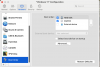
The issue arises when I try to permanently assign the external USB disc drive to the VM through its USB settings (by checking "remember this setting"). After doing this, the next time the VM attempts to boot, it just displays a black screen and fails to load Windows . It never actually starts up.
Am I doing anything wrong or forget any step? What can I do? Of course I could plug/unplug the USB disc drive every time I boot the VM but I would rather prefer to a more automatic solution.
Any suggestion, please? Thanks!!
I'm using a Mac Mini M4 Pro and Parallels Desktop 20 (Pro Edition).
I'm experiencing a peculiar problem with my Windows 11 VM on my Mac. Normally, when the VM is running and I connect an external USB disc drive, my Mac correctly detects it and prompts me to choose whether to connect it to the Mac or the VM. If I select the VM, it works perfectly fine.
The issue arises when I try to permanently assign the external USB disc drive to the VM through its USB settings (by checking "remember this setting"). After doing this, the next time the VM attempts to boot, it just displays a black screen and fails to load Windows . It never actually starts up.
Am I doing anything wrong or forget any step? What can I do? Of course I could plug/unplug the USB disc drive every time I boot the VM but I would rather prefer to a more automatic solution.
Any suggestion, please? Thanks!!