Hi,
I am student in the field of Civil Engineering. I use AutoCAD on daily basis. I am running the latest Mac OS (Sierra) and I have Parallels 12 with the latest updates (12).
The resolution is great for the windows I have no problem with any program except for AutoCAD. I use Microsoft office on Windows and couple of other design softwares with which I have no problems.
In AutoCAD, I get some strange sizes of some text and I thus I can't use the program properly. Does anyone have a similar issue and how can I resolve it if possible?
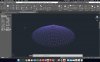
I have uploaded a photo. The problem is the same both in coherence and non- coherence mode.
In the photo look at menu on the left.
I am student in the field of Civil Engineering. I use AutoCAD on daily basis. I am running the latest Mac OS (Sierra) and I have Parallels 12 with the latest updates (12).
The resolution is great for the windows I have no problem with any program except for AutoCAD. I use Microsoft office on Windows and couple of other design softwares with which I have no problems.
In AutoCAD, I get some strange sizes of some text and I thus I can't use the program properly. Does anyone have a similar issue and how can I resolve it if possible?
I have uploaded a photo. The problem is the same both in coherence and non- coherence mode.
In the photo look at menu on the left.