Yvan LeFrancois
Junior Member
Installed with success Parallels Desktop 7 with Windows 7 Home & Premium edition.
I did not have to register with Microsoft nor give my name, just put in the registration key. It seems that I am classified as an administrator only. Do I have to do something about that?
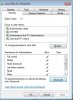
Many folders in Windows are just locked and there is no way I can modify the access rights of those folders.
Is there a way to fix that?
I did not have to register with Microsoft nor give my name, just put in the registration key. It seems that I am classified as an administrator only. Do I have to do something about that?
Many folders in Windows are just locked and there is no way I can modify the access rights of those folders.
Is there a way to fix that?

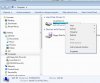
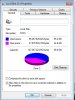
 Properties window will pop-up