

ThaViper
Bit poster
Hi all!
I encountered the following issue: the virtual machine with Windows 11 Pro hangs during startup or starts with an 8-minute delay if an external USB drive, Kingston XS2000 4TB, is connected and set in the USB settings to always connect to this Windows 11 virtual machine.
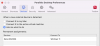
In the Boot Order section the only Hard Disk is selected
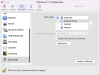
When the virtual machine starts, this is what happens:
I have another Samsung 970 EVO 4TB 2,5" drive placed in an Orico 2169C3 enclosure, and with this drive, under the same settings, there are no issues at all - the VM starts, stops, and restarts in seconds, and the disk connects properly.
I also have two other virtual machines:
Here are the specs:

The difference between the Windows 7 VM and the other two is that the latter use an EFI bootloader.
Since such a long startup time and the option of manually connecting the drive after the system boots are not acceptable, I would greatly appreciate assistance in resolving this issue.
Thank you in advance!
I encountered the following issue: the virtual machine with Windows 11 Pro hangs during startup or starts with an 8-minute delay if an external USB drive, Kingston XS2000 4TB, is connected and set in the USB settings to always connect to this Windows 11 virtual machine.
In the Boot Order section the only Hard Disk is selected
When the virtual machine starts, this is what happens:
- After pressing the Start button, a black screen appears with a dimmed gray Parallels logo, and this lasts for about 3 minutes and 42 seconds.

- After that, the screen of the virtual machine goes black for another 4 minutes and 29 seconds before the system begins to load.
- 10 seconds to load Windows 11 and I able to log in to the system and see that drive already connected
I have another Samsung 970 EVO 4TB 2,5" drive placed in an Orico 2169C3 enclosure, and with this drive, under the same settings, there are no issues at all - the VM starts, stops, and restarts in seconds, and the disk connects properly.
I also have two other virtual machines:
- Windows 7 Ultimate x64: If disks are automatically connected to this VM, there are no issues during startup in either case, even if both drives are connected simultaneously.
- Ubuntu Linux 24.04 x64: When the Kingston XS2000 drive is automatically connected to this VM, it behaves similarly to the Windows 11 VM. However, with the Samsung 970 EVO, it works flawlessly.
Here are the specs:
- MacBook Pro 16" (2019) i7/16GB/512GB
- Parallels Desktop 20 for Mac Version 20.1.1 (55740) via subscription and installed from DMG (not the App Store version)
- Windows 11 Pro 24H2 virtual machine
- 4 vCPUs
- 6GB RAM
- 64GB NVMe disk
The difference between the Windows 7 VM and the other two is that the latter use an EFI bootloader.
Since such a long startup time and the option of manually connecting the drive after the system boots are not acceptable, I would greatly appreciate assistance in resolving this issue.
Thank you in advance!
