4128 -> 4560, asks for two different keys

wlai

Bit poster
I bough 4128 a couple weeks ago, and today dl'ed the 4560 and installed it.

On first run, i'm prompted first for an activation key, which i provided the one i got from the order two weeks ago. but then it asks me for "previous activation key", and the same key doesn't work.

see the screen grab below


Thanks.

==========


provide_previous_activation_key-20070725-225853.jpg
 
yes, i've uninstalled, i've appzapp'ed, and everything.

oh, and i've started a trouble ticket with parallels and no response, it's funny that i'm getting better responses here :-)
 
You may have bought an upgrade version. It assumes you have a paid version of Parallels version 2, and is available for about half the price of Version 3. It looks for a previous installation. If it does not find one, it will ask you for the previous installation's serial number.

I would recommend getting a refund on the upgrade version and buying a full version.
 
Purplish said:


Thanks Purplish for your reply.

I already knew how to capture by using Cmd-Shift-3, Cmd-Shift-4 etc.

The problem is that I cannot get my posts in this forum to display my captured images like shown above.

Support told me that wasn't possible - although the above message (and others elsewhere in this forum) proves it is possible.

I did drag a picture to this message and here is what happened - just the text of the path to the picture, not the picture itself:

/Users/Administrator/Desktop/Picture 1.png
 
Last edited:
If you look at the icons available in the QUICK REPLY box, pick the one to the right of the Internet "Insert Link", it says "Insert Image"

As you have probably discovered, this does not work at all!

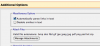
OK, Try hitting "Advanced Options"
You will see "Additional Options"
Use the "Attach Files" Option, Like so...
 

Attachments

  • Picture 3.png
    Picture 3.png
    17 KB · Views: 3
Purplish said:
If you look at the icons available in the QUICK REPLY box, pick the one to the right of the Internet "Insert Link", it says "Insert Image"

As you have probably discovered, this does not work at all!

OK, Try hitting "Advanced Options"
You will see "Additional Options"
Use the "Attach Files" Option, Like so...


What you tried to insert didn't display, either...at least not to me:)
 
Here's how to put in a picture

Here's how to do it:

[ IMG]http://myskitch.com/wlai/provide_previous_activation_key-20070725-225853.jpg[/IMG]

or

[ img]http://myskitch.com/wlai/provide_previous_activation_key-20070725-225853.jpg[/img]

Just remove the space after the first "["

You can upload the picture to imageshack.us and then get the direct link to the image. It has to be http://imageshack.us/.../.png (or other image extension)

If it something else, you will just get:

attachment.php
 
Last edited:
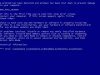
The same thing has happend to me twice since i upgraded to 3.0. there seems to be no forethought in telling one that they need to keep all of your previous keys readily available. fortunately, I found my original key and have now produced a doc file with all the keys that i can find. it seems that every upgrade requires this nonsense. that is just the beginning. after the activation process works and i open the application, then I typically get the blue screen of death. That is why I am here, to try to get this problem corrected. I really like this product but there must be an easier to update the product.
 
Back
Top