RichardH43
Bit poster
I have had contact with Paralles support. They pointed me to https://kb.parallels.com/en/112983 and https://forum.parallels.com/threads/mysql-connector-odbc-for-win-11-arm.356741/ (This thread).
All 7 possible solutions were tested:
1. The VM and MySql ODBC driver meet all system requirements. Microsoft 64bit C++ Redistributable 2015-2022 is installed which supports 2017 requirements of the driver.
2. Isolate Windows from Mac to exclude Mac OS X influence: Same problem.
3. Search Google for the 3rd party program: Suggestions involve older ODBC driver versions with different redistributables. I've tried three different versions and three different redistributables all of which exhibit the same issue.
4. Create new user account in Windows and try to reproduce the issue. Same problem.
5. Reinstall the third-party program: Same problem over and over again.
6. Pay attention to file destinations of this third-party program. I have installed the ODBC driver on my own Windows 10 Home PC both from network and local with no problem. I have tried to install both from the networked and shared drives and locally on the VM. Both exhibit the same problem.
7. If a third-party program does not install or does not start, create new (= one more) virtual machine with the same OS and check the issue. I installed a second VM with Windows 11, installed the Microsoft 64 bit Microsoft C++ Redistributable 2015-2022 then attempted to install the MySQL ODBC driver. Same problem exists on the new Parallels VM.
I also downloaded a trial version of a commercial 64 bit MySql ODBC driver from Devart. It too exhibited the same issue. I contacted their support too. When they learned it was on Parallels they said they do not support Parallels. Fair enough. It likely works on a real Windows system. I know the Oracle MySQL Connector installs on a Windows 10 PC without issues because I did that.
Parallels support now suggests contacting Oracle support...
So starts the runaround. What do you think Oracle is going to say about this? Does it work on real Windows? Yes. We're done.
Now about this thread...
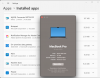
There is confusion over if an ARM64 or x64 version of of VCR should be installed. Parallels is a Windows VM, therefore it should be treated as a Windows system. Drivers and VCR should all be x64. Oracle does not have an ARM64 version of the MySQL Connector.
Amanda1:
Obviously installed a 32 bit version. Fare enough. The x86 installs without issues for me too.
RandallQ:
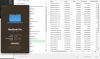
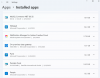
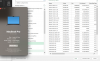
I cannot explain why RandallQ's worked. I found Microsoft Visual C++ 2015-2022 Redistributable (x64) - 14.32.31332 at https://www.geeks3d.com/dl/show/10091 and installed it. No luck with x64 MySql ODBC Connector 8.0.31 nor with 8.0.30. I have x86, x64 and ARM64 versions of VCR all installed, same error. I have tried x64 and ARM64 installed individually, same error. The only difference I can see from testing RandallQ's solution is he is using a Mac Studio M1 Max whereas mine is a MacBook Pro M1. Surely it can't mean I need a Mac Studio M1 Max to get an ODBC driver working.
DamaniB:
Like MihailM1 said, "There is no way you were able to install 64-bit MySQL Connector with x86 Visual C++ Redist." It is likely a 32 bit version of MySQL Connector was installed. If an existing x64 VCR was already on the system and a x64 MySQL was indeed installed, then DamaniB is another unicorn like RandallQ. In that case we would interested to know what version and build of x64 VCR was installed and .
Other than 1 or possibly 2 unicorns, there is no answer here. It is unlikely this issue will ever get resolved. Parallels is evidently not interested in getting to the bottom of this. I'm not wasting any more time on trying to get a x64 version installed. I will sooner get a Windows laptop in order to get my work done than spin my wheels with Parallels. But hey, I can use PowerBI to make reports. I just can't read data with it. How handy is that?
All 7 possible solutions were tested:
1. The VM and MySql ODBC driver meet all system requirements. Microsoft 64bit C++ Redistributable 2015-2022 is installed which supports 2017 requirements of the driver.
2. Isolate Windows from Mac to exclude Mac OS X influence: Same problem.
3. Search Google for the 3rd party program: Suggestions involve older ODBC driver versions with different redistributables. I've tried three different versions and three different redistributables all of which exhibit the same issue.
4. Create new user account in Windows and try to reproduce the issue. Same problem.
5. Reinstall the third-party program: Same problem over and over again.
6. Pay attention to file destinations of this third-party program. I have installed the ODBC driver on my own Windows 10 Home PC both from network and local with no problem. I have tried to install both from the networked and shared drives and locally on the VM. Both exhibit the same problem.
7. If a third-party program does not install or does not start, create new (= one more) virtual machine with the same OS and check the issue. I installed a second VM with Windows 11, installed the Microsoft 64 bit Microsoft C++ Redistributable 2015-2022 then attempted to install the MySQL ODBC driver. Same problem exists on the new Parallels VM.
I also downloaded a trial version of a commercial 64 bit MySql ODBC driver from Devart. It too exhibited the same issue. I contacted their support too. When they learned it was on Parallels they said they do not support Parallels. Fair enough. It likely works on a real Windows system. I know the Oracle MySQL Connector installs on a Windows 10 PC without issues because I did that.
Parallels support now suggests contacting Oracle support...
So starts the runaround. What do you think Oracle is going to say about this? Does it work on real Windows? Yes. We're done.
Now about this thread...
There is confusion over if an ARM64 or x64 version of of VCR should be installed. Parallels is a Windows VM, therefore it should be treated as a Windows system. Drivers and VCR should all be x64. Oracle does not have an ARM64 version of the MySQL Connector.
Amanda1:
Obviously installed a 32 bit version. Fare enough. The x86 installs without issues for me too.
RandallQ:
I cannot explain why RandallQ's worked. I found Microsoft Visual C++ 2015-2022 Redistributable (x64) - 14.32.31332 at https://www.geeks3d.com/dl/show/10091 and installed it. No luck with x64 MySql ODBC Connector 8.0.31 nor with 8.0.30. I have x86, x64 and ARM64 versions of VCR all installed, same error. I have tried x64 and ARM64 installed individually, same error. The only difference I can see from testing RandallQ's solution is he is using a Mac Studio M1 Max whereas mine is a MacBook Pro M1. Surely it can't mean I need a Mac Studio M1 Max to get an ODBC driver working.
DamaniB:
Like MihailM1 said, "There is no way you were able to install 64-bit MySQL Connector with x86 Visual C++ Redist." It is likely a 32 bit version of MySQL Connector was installed. If an existing x64 VCR was already on the system and a x64 MySQL was indeed installed, then DamaniB is another unicorn like RandallQ. In that case we would interested to know what version and build of x64 VCR was installed and .
Other than 1 or possibly 2 unicorns, there is no answer here. It is unlikely this issue will ever get resolved. Parallels is evidently not interested in getting to the bottom of this. I'm not wasting any more time on trying to get a x64 version installed. I will sooner get a Windows laptop in order to get my work done than spin my wheels with Parallels. But hey, I can use PowerBI to make reports. I just can't read data with it. How handy is that?


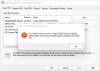
 Be sure to restart your PC when done installing.