Upgrade to 10.2.2 (29105) just DESTROYED my Win10 Virtual Machine

Instructions on how to boot into safe mode in Windows 10.
http://www.tomshardware.com/faq/id-2569556/safe-mode-windows.html
Bottom line is you can disable driver signature enforcement with the safe mode menu option and use the Parallels driver. The display driver that Parallels tools installs is unsigned. This should be easy for Parallels to correct in the next update.
Unfortunately, after following tom's tuto, I haven't got any "safe mode" in the start menu?
How disable signature enforcement before booting throw command line in repair tools?
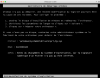
Capture d’écran 2015-07-29 à 14.38.26.png
 
Hi All,

Yes today I've got the official Windows 10 edition installed - and Parallels works like a magic...
It's a bit annoying that Parallels didn't announce they don't support Windows 10 build 10074 before.

:( but hey it was technical preview anyway, that sort of bad luck should have been expected....
Thanks for the update. Did you also have the blue screen of death thing going on before the full version? I was able to find an old version of parallels on my family member's computer and got it to work last night:D. I'm actually too scared to update at this point. :( I'm hoping you were the norm and not the exception. It will be interesting to see how others are doing after having this error.
 
Ok, I found a solution to restart my Windows Insider Preview version Build 10074
  • remove // V10.2.2
  • install // V10.2.1
  • open virtual_machine.pvm package and mount hard drive from xxx.hdd file
  • remove all new prl_*.sys from [c/d]:/windows/system32/Drivers/ and replace old ones from previous version of //
    • new 'bad' files are :
      -rw-rw-rw- 1 Christophe staff 48360 14 jul 15:25 prl_boot.sys
      -rw-rw-rw- 1 Christophe staff 199400 14 jul 15:25 prl_fs.sys
      -rw-rw-rw- 1 Christophe staff 199400 20 mai 11:59 prl_fs.sys_
      -rw-rw-rw- 1 Christophe staff 158952 14 jul 15:26 prl_kmdd.sys
      -rw-rw-rw- 1 Christophe staff 21736 14 jul 15:26 prl_memdev.sys
      -rw-rw-rw- 1 Christophe staff 22248 14 jul 15:26 prl_mouf.sys
      -rw-rw-rw- 1 Christophe staff 32192 2 jul 11:35 prl_scsi.sys
      -rw-rw-rw- 1 Christophe staff 55528 14 jul 15:26 prl_sound.sys
      -rw-rw-rw- 1 Christophe staff 40168 14 jul 15:26 prl_strg.sys
      -rw-rw-rw- 1 Christophe staff 28776 14 jul 15:26 prl_tg.sys
      -rw-rw-rw- 1 Christophe staff 19176 14 jul 15:26 prl_time.sys

      old 'good' files are :
      -rw-rw-rw- 1 Christophe staff 48360 20 mai 11:59 prl_boot.sys
      -rw-rw-rw- 1 Christophe staff 199400 20 mai 11:59 prl_fs.sys
      -rw-rw-rw- 1 Christophe staff 158952 20 mai 11:59 prl_kmdd.sys
      -rw-rw-rw- 1 Christophe staff 21736 20 mai 12:00 prl_memdev.sys
      -rw-rw-rw- 1 Christophe staff 22248 20 mai 12:00 prl_mouf.sys
      -rw-rw-rw- 1 Christophe staff 32192 2 jul 12:16 prl_scsi.sys
      -rw-rw-rw- 1 Christophe staff 55528 20 mai 12:00 prl_sound.sys
      -rw-rw-rw- 1 Christophe staff 40168 20 mai 12:00 prl_strg.sys
      -rw-rw-rw- 1 Christophe staff 28776 20 mai 12:00 prl_tg.sys
      -rw-rw-rw- 1 Christophe staff 19176 20 mai 12:00 prl_time.sys

      after that, unmount drives
      restart windows in normal mode
      Upgrade windows to final version before upgrade // to 10.2.2
      It's works

 
ok.. I am fairly new to mac and have been using parallels 10 for awhile. Had an update window pop up clicked ok now blue screen and i am trying to remove and re download. how to i get the official ver of windows 10 from parallels. I did submit a support ticket
 
Also am unable to get any F8 options to work during boot mode, even after doing the bcdedit legacy change detailed in the tomshardware link.
 
Please note: If you need to be running Windows 10 Server for work (like me), you're still hosed after the Parallels update. The preview release of Windows Server 10 continues to have the same issue the preview release of Windows 10 had. I was able to get Windows 10 (final release) working, but unfortunately for me I require the server version - which still fails. Hopefully the Parallels Team gets a fix out soon...
 
Ok, I found a solution to restart my Windows Insider Preview version Build 10074
  • remove // V10.2.2
  • install // V10.2.1
  • open virtual_machine.pvm package and mount hard drive from xxx.hdd file
  • remove all new prl_*.sys from [c/d]:/windows/system32/Drivers/ and replace old ones from previous version of //
    • new 'bad' files are :
      -rw-rw-rw- 1 Christophe staff 48360 14 jul 15:25 prl_boot.sys
      -rw-rw-rw- 1 Christophe staff 199400 14 jul 15:25 prl_fs.sys
      -rw-rw-rw- 1 Christophe staff 199400 20 mai 11:59 prl_fs.sys_
      -rw-rw-rw- 1 Christophe staff 158952 14 jul 15:26 prl_kmdd.sys
      -rw-rw-rw- 1 Christophe staff 21736 14 jul 15:26 prl_memdev.sys
      -rw-rw-rw- 1 Christophe staff 22248 14 jul 15:26 prl_mouf.sys
      -rw-rw-rw- 1 Christophe staff 32192 2 jul 11:35 prl_scsi.sys
      -rw-rw-rw- 1 Christophe staff 55528 14 jul 15:26 prl_sound.sys
      -rw-rw-rw- 1 Christophe staff 40168 14 jul 15:26 prl_strg.sys
      -rw-rw-rw- 1 Christophe staff 28776 14 jul 15:26 prl_tg.sys
      -rw-rw-rw- 1 Christophe staff 19176 14 jul 15:26 prl_time.sys

      old 'good' files are :
      -rw-rw-rw- 1 Christophe staff 48360 20 mai 11:59 prl_boot.sys
      -rw-rw-rw- 1 Christophe staff 199400 20 mai 11:59 prl_fs.sys
      -rw-rw-rw- 1 Christophe staff 158952 20 mai 11:59 prl_kmdd.sys
      -rw-rw-rw- 1 Christophe staff 21736 20 mai 12:00 prl_memdev.sys
      -rw-rw-rw- 1 Christophe staff 22248 20 mai 12:00 prl_mouf.sys
      -rw-rw-rw- 1 Christophe staff 32192 2 jul 12:16 prl_scsi.sys
      -rw-rw-rw- 1 Christophe staff 55528 20 mai 12:00 prl_sound.sys
      -rw-rw-rw- 1 Christophe staff 40168 20 mai 12:00 prl_strg.sys
      -rw-rw-rw- 1 Christophe staff 28776 20 mai 12:00 prl_tg.sys
      -rw-rw-rw- 1 Christophe staff 19176 20 mai 12:00 prl_time.sys

      after that, unmount drives
      restart windows in normal mode
      Upgrade windows to final version before upgrade // to 10.2.2
      It's works
So uninstall 10.2.2, install 10.2.1, remove newer files... but where to get the old versions from? I'm only seeing the new versions in the drivers directory. :-(

Thanks,
Russ
 
What I did is reinstall first 10.2.1,
then reinstall a new Windows 10,
then took the files in the new one that works to "repair" the older.
then erase the new windows 10.

Good luck !
 
If someone could post or link to a copy of those 10 good files, that would be extremely helpful. I'm away from home and don't have access to a windows license key to perform a re-install. :-(

Never mind, I found a solution:
1. After deleting (and saving) the unsigned drivers, Windows detected an issue and offered to revert to a previous version (7). I did it, then restored the unsigned drivers and I was up and running with Win7. Then upgrading to the full version of Win 8 succeeded after a fail and retry.
 
Last edited:
I need to say that I'm not happy at all with the support here about this subject... As has been a problem caused by Parallels... should not be them the ones that provide us with a solution??

Now I have a Windows 10 on the domain that cannot boot up and if I contact my IT department will take me some time to have this working when it was just fine before the Parallels update.

Sorry but that does not help to keep trusting on this solution. I know that probably is not a Parallels fault but from the user point of view... We only need a solution to keep working.
 
I'm also having problems with my Win10 Preview after the // 10.2.2 update :(

@Maria@Parallels will the 10.2.3 (or whatever) update fix my currently broken VM, or will I have to reinstall Win10? And do you have any update on a date for a fix to be released? Thanks
 
Back
Top