I stumbled upon this thread in trying to troubleshoot my issue, which was the right side of windows apps being cut off in coherence mode. I've since moved from vga to dvi, and the problem went away.
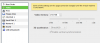
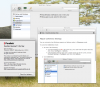
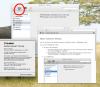
Even though my problem is fixed, something is bothering me: I have no "resolution" option under configure->hardware->video. See attached. Tried also with the machine powered down, same thing. No "resolution" options.
Is this simply because I don't have a retina display? This is an early 2011 macbook pro.
Even though my problem is fixed, something is bothering me: I have no "resolution" option under configure->hardware->video. See attached. Tried also with the machine powered down, same thing. No "resolution" options.
Is this simply because I don't have a retina display? This is an early 2011 macbook pro.