Pasting images from clipboard to win7 client results in black image

Hello nashmarkt,

Thanks for following up on me. :)

The issue solved itself with a recent Parallells upgrade. Don't know exactly how, but I was very happy.

However, the issue turned up again now with the latest Parallells upgrade. Very irritating.

The whole issue feels very unstable and difficult to debug. Seems to correlate with the updates though, somehow. Strange.

Oh, for the record: I did uninstall and reinstall Parallels Tools. No effect.
 
Last edited:
Any resolution to this issue yet?

For me, it seems to come and go with different Parallels upgrades. I usually upgrade when it's suggested to me, and a recent upgrade fixed the issu. Now however, with the latest update, clipboard is not working for images again. Very irritating.
 
Just got my new Mac today, and found out pasting image that copy from Mac to Win 7 VM would come out black. No issue the other way around.

I didn't have the same issue on the Mac 10.8 OS with Parallels 8.0 with Windows 7 VM.
 
copied image from Mac to Windows VM come out BLACK

Just got my new Mac today, and found out pasting image that copy from Mac to Win 7 VM would come out black. No issue the other way around.

I didn't have the same issue on the Mac 10.8 OS with Parallels 8.0 with Windows 7 VM.
 
I am having the same problem Mac OS 10.9.2 - Parallels - Build 9.0.24229 (Revision 991745; Tuesday, April 1, 2014) pasting into Win XP

Seems like it will work for a while, then start to have problems. Only way it gets better is to reboot everything and hope for the best.
 
Yep OSX 10.2, Parallels 9.0.24229, Windows 8.1

I have tried everything in this thread....nothing works. looks like its been about 5 months. Whats up Parallels?

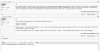
garbled again.png
 
Same issue with me - get garbled images when copying any image from Mac and pasting into Windows. Just reinstalled latest Parallels Tools.
Build 9.0.24229
(Revision 991745; Tuesday, April 1, 2014)

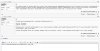
Untitled.png
 
And the same issue here: Mavericks + Parallels 9 Build 9.0.24229 with Tools latest version. Either a nasty garbled image as JohynnMc shos or a black image.

Time to get in Twitter I think.

CEll
 
This problem (screen shot from Mac, then paste to Windows side comes up with black image) started happening for me all of a sudden. Not sure what recent updates did it. I have the most current P9 (and even after updating P9 the last time, this problem was not there). Maybe Mavericks 10.9.3 fuq'd it up. I've learned to live with constant random issues between Mavericks and P9 fuqing each other. Not sure of VM Fusion will be any better. I'm keeping some faith in Parallels.
 
I've been having the exact same issue - sometimes it works, sometimes not.

Mac os X - Mavericks.
Guest OS: windows 8

The only way I've found to fix this is to suspend the VM. Shutdown parallels completely. restart parallels and resume the VM...then if I copy, it will paste for a while (then a few hours later, it stops working again).

I've tried rebuilding the OS, etc...this is definitely a problem with the core parallels - as I have to restart parallels to fix this. If I just reboot the VM, no change...
 
Back
Top