macOS 15 Sequoia: nested virtualization for M3+ Macs

Sven G

Hunter
Now that Parallels Desktop 20 released, can someone please confirm, if they support nested virtualization? I only have 2 M2 machines (with PD Pro licenses) and cannot test this.
 
Now that Parallels Desktop 20 released, can someone please confirm, if they support nested virtualization? I only have 2 M2 machines (with PD Pro licenses) and cannot test this.
No, I'm using M3 MacBook Air with macOS 15.1 beta and Parallels 20 installed, my Windows 22H2 vm just complains about the processor doesn't support virtualization.
 
Probably, the Apple virtualization framework doesn't yet support Windows guests, especially for the new nested virtualization feature available - but maybe only for macOS and/or Linux guests? - in macOS 15 Sequoia...? Hopefully, there will be some progress, in the future...
 
Shucks. I came to this thread hoping that nested virtualization support in MacOS 15 would mean I could run WSL2 in my Windows ARM guest.. :(
 
Yeah, I'm awaiting for just the same thing!
@parallels20, any chance to see that happening in a near future release of our beloved software?
And for the 2VMs limit, there's a guy who took the time to investigate it.
Conclusion: you can get rid of it by.... booting off of a debug kernel with modified parameters, ouch! :)
cf https://khronokernel.com/macos/2023/08/08/AS-VM.html
P.S.: I've filled the macOS feedback form (https://www.apple.com/feedback/macos/)
What 2 VM limit? I have been running up to five VMs at the same time. You need to be more specific.
 
I noticed the other day that I was able to get WSL 2 working on a Windows 11 24H2 virtual machine working, I think that uses Nested Virtualization.
 
Just tested with latest Parallels version 20.1.1 (55740) on M3 Pro and Sequoia 15.0.1, still does not work.
WSL 1 works (as it did on M1 as well), but that's just using a compatibility layer on top of Windows kernel instead of being a real VM. When trying to enable WSL 2, it gives the error message.
Parallels UI does not have "Enable Nested Virtualisation" button, and the official documentation (updated Oct 11) says it's not supported on ARM Macs: "Nested virtualization is currently not supported for the Apple hypervisor and for macOS virtual machines hosted on both Intel Mac and Apple Silicon Mac."
https://kb.parallels.com/116239
I would think Parallels would announce the nested virtualization as a new feature in their release notes, as soon as they get it implemented.
 

Attachments

  • Screenshot 2024-10-26 at 17.15.42.png
    Screenshot 2024-10-26 at 17.15.42.png
    132.7 KB · Views: 12
  • Screenshot 2024-10-26 at 17.14.45.png
    Screenshot 2024-10-26 at 17.14.45.png
    125.4 KB · Views: 9
Just tested with latest Parallels version 20.1.1 (55740) on M3 Pro and Sequoia 15.0.1, still does not work.
WSL 1 works (as it did on M1 as well), but that's just using a compatibility layer on top of Windows kernel instead of being a real VM. When trying to enable WSL 2, it gives the error message.
Parallels UI does not have "Enable Nested Virtualisation" button, and the official documentation (updated Oct 11) says it's not supported on ARM Macs: "Nested virtualization is currently not supported for the Apple hypervisor and for macOS virtual machines hosted on both Intel Mac and Apple Silicon Mac."
https://kb.parallels.com/116239
I would think Parallels would announce the nested virtualization as a new feature in their release notes, as soon as they get it implemented.
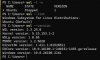
Interesting as this is what I have:
Virtual Machine Settings.png WSL Version.png
 
Of course I just realized the Ubuntu that was installed was WSL 1 even though WSL 2 is installed.
Your WSL --version has nothing to do with it still just being WSL1 - it's not WSL2 (my Surface Laoptop 7 with WSL2 shows the same WSL --version information as my M2 MacBook Air / macOS 15.1 / Parallels 20 with WSL1). The differentiation between WSL1 and WSL2 is shown in wsl -l -v.
 
Back
Top