Painfully Slow internet on Windows

Parallels 18 for Mac on Macbook Air M1 with painful speeds on Windows 11 ARM
Changing network to bridged does not help
Turning on Network Conditioner restored my network speed
Thanks a lot
 
THANK YOU ALL!

Amazing! I've solved two of my most annoying Parallels problems in one day thanks to this forum! I could not understand for the life of me why the internet speed was so unbelievably sluggish - whether I gave it direct access to my WiFi (and my Mac used its Ethernet), or used Shared, or whatever. Then I enable the Network Conditioner with speeds similar to my actual broadband connection and it immediately began to FLY!
FWIW: MacBook Pro M1 Max 64GB / Sonoma 14.0 / Parallels 19 / Windows ARM 23H2 build 25931.1000
 
Activating the Network Conditioner improves a little but the speed I am getting from Ookla SpeedTest in the VM is about 10% of my real ISP speed. Why is that?? I am using Bridged->Default adatper Network connection and now with Network Conditioner activated with a unlimited custom profile... shouldn't be getting speedtest result near to my real ISP speed ??
 
Activating the Network Conditioner improves a little but the speed I am getting from Ookla SpeedTest in the VM is about 10% of my real ISP speed. Why is that?? I am using Bridged->Default adatper Network connection and now with Network Conditioner activated with a unlimited custom profile... shouldn't be getting speedtest result near to my real ISP speed ??
Same here. And resolving a site on Edge is very, very slow, too.
 
Try this... I accidentally found this after having the same issue. Settings for the VM -> Options -> Optimization. Make sure the slider is at No Limit. Seems any other setting dramatically reduces network speed of the VM.
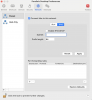
 
Try this... I accidentally found this after having the same issue. Settings for the VM -> Options -> Optimization. Make sure the slider is at No Limit. Seems any other setting dramatically reduces network speed of the VM.

I had the same issue. Network conditioning totally worked--however, after maxing out Optimization, I don't need to enable Network Conditioning. Optimization totally worked for me. I prefer this setting over the latter. Thanks for the suggestion @BrianW32! I was going CRAZY trying to figure out my SUPER slow network speeds until now!
 
See https://forum.parallels.com/threads...ter-on-mac-os-so-slow-using-parallels.344397/

Confirming that this is the problem and is a Parallels reproducible bug. It is insidious in the latest version of Parallels 20.2.0, build 55872, in that Resource usage changes after windows ot the mac goes to sleep, even if configure is locked! Sequoia 15.2 (24C101), Macbook Pro M3, Windows 11 ARM, all fully updated.

Workaround 1. Always shutdown Windows before letting mac go to sleep. Workaround 2. Run MS Edge at VM boot, the ookla. If slow, open configure, then set Optimization to No limit and reboot. So far, the two workarounds 1 and/or 2 have worked most if not all of the time, although I have rebooted the Mac and VM so much just to be able to work, I can't vouch that this works with it works in all situations. It has helped to always perform Workaound 2 before doing any work.
 
@ronn4 I got this resolved after a month of back and forth with Parallels support. The issue was resolved by turning off IPv6 (see attached screenshot). And all images in all machines are now flying. Hope that helps.
 

Attachments

Back
Top