Parallels Update trouble with Rhino CAD Version 19.0.0 (54570)

RachelL1

Member
Dear All,
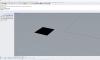
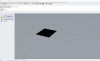
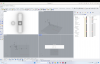
I just updated Rhino to Version 19.0.0 (54570) Windows 11, usually this is no problem but now when I open Rhino all the lines of my drawings are disappeared but the models are still here I can see them only in shaded modes, I guess it is a display problem but I have no idea how I can solve it, this way it is impossible to work with can someone help me? would appreciate any help
thanks in advance
Kind Regards Rachel
 

Attachments

  • Bildschirmfoto 2023-08-29 um 11.19.48.png
    Bildschirmfoto 2023-08-29 um 11.19.48.png
    522.6 KB · Views: 13
Dear All,
I received this yesterday from the parallels support and this helped me! All runs correct now
thank you very much
Kind Regards Rachel
 
Hello!
We'd like to investigate the issue. Kindly reproduce it again and collect a technical report at the moment of reproduction as described below:
click Parallels Desktop icon in Dock > Help > Send technical data > click 'Attach screenshots' > Send report. Once the report is generated, please share the report ID with us.
Looking forward to hearing from you.
 
Having the same issue, (report id: 435689423) see below,

there are 2 square lines in the image below (one with a hatch applied)
upload_2023-9-13_0-28-58.png

see below, same file all i did was drag a selection box across my screen and enable points (they are still visible )
upload_2023-9-13_0-31-9.png
 
Parallels support any update? its radio silence over here. In lieu of any solution the workaround ive found is to downgrade back to Parallels 18
 
Parallels support any update? its radio silence over here. In lieu of any solution the workaround ive found is to downgrade back to Parallels 18
Hello!
As a workaround, you can perform the steps below:
1. Shut down the virtual machine (Actions > Shut down).
2. Open its preferences as per https://kb.parallels.com/117287 > Hardware > Boot Order > Advanced Settings.
3. Paste the following system flag:
video.gl4=0
4. Check if the issue still persists. If it does not, kindly collect a fresh technical report (click on the Parallels icon > Help > Send technical data > Send report) and send it to us in your reply.
 
Dear All,
I received this yesterday from the parallels support and this helped me! All runs correct now
thank you very much
Kind Regards Rachel
I refer to the problem above, actually it is working well now, unfortunately the Arctic view is not working anymore with the new settings, this is not a mature problem but I liked the one very much for presentation it was a very clean look, if there is a way we could make it work again this would be great :) let me know if you need any informations from me, every help is appreciated, Regards Rachel
 
I refer to the problem above, actually it is working well now, unfortunately the Arctic view is not working anymore with the new settings, this is not a mature problem but I liked the one very much for presentation it was a very clean look, if there is a way we could make it work again this would be great :) let me know if you need any informations from me, every help is appreciated, Regards Rachel
Thanks for your feedback, Rachel! Would you reproduce the issue with the Arctic view not working again and collect a fresh technical report (click on the Parallels icon > Help > Send technical data > tick the 'Attach screenshots' checkbox > Send report) and send it to us in your reply, please?
If you can attach a short recording of the issue and attach it to the technical report, that would be of much help to us as well.
 
Hi Mikhail, thank you for your reply, I have made a Report 437315000 and a short video (as I cannot compare on my computer I picked a YouTube Video who is showing the arctic mode you Tube Video is from here: (
) in my Video the first part is out from the YouTube Video and the second part after 35seconds is showing how it looks on my computer so that you can compare hope this helps? let me know if you need any more info. Link to the Dropbox Video https://www.dropbox.com/scl/fo/z88tzkqxg0kmwshopj6v1/h?rlkey=9vm8t40plq09arvwaoham0644&dl=0
 
Hi Mikhail, thank you for your reply, I have made a Report 437315000 and a short video (as I cannot compare on my computer I picked a YouTube Video who is showing the arctic mode you Tube Video is from here: (
) in my Video the first part is out from the YouTube Video and the second part after 35seconds is showing how it looks on my computer so that you can compare hope this helps? let me know if you need any more info. Link to the Dropbox Video https://www.dropbox.com/scl/fo/z88tzkqxg0kmwshopj6v1/h?rlkey=9vm8t40plq09arvwaoham0644&dl=0
Thanks a lot for your feedback. I've shared this information with our Development Team. We'll work on fixing the issue in the next Parallels Desktop 19 update.
 
Dear Mikhail,
thank you very much, this problem is directly connected with the above problem, as when I added the following in the Boot-Sequenz (
video.gl3=0 video.gl2_emu=0 video.gl3_emu=0) this solved the problem with the disappeared lines in the drawings, they came back but with this also the arctic view disappeared, when I delete this in the Boot Sequenz then the arctic view is back but the lines are gone again.
for my work I need the lines, so I keep the info in the Boot Sequenz this is more important.
I hope this Info is helpful for you to find a solution
Thank you for your help
Regards Rachel
 
Dear Mikhail,
thank you very much, this problem is directly connected with the above problem, as when I added the following in the Boot-Sequenz (
video.gl3=0 video.gl2_emu=0 video.gl3_emu=0) this solved the problem with the disappeared lines in the drawings, they came back but with this also the arctic view disappeared, when I delete this in the Boot Sequenz then the arctic view is back but the lines are gone again.
for my work I need the lines, so I keep the info in the Boot Sequenz this is more important.
I hope this Info is helpful for you to find a solution
Thank you for your help
Regards Rachel
thank you for your feedback, Rachel! We're targeting to fix the issue in the upcoming update of Parallels Desktop 19. Stay tuned :)
 
Hello!
As a workaround, you can perform the steps below:
1. Shut down the virtual machine (Actions > Shut down).
2. Open its preferences as per https://kb.parallels.com/117287 > Hardware > Boot Order > Advanced Settings.
3. Paste the following system flag:
video.gl4=0
4. Check if the issue still persists. If it does not, kindly collect a fresh technical report (click on the Parallels icon > Help > Send technical data > Send report) and send it to us in your reply.

Not sure how to post here....hoping for help. I have a black screen on the windows side. Restarted & rebooted, still there. Any help?
 
Mihhail: I wish. It won't even get as far as logging into Parallels (the window just hangs) so I can't reach the windows side to click Actions/Reset (which was their answer too). Under my name file on Mac there are 3 instances of Parallels: Applications, Applications Parallels and Parallels. I imagine at least one of them is redundant or old but can't seem to find out which one that is. Not even sure that's the problem. Last month, someone from Parallels team logged into my computer & fixed an issue with Parallels & might have left something wrong behind. Any more help? I kind of need the windows side of things. Thanks! -Barry
 
Mihhail: I wish. It won't even get as far as logging into Parallels (the window just hangs) so I can't reach the windows side to click Actions/Reset (which was their answer too). Under my name file on Mac there are 3 instances of Parallels: Applications, Applications Parallels and Parallels. I imagine at least one of them is redundant or old but can't seem to find out which one that is. Not even sure that's the problem. Last month, someone from Parallels team logged into my computer & fixed an issue with Parallels & might have left something wrong behind. Any more help? I kind of need the windows side of things. Thanks! -Barry
Thanks, Barry! I've opened a ticket for you to have the issue addressed.
Going forward you can submit a support ticket at https://parallels.com/support.
 
Thanks for your help with this...but they are notoriously slow...so been thinking about abandoning Parallels at this point. The one person who took pity on my month long problem last time (which was for a simple re-subscribe) finally logged into my computer remotely & fixed that issue, only to create this one. Ugh.
 
Yeh...they keep asking me to do the same thing you asked, over & over, but I can't even launch the program. Sadly, they stink.
 
Back
Top