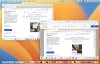
[FIXED] "Quick Assist" on Windows 11/ARM64 release 22000.318 PD 7.1

...doesn't work with a Microsoft account (albeit it works with an ADFS/company account)

Is it just me? Windows 11 Enterprise from "Visual Studio Subscriptions"

Requirements:
- Have a Microsoft account ready

Steps to reproduce:
- Start Quick Assist (built-in remote connection from Windows 10 and 11)
- Try to login

Result:
- Gives a warning to "Upgrade your Browser" -> unable to proceed
 
Best answer
And still no-go with Parallels 18.3
I put in a Parallels support incident for this back in Feb. and after a few emails back and forth they said this is a windows problem. I even referenced it working on VMware fusion and not Parallels and they would not help any further.

Anyone tried using wire shark to capture network packets and see exactly where it's hanging?
 
It works on „bare metal" too (Windows/ARM on Snapdragon).
So it's definitely a Parallels problem.
My support case (I opened one too. A couple of months ago) is „escalated" but obviously „dead". No responses from Parallels since January.

Time to move on. Away from Parallels.
 
It works on „bare metal" too (Windows/ARM on Snapdragon).
So it's definitely a Parallels problem.
My support case (I opened one too. A couple of months ago) is „escalated" but obviously „dead". No responses from Parallels since January.

Time to move on. Away from Parallels.
Hey @Grey Shadow, my apologies for this investigation taking so long and for not following up with you on the support ticket. Please understand that while we strive to provide Mac users with a great PC experience (as close to a real PC as possible), we do not own everything that happens within the Windows machine. When testing in our lab, we couldn't make Quick Assist work between two Arm-based PC computers either, I see that many Windows PC users report the same issue as well: https://answers.microsoft.com/en-us...p-broken/6f510a12-2d7e-4c67-8fa3-c1690baac5d9

Our Engineering team has reported this issue to Microsoft Feedback Hub. At this point, there is nothing else we can do about this situation, it appears to be unrelated to Parallels, plus all other Windows apps and the OS itself use the network just fine in the VM. I hope it makes sense to you and please let me know if you have any questions.
 
@Dmitry@Parallels No. Sorry. Doesn't make sense to me, as it works on Windows/ARM(Snapdragon) and VMware Fusion/ARM.
Microsoft indeed had some problem during the upgrade phase with older/newer QuickAssist versions (Windows version / Windows-Store version). Even on Windows/x64 <-> Windows /x64. These have settled.

Currently I have to RDP into a "real" Windows/x64 machine and do Quick Assist from there.
@Grey Shadow, thanks so much for this feedback. When you say "it works", do you mean connecting "to" or "from", or likewise? I am trying to understand if network/location is the culprit. We will certainly do another try on this investigation, I understand how critical it is not to be able to connect to a remote machine. If you can add 5 cents about your use case and what you do with Parallels Desktop, I would be super grateful.
 
Best answer
Back
Top