Download video stopped working

KreelaM

Junior Member
As of this morning no youtube video has succeeded in downloading, although I could download videos with Wondershare Ultimate Video Converter. They all received the same error. I tried to right-click and copy URL, then I tried to right-click and copy current URL. Normally I don't use the Safari extension, even though I have it installed. I tried two different browsers: Opera and Safari.

My O.S. is 13.2.1 Ventura on an M1 iMac, which is up-to-date. Two days ago I successfully downloaded videos. Restarting the Toolbox did not help, nor did changing download options help.
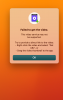
 

Attachments

  • Screenshot 2023-02-17 at 11.14.57 AM.png
    Screenshot 2023-02-17 at 11.14.57 AM.png
    737.5 KB · Views: 7
Same problem. Any word of a fix yet? Thanks.
Greetings LeonW3,
To proceed with an investigation, kindly collect a technical report as per this article: https://kb.parallels.com/en/124107
While the report is gathering, you can paste the link in the issue description so we can test it locally.
Then copy 9-digit ID of the report and provide it in a reply message.
Looking forward to hearing from you.
 
On a 2017 Mac using the latest OS.
Thanks for the info - For others who find this thread, if you have a new system, the following the downloading of the newest software should work for you. If you have an older system, like Lisa W and I have, then we need to see what Parallels Support comes up with for fixing this. The "record area" tool is still functional, you would need to surround the youtube video (or whatever your recording) and launch it, then press the play button. This will capture the video. Obviously not as convenient or as clean as dragging the URL to the download video tool - but at least there is an option while we wait to see if Parallels Support provides an update for us unfortunate souls with an older system.
 
Running version 6.0.2 works fine on my intel MBP, will not download the same YouTube link on my M2 MBP, just see the arrow constantly moving down, says processing web link, does nothing
 
Running version 6.0.2 works fine on my intel MBP, will not download the same YouTube link on my M2 MBP, just see the arrow constantly moving down, says processing web link, does nothing
Greetings evamedia,
Kindly try reproduce the issue and collect a technical report as per this article: https://kb.parallels.com/en/124107
In the description of the issue, provide a link to the video so we could reproduce it locally (if it's possible)
Then copy 9-digit ID of the report and provide it in a reply message.
Looking forward to hearing from you soon.
 
Same issue for me with YouTube video downloads being refused. Have the latest Parallels 6.5.0 version running on an M1 Mac running OS Ventura 13.4.1
I get the pop up window informing that the download failed. Screenshot attached.
 

Attachments

  • parallels_video_refused.jpg
    parallels_video_refused.jpg
    32.4 KB · Views: 0
Same issue for me with YouTube video downloads being refused. Have the latest Parallels 6.5.0 version running on an M1 Mac running OS Ventura 13.4.1
I get the pop up window informing that the download failed. Screenshot attached.

Hello,
We're aware of this issue and are currently working on correcting it as soon as possible. There will be no action required from your end, the video download will resume working as intended in the nearest future.
 
Hi, I'm still unable to download any youtube videos anymore. Using 2021 Mac Mini M1. Can you pleas e recommend any solutions.
 

Attachments

  • Screenshot 2023-08-22 at 04.41.02.png
    Screenshot 2023-08-22 at 04.41.02.png
    126.1 KB · Views: 5
Hi, I'm still unable to download any youtube videos anymore. Using 2021 Mac Mini M1. Can you pleas e recommend any solutions.

Hello JoeK9,
Please collect a technical report while the issue is being reproduced (click the Parallels Toolbox icon > Gear icon > Help > Send technical data > check "Attach screenshots..." > press Send Report) and send the report's 9-digit ID in reply to this post.

Additionally, please provide us with a link to the video you attempted to download.
 
I also receive the same error msg. I am on a M2 Ultra 2023 128GB Ram

Hello DDataBorg,
Please collect a technical report while the issue is being reproduced (click the Parallels Toolbox icon > Gear icon > Help > Send technical data > check "Attach screenshots..." > press Send Report) and send the report's 9-digit ID in reply to this post.

Additionally, please provide us with a link to the video you attempted to download.
 
Back
Top