Emptyspaces

Bit poster
I've installed Modern Warfare through BattleNet and through Steam. Both give me the same error Message. Any ideas on a solution?

Error Message:
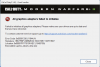
Screenshot 2023-01-10 at 12.24.45 PM.png

Here are my settings:

iMac:
Processor: 3 GHz 6-Core Intel Core i5
Graphics: Radeon Pro 570X 4 GB
Memory: 40 GB 2667 MHz DDR4
MacOS: 13.0.1 (22A400)
Display: 27" Retina (5120x2880)
Available Disk Space: 522 GB

Parallels 18 Setting:
CPU & Memory. Processor 4CPUs and Memory is 8 GB
Graphics: I've tried all 3, "Best for Retina", "Scaled" and "Best for External Displays"

Windows 11:
Windows says my Display Driver is Parallels Display Adapter (WDDM)
 
I've installed Modern Warfare through BattleNet and through Steam. Both give me the same error Message. Any ideas on a solution?

Error Message:

View attachment 20388

Here are my settings:

iMac:
Processor: 3 GHz 6-Core Intel Core i5
Graphics: Radeon Pro 570X 4 GB
Memory: 40 GB 2667 MHz DDR4
MacOS: 13.0.1 (22A400)
Display: 27" Retina (5120x2880)
Available Disk Space: 522 GB

Parallels 18 Setting:
CPU & Memory. Processor 4CPUs and Memory is 8 GB
Graphics: I've tried all 3, "Best for Retina", "Scaled" and "Best for External Displays"

Windows 11:
Windows says my Display Driver is Parallels Display Adapter (WDDM)
Hello @Emptyspaces , Please follow the steps from this link: https://kb.parallels.com/en/122615 to troubleshoot your issue. If the issue persists, please contact the game support to troubleshoot your issue. Thanks.
 
Help!!! I have this same problem, with Windows 11 VM but for Call of Duty: Modern Warfare 4.
The link given above is about installing 3rd party software via CD/DVD, so that is not at all helpful.
In addition, the first step there is "Exit Coherence," but my VM has the situation of "Enter Coherence" showing but it is GREYED OUT.

Here is my system info:

iMac:
Retina 5K, 27-inch, 2020
Processor: 3.6 GHz 10-Core Intel Core i9
Graphics: AMD Radeon Pro 5700 XT 16 GB
Memory: 64 GB 2667 MHz DDR4
MacOS: Sequoia 15.8.2
Available Disk Space: 1.86 TB (current Win11 VM needs to be enlarged; current vpm is 209.83 GB)

Parallels Desktop 26 for Mac, Pro Edition, v. 26.5.0 (57613)

Win 11 VM:
Processor Intel(R) Core(TM) i9-10910 CPU @ 3.60GHz (3.60 GHz)
Installed RAM 32.0 GB
Graphics card Parallels Display Adapter (WDDM) (NO GPU DETECTED)
Storage 197 GB of 256 GB used
Device ID 692BA18C-4590-484C-A763-91530041B680
Product ID 00330-80000-00000-AA562
System type 64-bit operating system, x64-based processor

OF NOTE: Even when we get the Display Adapter changed, in the past with Bootcamp on Win10, Call of Duty (Modern Warfare II) required a newer version of the GPU driver than AMD had available. I had to find and download a bootcamp version of "amd-Adrenaline upgrade version" from AMD.

How can I fix my GPU issue? How can I make sure I can upgrade the AMD gpu driver so that COD will run? Help, please.
 
Last edited:
Back
Top