SQL Server Update to Install on Windows for Arm

Hello there,

I installed SQL 2014 32-Bit Version without any problems and it is working, now I will try for 2019 version update and share the results.
Hi! Make sure you use this version of Windows Insider Preview (Windows10_InsiderPreview_Client_ARM64_en-us_21354) you can update after sql is installed... otherwise it won't work, tried with the new one and didn't... Saludos
Pudiste hacerlo??
 
For those still struggling to install MS SQL 2019 on Windows 11 I've found a way with a combinationa of things posted on this forum.
Steps:

1. Obtain Windows 10 build 21354 following instructions on this link (thanks MarcosH2) https://www.reddit.com/r/windowsins...dows_10_arm_insider_preview_vhdx_file_solved/
This step is very important as no other builds worked for me.

2. Install Windows 10. Important - select to configure VM before installing and remove 'TPM Chip' from Hardware as it's not compatible with Windows 10.

3. Follow instructions on installing and updating SQL 2019 from the very first post on this thread (thanks Mundford) - I first installed SQL 2019 developers edition (free) which failed as usual, then updated with both links provided, then installed SQL 2019 again and it worked!

4. Update to Windows 11. Windows updates didn't work for me, so I first updated to latest Windows 10 build available (21390) using ISO image.
Important - you have to add TPM Chip back or Windows 11 won't install. Again I couldn't update to Windows 11 from updates, so I got Windows 11 build 22000 ISO and updated without problems.

5. After upgrading to Windows 11 updates are working fine again so updating to very latest build right now. SQL Management Studio still works no issues.

Hopefully this will help someone as well.

I can confirm that this still works. The download link for the windows 10 image can be found in the reddit comments (it's on somebody's google drive). I've included CU17 immediately during the SQL 2019 install, yet you still need to install it twice. The second time it will succeed. Including the CU can be done by running setup.exe /Action=install /UpdateEnabled=true /UpdateSource=<path to cu>. The path to the CU is the location of the downloaded exe file. Don't extract it, and don't specify the file name, just the folder.
Afterwards download the windows 11 arm public release from https://uupdump.net/. Assemble it on the windows 10 VM (does not work on macOS), and mount the ISO inside the windows 10 VM. Then upgrade using the setup.exe inside the ISO.
 
I can confirm that this still works. The download link for the windows 10 image can be found in the reddit comments (it's on somebody's google drive). I've included CU17 immediately during the SQL 2019 install, yet you still need to install it twice. The second time it will succeed. Including the CU can be done by running setup.exe /Action=install /UpdateEnabled=true /UpdateSource=<path to cu>. The path to the CU is the location of the downloaded exe file. Don't extract it, and don't specify the file name, just the folder.
Afterwards download the windows 11 arm public release from https://uupdump.net/. Assemble it on the windows 10 VM (does not work on macOS), and mount the ISO inside the windows 10 VM. Then upgrade using the setup.exe inside the ISO.
Can you install and run SQL Server 2022 + VS 2022 the same way?
Somehow, SQL LocalDB 2019/2022 fail to execute on Win 11 in my case.
 
I can confirm that this still works. The download link for the windows 10 image can be found in the reddit comments (it's on somebody's google drive). I've included CU17 immediately during the SQL 2019 install, yet you still need to install it twice. The second time it will succeed. Including the CU can be done by running setup.exe /Action=install /UpdateEnabled=true /UpdateSource=<path to cu>. The path to the CU is the location of the downloaded exe file. Don't extract it, and don't specify the file name, just the folder.
Afterwards download the windows 11 arm public release from https://uupdump.net/. Assemble it on the windows 10 VM (does not work on macOS), and mount the ISO inside the windows 10 VM. Then upgrade using the setup.exe inside the ISO.
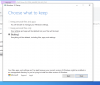
I am able to install SQL Server but unable to update OS to windows 11. Can you please help me to fix this? I even downloaded windows 10 latest version but got the issue [image is attached]. It will be great if you could help. Thank you.
 

Attachments

  • Screenshot 2022-09-21 at 4.40.25 PM.png
    Screenshot 2022-09-21 at 4.40.25 PM.png
    173.6 KB · Views: 43
After banging my head against a brick wall ever since getting my new M1 Max MacBook Pro trying to get SQL Server 2008 Express (or any other version!) installed so that I could use my old accounting software (MS Office Accounting 2009 Express) and not have to fire up my old Dell laptop every time I want to create an invoice, I found that it's really simply a case of installing the 32-bit version!

I hadn't tried this previously, since all the advice as to why SQL Server won't install on Windows 11 makes no mention of it being only a 64-bit issue. Also, I was under the impression that I wouldn't be able to restore my database, backed up from a 64-bit install, onto a 32-bit install. You can, so long as the database is the same or newer version. In my case I had an odd SP3 version 10.0.5538, but installing the newest SP4 update (after finding the base installer for SQLServer 2008 Express x86 on CNET) and my DB restored without missing a beat.
 
I know I don't have a Mac M1 now but I do have a Surface Pro X running Windows 11 ARM64 22H2. I just installed SQL Server 2014 x64 version on it with no issues. The problem is that you need the RTM version of 2000 for it to work. I tried to upgrade to SP3 and it wouldn't take it. It errored out on using Windows Update... but the RTM 2000 build works just fine for x64. Since you're running it in Parallels, I would bet your Win11 should work about the same too.

Good luck.
 
I couldn't get the SP3 to install until I ran it on the admin command prompt using this. I extracted the installer to a flash drive and did this:

setup /ACTION=UPGRADE /USEMICROSOFTUPDATE=false /quietsimple /iacceptsqlserverlicenseterms=1 /updateenabled=0

Seems the problem is with Windows Update.... so I'm crossing my fingers and trying a later version in a few minutes.
 
crap.... :/ Thought that worked... turns out it won't start.... Thought I had it . :( Nevermind. (can't delete the posts above or else I would....)
 
Hi Mundford,
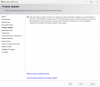
Both of the links you have given are cumulative updates (which I think must be installed after installing SQL Server). But I cannot install SQL Server Express on my Windows 10 ARM VM. After going deep into the installation process and nearly at the end of it an error message appears as follows:
Hi did you find a solution for this?
 
I've created a script that can install SQL Server Express 2019 and 2022 in Parallels on M1. You can download it here: https://github.com/jimm98y/MSSQLEXPRESS-M1-Install. Just run the bat file and wait until it completes.

It turned out the problem is not in the SQL Server, but in their installation. The script just fixes the installation so that the service can be started. I've been able to successfully use the SQL Express for development after installing it this way.

So far the only drawback I know about is that the LocalDB feature is not working from the ARM64 version of the Visual Studio. It looks like the ARM64 VS is trying to load x64 DLLs from the SQL installation, which obviously won't work. Otherwise, ASP.NET apps can connect to the SQL Server instance and I am also able to use the SSMS to manage the databases.
 
LukasV2, you are a hero! Thanks a lot as that saved me a lot of time and frustration and good evening instead of a stressful one!
 
I've created a script that can install SQL Server Express 2019 and 2022 in Parallels on M1. You can download it here: https://github.com/jimm98y/MSSQLEXPRESS-M1-Install. Just run the bat file and wait until it completes.

It turned out the problem is not in the SQL Server, but in their installation. The script just fixes the installation so that the service can be started. I've been able to successfully use the SQL Express for development after installing it this way.

So far the only drawback I know about is that the LocalDB feature is not working from the ARM64 version of the Visual Studio. It looks like the ARM64 VS is trying to load x64 DLLs from the SQL installation, which obviously won't work. Otherwise, ASP.NET apps can connect to the SQL Server instance and I am also able to use the SSMS to manage the databases.
Hey LukasV2, just for curiosity. Are you in Windows 11? or 10? I ran your script but some error are popping.
 
I've created a script that can install SQL Server Express 2019 and 2022 in Parallels on M1. You can download it here: https://github.com/jimm98y/MSSQLEXPRESS-M1-Install. Just run the bat file and wait until it completes.

It turned out the problem is not in the SQL Server, but in their installation. The script just fixes the installation so that the service can be started. I've been able to successfully use the SQL Express for development after installing it this way.

So far the only drawback I know about is that the LocalDB feature is not working from the ARM64 version of the Visual Studio. It looks like the ARM64 VS is trying to load x64 DLLs from the SQL installation, which obviously won't work. Otherwise, ASP.NET apps can connect to the SQL Server instance and I am also able to use the SSMS to manage the databases.
Thank you LukasV2 for the amazing script. I'm finally able to use ssms.. And for those who run into errors while installing SQL in the first step. Copy the script to a local folder (C:\Temp) and run it from there. It looks like when running it from a network file path it won't work, as the PowerShell cannot access it.
 
I've created a script that can install SQL Server Express 2019 and 2022 in Parallels on M1. You can download it here: https://github.com/jimm98y/MSSQLEXPRESS-M1-Install. Just run the bat file and wait until it completes.

It turned out the problem is not in the SQL Server, but in their installation. The script just fixes the installation so that the service can be started. I've been able to successfully use the SQL Express for development after installing it this way.

So far the only drawback I know about is that the LocalDB feature is not working from the ARM64 version of the Visual Studio. It looks like the ARM64 VS is trying to load x64 DLLs from the SQL installation, which obviously won't work. Otherwise, ASP.NET apps can connect to the SQL Server instance and I am also able to use the SSMS to manage the databases.
@LukasV2 once again, thank you for this! Question though: I'm running into an issue where on SQL 2022 Dev edition, I can't connect more than one user. I have several datasources with cached connections which is normally not a problem, but for some reason I can't have more than one connected. Do you think this is in any way related to your install script, or just a coincidence and I'm dealing with something else?

I've spent endless hours trying to figure this out (checking every setting under the sun) and at this point I'm just coming back to the installer you setup and am wondering if maybe I need to run it again with a different setting/switch or something.

Thanks!
 
Back
Top