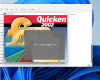
OK, my problem was the same symptoms as your problem, but not on Parallel (I came across your question whilst Googling for a solution).
My issue was on a brand new Windows 11 PC. I assumed it was Windows 11 related as it worked perfectly on both my and my wife's previous Windows 10 machines (we've never had an issue with multiple machines).
I downgraded my new PC to Windows 10 (clean install) and to my frustration (and surprise) I had exactly the same issue with Windows 10.
Here's how I fixed it:
Quicken 2002 Installation Issue
===================
The issue is that Quicken 2002 installation starts, but when you click install you get a splash screen which then disappears and nothing happens.
1. Reboot computer / restart Windows
2. Insert CD / run Quicken setup, click install Quicken (a splash screen may appear, but nothing much seems to happen)
3. Open Windows Task Manager, processes tab
4. Look for the setup (or _inst...) process
5. Right-click on setup (or _inst...) -> Go To Details
6. In Details, right-click on the setup.exe (or _inst....) -> Analyse wait chain
7. If it is waiting for something, (in my case asus_framework.exe), tick the box next to the process thread(s) and then click 'End process'
8a. You will likely need to repeat steps 4 to 7 multiple times, setup will likely change to _inst.....exe at some point but eventually it should install
8b. Depending upon the 'offending' process, it may be simpler to kill the offending processes completely -> I went back to Windows Task Manager -> Processes and killed the 'offending' asus_framework.exe processes, and then it installed cleanly
9. When it has finished installing, reboot your computer
10. Hopefully Quicken 2002 now works.
I have no idea if this is the same problem that you have, but I hope it helps.