Gracias MarcoW, me di cuenta que en Windows 11 ARM64 no hay compatibilidad con SQL Server 2019 por lo que ese era el problema. Si alguien tiene el archivo (Windows10_InsiderPreview_Client_ARM64_en-us_21354) descargado, paselo por favor. Microsoft eliminó esa versión del programa Insiders por el Windows 11.

Install the app
How to install the app on iOS
Follow along with the video below to see how to install our site as a web app on your home screen.
Note: This feature may not be available in some browsers.
You are using an out of date browser. It may not display this or other websites correctly.
You should upgrade or use an alternative browser.
You should upgrade or use an alternative browser.
SQL Server Update to Install on Windows for Arm
- Thread starter Mundford
- Start date
Aqui te dejo mi correo [email protected] , te agradezco!!Tengo el archivo pero comprimido pesa 4.2gb... No sabría cómo enviarlo. Slds
McallenT@P
Parallels Team
Hello @JoseE6, From where to where are you trying to move the 4.2 GB file ?Aqui te dejo mi correo [email protected] , te agradezco!!
McallenT@P
Parallels Team
Hello @JimChiu, Please provide the error message that you are getting while you install Visual Studio + SQL Server 2019 + SSMS. Thanks, Parallels Team.Looks like only Win10 for ARM image was able to install SQL Server 2019.
I've installed SQL successfully. However, Visual Studio breaks everything. Does any one be able to install Visual Studio + SQL Server 2019 + SSMS?
Thanks.
Please see pics as attached. Thanks.Hello @JimChiu, Please provide the error message that you are getting while you install Visual Studio + SQL Server 2019 + SSMS. Thanks, Parallels Team.
Attachments

I downloaded the file from Windows Insiders Review, have in on my computer, but not sure where I can post or even send that amount of gb.Hello @JoseE6, From where to where are you trying to move the 4.2 GB file ?
Hi, I finally installed them successfully! 
The Win10 ARM images I installed is a little bit old. Therefore, I end up using the following steps to install SQL Server 2019, SSMS, Visual Studio on M1.
1.) Install SQL Server 2019. It will fail. Just ignore this.
2.) Install SQL fix which is mentioned in Mundford's post.
3.) Click SQL Server 2019 installation file again to install SQL Server without problem.
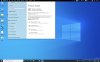
4.) Update Win10 to install KB5001030 as shown in attached pic.
5.) Install Visual Studio and SSMS.

The Win10 ARM images I installed is a little bit old. Therefore, I end up using the following steps to install SQL Server 2019, SSMS, Visual Studio on M1.
1.) Install SQL Server 2019. It will fail. Just ignore this.
2.) Install SQL fix which is mentioned in Mundford's post.
3.) Click SQL Server 2019 installation file again to install SQL Server without problem.
4.) Update Win10 to install KB5001030 as shown in attached pic.
5.) Install Visual Studio and SSMS.
Attachments
humm...the SQL dies again after reboot. 
HELP is needed, please.
Here is the Error msg:
A network-related or instance-specific error occurred while establishing a connection to SQL Server. The server was not found or was not accessible. Verify that the instance name is correct and that SQL Server is configured to allow remote connections. (provider: SQL Network Interfaces, error: 26 - Error Locating Server/Instance Specified) (.Net SqlClient Data Provider)
--------------------
===================================
Cannot connect to LIANG-CHUNC6BF6\SQLEXPRESS.
===================================
A network-related or instance-specific error occurred while establishing a connection to SQL Server. The server was not found or was not accessible. Verify that the instance name is correct and that SQL Server is configured to allow remote connections. (provider: SQL Network Interfaces, error: 26 - Error Locating Server/Instance Specified) (.Net SqlClient Data Provider)
------------------------------
For help, click: https://docs.microsoft.com/sql/rela...s-events/mssqlserver--1-database-engine-error
------------------------------
Error Number: -1
Severity: 20
State: 0
------------------------------
Program Location:
at System.Data.SqlClient.SqlInternalConnectionTds..ctor(DbConnectionPoolIdentity identity, SqlConnectionString connectionOptions, SqlCredential credential, Object providerInfo, String newPassword, SecureString newSecurePassword, Boolean redirectedUserInstance, SqlConnectionString userConnectionOptions, SessionData reconnectSessionData, DbConnectionPool pool, String accessToken, Boolean applyTransientFaultHandling, SqlAuthenticationProviderManager sqlAuthProviderManager)
at System.Data.SqlClient.SqlConnectionFactory.CreateConnection(DbConnectionOptions options, DbConnectionPoolKey poolKey, Object poolGroupProviderInfo, DbConnectionPool pool, DbConnection owningConnection, DbConnectionOptions userOptions)
at System.Data.ProviderBase.DbConnectionFactory.CreateNonPooledConnection(DbConnection owningConnection, DbConnectionPoolGroup poolGroup, DbConnectionOptions userOptions)
at System.Data.ProviderBase.DbConnectionFactory.TryGetConnection(DbConnection owningConnection, TaskCompletionSource`1 retry, DbConnectionOptions userOptions, DbConnectionInternal oldConnection, DbConnectionInternal& connection)
at System.Data.ProviderBase.DbConnectionInternal.TryOpenConnectionInternal(DbConnection outerConnection, DbConnectionFactory connectionFactory, TaskCompletionSource`1 retry, DbConnectionOptions userOptions)
at System.Data.ProviderBase.DbConnectionClosed.TryOpenConnection(DbConnection outerConnection, DbConnectionFactory connectionFactory, TaskCompletionSource`1 retry, DbConnectionOptions userOptions)
at System.Data.SqlClient.SqlConnection.TryOpenInner(TaskCompletionSource`1 retry)
at System.Data.SqlClient.SqlConnection.TryOpen(TaskCompletionSource`1 retry)
at System.Data.SqlClient.SqlConnection.Open()
at Microsoft.SqlServer.Management.SqlStudio.Explorer.ObjectExplorerService.ValidateConnection(UIConnectionInfo ci, IServerType server)
at Microsoft.SqlServer.Management.UI.ConnectionDlg.Connector.ConnectionThreadUser()
HELP is needed, please.
Here is the Error msg:
A network-related or instance-specific error occurred while establishing a connection to SQL Server. The server was not found or was not accessible. Verify that the instance name is correct and that SQL Server is configured to allow remote connections. (provider: SQL Network Interfaces, error: 26 - Error Locating Server/Instance Specified) (.Net SqlClient Data Provider)
--------------------
===================================
Cannot connect to LIANG-CHUNC6BF6\SQLEXPRESS.
===================================
A network-related or instance-specific error occurred while establishing a connection to SQL Server. The server was not found or was not accessible. Verify that the instance name is correct and that SQL Server is configured to allow remote connections. (provider: SQL Network Interfaces, error: 26 - Error Locating Server/Instance Specified) (.Net SqlClient Data Provider)
------------------------------
For help, click: https://docs.microsoft.com/sql/rela...s-events/mssqlserver--1-database-engine-error
------------------------------
Error Number: -1
Severity: 20
State: 0
------------------------------
Program Location:
at System.Data.SqlClient.SqlInternalConnectionTds..ctor(DbConnectionPoolIdentity identity, SqlConnectionString connectionOptions, SqlCredential credential, Object providerInfo, String newPassword, SecureString newSecurePassword, Boolean redirectedUserInstance, SqlConnectionString userConnectionOptions, SessionData reconnectSessionData, DbConnectionPool pool, String accessToken, Boolean applyTransientFaultHandling, SqlAuthenticationProviderManager sqlAuthProviderManager)
at System.Data.SqlClient.SqlConnectionFactory.CreateConnection(DbConnectionOptions options, DbConnectionPoolKey poolKey, Object poolGroupProviderInfo, DbConnectionPool pool, DbConnection owningConnection, DbConnectionOptions userOptions)
at System.Data.ProviderBase.DbConnectionFactory.CreateNonPooledConnection(DbConnection owningConnection, DbConnectionPoolGroup poolGroup, DbConnectionOptions userOptions)
at System.Data.ProviderBase.DbConnectionFactory.TryGetConnection(DbConnection owningConnection, TaskCompletionSource`1 retry, DbConnectionOptions userOptions, DbConnectionInternal oldConnection, DbConnectionInternal& connection)
at System.Data.ProviderBase.DbConnectionInternal.TryOpenConnectionInternal(DbConnection outerConnection, DbConnectionFactory connectionFactory, TaskCompletionSource`1 retry, DbConnectionOptions userOptions)
at System.Data.ProviderBase.DbConnectionClosed.TryOpenConnection(DbConnection outerConnection, DbConnectionFactory connectionFactory, TaskCompletionSource`1 retry, DbConnectionOptions userOptions)
at System.Data.SqlClient.SqlConnection.TryOpenInner(TaskCompletionSource`1 retry)
at System.Data.SqlClient.SqlConnection.TryOpen(TaskCompletionSource`1 retry)
at System.Data.SqlClient.SqlConnection.Open()
at Microsoft.SqlServer.Management.SqlStudio.Explorer.ObjectExplorerService.ValidateConnection(UIConnectionInfo ci, IServerType server)
at Microsoft.SqlServer.Management.UI.ConnectionDlg.Connector.ConnectionThreadUser()
De MarcosW a mi correo.Hello @JoseE6, From where to where are you trying to move the 4.2 GB file ?
McallenT@P
Parallels Team
Hello @JoseE6, Please be informed that the limit to send an attachment in an email is only 20-25 MB.De MarcosW a mi correo.
I just hope that the file is in the Google suite, so that it sends an email as a link.Hello @JoseE6, Please be informed that the limit to send an attachment in an email is only 20-25 MB.
Pablo Sebastián
Bit poster
Hello/Hola!
I cannot find Windows10_InsiderPreview_Client_ARM64_en-us_21354 on the Microsoft website. Anyone can share a public drive link or to my email? Really appreciated.
Many thanks.
Pablo
I cannot find Windows10_InsiderPreview_Client_ARM64_en-us_21354 on the Microsoft website. Anyone can share a public drive link or to my email? Really appreciated.
Many thanks.
Pablo
Retweet, I'm waiting for the previous e-mail. Someone?Hello/Hola!
I cannot find Windows10_InsiderPreview_Client_ARM64_en-us_21354 on the Microsoft website. Anyone can share a public drive link or to my email? Really appreciated.
Many thanks.
Pablo
Pablo Sebastián
Bit poster
Thanks Michael.
Anyone from the Parallels team can try installing SQL Server Express 2019? Its not installing for me throwing an unknown error.
Thanks.
Anyone from the Parallels team can try installing SQL Server Express 2019? Its not installing for me throwing an unknown error.
Thanks.
Hey all. New user here.
Im runnig to the same error over and over again.
Anyone have experienced this before ? This is the summary log file:
Overall summary:
Final result: Failed: see details below
Exit code (Decimal): -2068052294
Start time: 2021-10-08 16:52:36
End time: 2021-10-08 17:14:50
Requested action: Install
Setup completed with required actions for features.
Troubleshooting information for those features:
Next step for FullText: Use the following information to resolve the error, and then try the setup process again.
Next step for sql_inst_java: Use the following information to resolve the error, and then try the setup process again.
Next step for PolybaseJava: Use the following information to resolve the error, and then try the setup process again.
Next step for sql_inst_mpy: Use the following information to resolve the error, and then try the setup process again.
Next step for sql_inst_mr: Use the following information to resolve the error, and then try the setup process again.
Next step for PolybaseCore: Use the following information to resolve the error, and then try the setup process again.
Next step for AdvancedAnalytics: Use the following information to resolve the error, and then try the setup process again.
Next step for SQLEngine: Use the following information to resolve the error, and then try the setup process again.
Next step for Replication: Use the following information to resolve the error, and then try the setup process again.
Machine Properties:
Machine name: MARCOSANDRDEBCF
Machine processor count: 4
OS version: Microsoft Windows 11 Pro Insider Preview (10.0.22454)
OS service pack:
OS region: United States
OS language: English (United States)
OS architecture: x64
Process architecture: 64 Bit
OS clustered: No
Product features discovered:
Product Instance Instance ID Feature Language Edition Version Clustered Configured
Package properties:
Description: Microsoft SQL Server 2019
ProductName: SQL Server 2019
Type: RTM
Version: 15
SPLevel: 0
Installation location: C:\SQL2019\ExpressAdv_ENU\x64\setup\
Installation edition: Express
Product Update Status:
None discovered.
Azul OpenJDK JRE installed. For information on Azul Zulu OpenJDK third party licensing, see https://www.azul.com/licenses-zulu-third-party-licenses/
User Input Settings:
ACTION: Install
ADDCURRENTUSERASSQLADMIN: true
AGTSVCACCOUNT: NT AUTHORITY\NETWORK SERVICE
AGTSVCPASSWORD: *****
AGTSVCSTARTUPTYPE: Disabled
ASBACKUPDIR: Backup
ASCOLLATION: Latin1_General_CI_AS
ASCONFIGDIR: Config
ASDATADIR: Data
ASLOGDIR: Log
ASPROVIDERMSOLAP: 1
ASSERVERMODE: TABULAR
ASSVCACCOUNT: <empty>
ASSVCPASSWORD: <empty>
ASSVCSTARTUPTYPE: Automatic
ASSYSADMINACCOUNTS: <empty>
ASTELSVCACCT: <empty>
ASTELSVCPASSWORD: <empty>
ASTELSVCSTARTUPTYPE: 0
ASTEMPDIR: Temp
BROWSERSVCSTARTUPTYPE: Disabled
CLTCTLRNAME: <empty>
CLTRESULTDIR: <empty>
CLTSTARTUPTYPE: 0
CLTSVCACCOUNT: <empty>
CLTSVCPASSWORD: <empty>
CLTWORKINGDIR: <empty>
COMMFABRICENCRYPTION: 0
COMMFABRICNETWORKLEVEL: 0
COMMFABRICPORT: 0
CONFIGURATIONFILE:
CTLRSTARTUPTYPE: 0
CTLRSVCACCOUNT: <empty>
CTLRSVCPASSWORD: <empty>
CTLRUSERS: <empty>
ENABLERANU: true
ENU: true
EXTSVCACCOUNT: NT Service\MSSQLLaunchpad$SQLEXPRESS
EXTSVCPASSWORD: <empty>
FEATURES: SQLENGINE, REPLICATION, ADVANCEDANALYTICS, SQL_INST_MR, SQL_INST_MPY, SQL_INST_JAVA, FULLTEXT, POLYBASECORE, POLYBASEJAVA, CONN, BC, SDK, LOCALDB
FILESTREAMLEVEL: 0
FILESTREAMSHARENAME: <empty>
FTSVCACCOUNT: NT Service\MSSQLFDLauncher$SQLEXPRESS
FTSVCPASSWORD: <empty>
HELP: false
IACCEPTPYTHONLICENSETERMS: true
IACCEPTROPENLICENSETERMS: true
IACKNOWLEDGEENTCALLIMITS: false
INDICATEPROGRESS: false
INSTALLSHAREDDIR: C:\Program Files\Microsoft SQL Server\
INSTALLSHAREDWOWDIR: C:\Program Files (x86)\Microsoft SQL Server\
INSTALLSQLDATADIR: <empty>
INSTANCEDIR: C:\Program Files\Microsoft SQL Server\
INSTANCEID: SQLEXPRESS
INSTANCENAME: SQLEXPRESS
ISMASTERSVCACCOUNT: NT AUTHORITY\Network Service
ISMASTERSVCPASSWORD: <empty>
ISMASTERSVCPORT: 8391
ISMASTERSVCSSLCERTCN: <empty>
ISMASTERSVCSTARTUPTYPE: Automatic
ISMASTERSVCTHUMBPRINT: <empty>
ISSVCACCOUNT: NT AUTHORITY\Network Service
ISSVCPASSWORD: <empty>
ISSVCSTARTUPTYPE: Automatic
ISTELSVCACCT: <empty>
ISTELSVCPASSWORD: <empty>
ISTELSVCSTARTUPTYPE: 0
ISWORKERSVCACCOUNT: NT AUTHORITY\Network Service
ISWORKERSVCCERT: <empty>
ISWORKERSVCMASTER: <empty>
ISWORKERSVCPASSWORD: <empty>
ISWORKERSVCSTARTUPTYPE: Automatic
MATRIXCMBRICKCOMMPORT: 0
MATRIXCMSERVERNAME: <empty>
MATRIXNAME: <empty>
MRCACHEDIRECTORY:
NPENABLED: 0
PBDMSSVCACCOUNT: NT AUTHORITY\LOCAL SERVICE
PBDMSSVCPASSWORD: *****
PBDMSSVCSTARTUPTYPE: Automatic
PBENGSVCACCOUNT: NT AUTHORITY\LOCAL SERVICE
PBENGSVCPASSWORD: *****
PBENGSVCSTARTUPTYPE: Automatic
PBPORTRANGE: 16450-16460
PBSCALEOUT: false
PID: *****
QUIET: false
QUIETSIMPLE: false
ROLE: AllFeatures_WithDefaults
RSINSTALLMODE: DefaultNativeMode
RSSVCACCOUNT: <empty>
RSSVCPASSWORD: <empty>
RSSVCSTARTUPTYPE: Automatic
SAPWD: *****
SECURITYMODE: SQL
SQLBACKUPDIR: <empty>
SQLCOLLATION: SQL_Latin1_General_CP1_CI_AS
SQLJAVADIR:
SQLMAXDOP: 0
SQLMAXMEMORY: 2147483647
SQLMINMEMORY: 0
SQLSVCACCOUNT: NT Service\MSSQL$SQLEXPRESS
SQLSVCINSTANTFILEINIT: false
SQLSVCPASSWORD: *****
SQLSVCSTARTUPTYPE: Automatic
SQLSYSADMINACCOUNTS: MARCOSANDRDEBCF\marcosfacha
SQLTELSVCACCT: NT Service\SQLTELEMETRY$SQLEXPRESS
SQLTELSVCPASSWORD: <empty>
SQLTELSVCSTARTUPTYPE: Automatic
SQLTEMPDBDIR: <empty>
SQLTEMPDBFILECOUNT: 1
SQLTEMPDBFILEGROWTH: 64
SQLTEMPDBFILESIZE: 8
SQLTEMPDBLOGDIR: <empty>
SQLTEMPDBLOGFILEGROWTH: 64
SQLTEMPDBLOGFILESIZE: 8
SQLUSERDBDIR: <empty>
SQLUSERDBLOGDIR: <empty>
SUPPRESSPAIDEDITIONNOTICE: false
SUPPRESSPRIVACYSTATEMENTNOTICE: false
TCPENABLED: 0
UIMODE: AutoAdvance
UpdateEnabled: true
UpdateSource: MU
USEMICROSOFTUPDATE: false
USESQLRECOMMENDEDMEMORYLIMITS: false
X86: false
Configuration file: C:\Program Files\Microsoft SQL Server\150\Setup Bootstrap\Log\20211008_165146\ConfigurationFile.ini
Detailed results:
Feature: Full-Text and Semantic Extractions for Search
Status: Failed
Reason for failure: An error occurred for a dependency of the feature causing the setup process for the feature to fail.
Next Step: Use the following information to resolve the error, and then try the setup process again.
Component name: SQL Server Database Engine Services Shared Features
Component error code: 1722
Component log file: C:\Program Files\Microsoft SQL Server\150\Setup Bootstrap\Log\20211008_165146\sql_engine_core_shared_Cpu64_1_Local.log
Error description: There is a problem with this Windows Installer package. A program run as part of the setup did not finish as expected. Contact your support personnel or package vendor.
Error help link: https://go.microsoft.com/fwlink?Lin...ice.754C9258_CE8E_4420_9B81_7AD051B1479F@1722
Feature: Java
Status: Failed
Reason for failure: An error occurred for a dependency of the feature causing the setup process for the feature to fail.
Next Step: Use the following information to resolve the error, and then try the setup process again.
Component name: SQL Server Database Engine Services Shared Features
Component error code: 1722
Component log file: C:\Program Files\Microsoft SQL Server\150\Setup Bootstrap\Log\20211008_165146\sql_engine_core_shared_Cpu64_1_Local.log
Error description: There is a problem with this Windows Installer package. A program run as part of the setup did not finish as expected. Contact your support personnel or package vendor.
Error help link: https://go.microsoft.com/fwlink?Lin...ice.754C9258_CE8E_4420_9B81_7AD051B1479F@1722
Feature: Java connector for HDFS data sources
Status: Failed
Reason for failure: An error occurred for a dependency of the feature causing the setup process for the feature to fail.
Next Step: Use the following information to resolve the error, and then try the setup process again.
Component name: SQL Server Database Engine Services Shared Features
Component error code: 1722
Component log file: C:\Program Files\Microsoft SQL Server\150\Setup Bootstrap\Log\20211008_165146\sql_engine_core_shared_Cpu64_1_Local.log
Error description: There is a problem with this Windows Installer package. A program run as part of the setup did not finish as expected. Contact your support personnel or package vendor.
Error help link: https://go.microsoft.com/fwlink?Lin...ice.754C9258_CE8E_4420_9B81_7AD051B1479F@1722
Feature: Python
Status: Failed
Reason for failure: An error occurred for a dependency of the feature causing the setup process for the feature to fail.
Next Step: Use the following information to resolve the error, and then try the setup process again.
Component name: SQL Server Database Engine Services Shared Features
Component error code: 1722
Component log file: C:\Program Files\Microsoft SQL Server\150\Setup Bootstrap\Log\20211008_165146\sql_engine_core_shared_Cpu64_1_Local.log
Error description: There is a problem with this Windows Installer package. A program run as part of the setup did not finish as expected. Contact your support personnel or package vendor.
Error help link: https://go.microsoft.com/fwlink?Lin...ice.754C9258_CE8E_4420_9B81_7AD051B1479F@1722
Feature: R
Status: Failed
Reason for failure: An error occurred for a dependency of the feature causing the setup process for the feature to fail.
Next Step: Use the following information to resolve the error, and then try the setup process again.
Component name: SQL Server Database Engine Services Shared Features
Component error code: 1722
Component log file: C:\Program Files\Microsoft SQL Server\150\Setup Bootstrap\Log\20211008_165146\sql_engine_core_shared_Cpu64_1_Local.log
Error description: There is a problem with this Windows Installer package. A program run as part of the setup did not finish as expected. Contact your support personnel or package vendor.
Error help link: https://go.microsoft.com/fwlink?Lin...ice.754C9258_CE8E_4420_9B81_7AD051B1479F@1722
Feature: PolyBase Query Service for External Data
Status: Failed
Reason for failure: An error occurred for a dependency of the feature causing the setup process for the feature to fail.
Next Step: Use the following information to resolve the error, and then try the setup process again.
Component name: SQL Server Database Engine Services Shared Features
Component error code: 1722
Component log file: C:\Program Files\Microsoft SQL Server\150\Setup Bootstrap\Log\20211008_165146\sql_engine_core_shared_Cpu64_1_Local.log
Error description: There is a problem with this Windows Installer package. A program run as part of the setup did not finish as expected. Contact your support personnel or package vendor.
Error help link: https://go.microsoft.com/fwlink?Lin...ice.754C9258_CE8E_4420_9B81_7AD051B1479F@1722
Feature: Machine Learning Services and Language Extensions
Status: Failed
Reason for failure: An error occurred for a dependency of the feature causing the setup process for the feature to fail.
Next Step: Use the following information to resolve the error, and then try the setup process again.
Component name: SQL Server Database Engine Services Shared Features
Component error code: 1722
Component log file: C:\Program Files\Microsoft SQL Server\150\Setup Bootstrap\Log\20211008_165146\sql_engine_core_shared_Cpu64_1_Local.log
Error description: There is a problem with this Windows Installer package. A program run as part of the setup did not finish as expected. Contact your support personnel or package vendor.
Error help link: https://go.microsoft.com/fwlink?Lin...ice.754C9258_CE8E_4420_9B81_7AD051B1479F@1722
Feature: Database Engine Services
Status: Failed
Reason for failure: An error occurred for a dependency of the feature causing the setup process for the feature to fail.
Next Step: Use the following information to resolve the error, and then try the setup process again.
Component name: SQL Server Database Engine Services Shared Features
Component error code: 1722
Component log file: C:\Program Files\Microsoft SQL Server\150\Setup Bootstrap\Log\20211008_165146\sql_engine_core_shared_Cpu64_1_Local.log
Error description: There is a problem with this Windows Installer package. A program run as part of the setup did not finish as expected. Contact your support personnel or package vendor.
Error help link: https://go.microsoft.com/fwlink?Lin...ice.754C9258_CE8E_4420_9B81_7AD051B1479F@1722
Feature: SQL Server Replication
Status: Failed
Reason for failure: An error occurred for a dependency of the feature causing the setup process for the feature to fail.
Next Step: Use the following information to resolve the error, and then try the setup process again.
Component name: SQL Server Database Engine Services Shared Features
Component error code: 1722
Component log file: C:\Program Files\Microsoft SQL Server\150\Setup Bootstrap\Log\20211008_165146\sql_engine_core_shared_Cpu64_1_Local.log
Error description: There is a problem with this Windows Installer package. A program run as part of the setup did not finish as expected. Contact your support personnel or package vendor.
Error help link: https://go.microsoft.com/fwlink?Lin...ice.754C9258_CE8E_4420_9B81_7AD051B1479F@1722
Feature: SQL Browser
Status: Passed
Feature: SQL Writer
Status: Passed
Feature: LocalDB
Status: Passed
Feature: Client Tools Backwards Compatibility
Status: Passed
Feature: Client Tools SDK
Status: Passed
Feature: Client Tools Connectivity
Status: Passed
Rules with failures or warnings:
Global rules:
Warning IsFirewallEnabled The Windows Firewall is enabled. Make sure the appropriate ports are open to enable remote access. See the rules documentation at https://go.microsoft.com/fwlink/?linkid=2094702 for information about ports to open for each feature.
Rules report file: C:\Program Files\Microsoft SQL Server\150\Setup Bootstrap\Log\20211008_165146\SystemConfigurationCheck_Report.htm
Appreciate the help. Thanks
Im runnig to the same error over and over again.
Anyone have experienced this before ? This is the summary log file:
Overall summary:
Final result: Failed: see details below
Exit code (Decimal): -2068052294
Start time: 2021-10-08 16:52:36
End time: 2021-10-08 17:14:50
Requested action: Install
Setup completed with required actions for features.
Troubleshooting information for those features:
Next step for FullText: Use the following information to resolve the error, and then try the setup process again.
Next step for sql_inst_java: Use the following information to resolve the error, and then try the setup process again.
Next step for PolybaseJava: Use the following information to resolve the error, and then try the setup process again.
Next step for sql_inst_mpy: Use the following information to resolve the error, and then try the setup process again.
Next step for sql_inst_mr: Use the following information to resolve the error, and then try the setup process again.
Next step for PolybaseCore: Use the following information to resolve the error, and then try the setup process again.
Next step for AdvancedAnalytics: Use the following information to resolve the error, and then try the setup process again.
Next step for SQLEngine: Use the following information to resolve the error, and then try the setup process again.
Next step for Replication: Use the following information to resolve the error, and then try the setup process again.
Machine Properties:
Machine name: MARCOSANDRDEBCF
Machine processor count: 4
OS version: Microsoft Windows 11 Pro Insider Preview (10.0.22454)
OS service pack:
OS region: United States
OS language: English (United States)
OS architecture: x64
Process architecture: 64 Bit
OS clustered: No
Product features discovered:
Product Instance Instance ID Feature Language Edition Version Clustered Configured
Package properties:
Description: Microsoft SQL Server 2019
ProductName: SQL Server 2019
Type: RTM
Version: 15
SPLevel: 0
Installation location: C:\SQL2019\ExpressAdv_ENU\x64\setup\
Installation edition: Express
Product Update Status:
None discovered.
Azul OpenJDK JRE installed. For information on Azul Zulu OpenJDK third party licensing, see https://www.azul.com/licenses-zulu-third-party-licenses/
User Input Settings:
ACTION: Install
ADDCURRENTUSERASSQLADMIN: true
AGTSVCACCOUNT: NT AUTHORITY\NETWORK SERVICE
AGTSVCPASSWORD: *****
AGTSVCSTARTUPTYPE: Disabled
ASBACKUPDIR: Backup
ASCOLLATION: Latin1_General_CI_AS
ASCONFIGDIR: Config
ASDATADIR: Data
ASLOGDIR: Log
ASPROVIDERMSOLAP: 1
ASSERVERMODE: TABULAR
ASSVCACCOUNT: <empty>
ASSVCPASSWORD: <empty>
ASSVCSTARTUPTYPE: Automatic
ASSYSADMINACCOUNTS: <empty>
ASTELSVCACCT: <empty>
ASTELSVCPASSWORD: <empty>
ASTELSVCSTARTUPTYPE: 0
ASTEMPDIR: Temp
BROWSERSVCSTARTUPTYPE: Disabled
CLTCTLRNAME: <empty>
CLTRESULTDIR: <empty>
CLTSTARTUPTYPE: 0
CLTSVCACCOUNT: <empty>
CLTSVCPASSWORD: <empty>
CLTWORKINGDIR: <empty>
COMMFABRICENCRYPTION: 0
COMMFABRICNETWORKLEVEL: 0
COMMFABRICPORT: 0
CONFIGURATIONFILE:
CTLRSTARTUPTYPE: 0
CTLRSVCACCOUNT: <empty>
CTLRSVCPASSWORD: <empty>
CTLRUSERS: <empty>
ENABLERANU: true
ENU: true
EXTSVCACCOUNT: NT Service\MSSQLLaunchpad$SQLEXPRESS
EXTSVCPASSWORD: <empty>
FEATURES: SQLENGINE, REPLICATION, ADVANCEDANALYTICS, SQL_INST_MR, SQL_INST_MPY, SQL_INST_JAVA, FULLTEXT, POLYBASECORE, POLYBASEJAVA, CONN, BC, SDK, LOCALDB
FILESTREAMLEVEL: 0
FILESTREAMSHARENAME: <empty>
FTSVCACCOUNT: NT Service\MSSQLFDLauncher$SQLEXPRESS
FTSVCPASSWORD: <empty>
HELP: false
IACCEPTPYTHONLICENSETERMS: true
IACCEPTROPENLICENSETERMS: true
IACKNOWLEDGEENTCALLIMITS: false
INDICATEPROGRESS: false
INSTALLSHAREDDIR: C:\Program Files\Microsoft SQL Server\
INSTALLSHAREDWOWDIR: C:\Program Files (x86)\Microsoft SQL Server\
INSTALLSQLDATADIR: <empty>
INSTANCEDIR: C:\Program Files\Microsoft SQL Server\
INSTANCEID: SQLEXPRESS
INSTANCENAME: SQLEXPRESS
ISMASTERSVCACCOUNT: NT AUTHORITY\Network Service
ISMASTERSVCPASSWORD: <empty>
ISMASTERSVCPORT: 8391
ISMASTERSVCSSLCERTCN: <empty>
ISMASTERSVCSTARTUPTYPE: Automatic
ISMASTERSVCTHUMBPRINT: <empty>
ISSVCACCOUNT: NT AUTHORITY\Network Service
ISSVCPASSWORD: <empty>
ISSVCSTARTUPTYPE: Automatic
ISTELSVCACCT: <empty>
ISTELSVCPASSWORD: <empty>
ISTELSVCSTARTUPTYPE: 0
ISWORKERSVCACCOUNT: NT AUTHORITY\Network Service
ISWORKERSVCCERT: <empty>
ISWORKERSVCMASTER: <empty>
ISWORKERSVCPASSWORD: <empty>
ISWORKERSVCSTARTUPTYPE: Automatic
MATRIXCMBRICKCOMMPORT: 0
MATRIXCMSERVERNAME: <empty>
MATRIXNAME: <empty>
MRCACHEDIRECTORY:
NPENABLED: 0
PBDMSSVCACCOUNT: NT AUTHORITY\LOCAL SERVICE
PBDMSSVCPASSWORD: *****
PBDMSSVCSTARTUPTYPE: Automatic
PBENGSVCACCOUNT: NT AUTHORITY\LOCAL SERVICE
PBENGSVCPASSWORD: *****
PBENGSVCSTARTUPTYPE: Automatic
PBPORTRANGE: 16450-16460
PBSCALEOUT: false
PID: *****
QUIET: false
QUIETSIMPLE: false
ROLE: AllFeatures_WithDefaults
RSINSTALLMODE: DefaultNativeMode
RSSVCACCOUNT: <empty>
RSSVCPASSWORD: <empty>
RSSVCSTARTUPTYPE: Automatic
SAPWD: *****
SECURITYMODE: SQL
SQLBACKUPDIR: <empty>
SQLCOLLATION: SQL_Latin1_General_CP1_CI_AS
SQLJAVADIR:
SQLMAXDOP: 0
SQLMAXMEMORY: 2147483647
SQLMINMEMORY: 0
SQLSVCACCOUNT: NT Service\MSSQL$SQLEXPRESS
SQLSVCINSTANTFILEINIT: false
SQLSVCPASSWORD: *****
SQLSVCSTARTUPTYPE: Automatic
SQLSYSADMINACCOUNTS: MARCOSANDRDEBCF\marcosfacha
SQLTELSVCACCT: NT Service\SQLTELEMETRY$SQLEXPRESS
SQLTELSVCPASSWORD: <empty>
SQLTELSVCSTARTUPTYPE: Automatic
SQLTEMPDBDIR: <empty>
SQLTEMPDBFILECOUNT: 1
SQLTEMPDBFILEGROWTH: 64
SQLTEMPDBFILESIZE: 8
SQLTEMPDBLOGDIR: <empty>
SQLTEMPDBLOGFILEGROWTH: 64
SQLTEMPDBLOGFILESIZE: 8
SQLUSERDBDIR: <empty>
SQLUSERDBLOGDIR: <empty>
SUPPRESSPAIDEDITIONNOTICE: false
SUPPRESSPRIVACYSTATEMENTNOTICE: false
TCPENABLED: 0
UIMODE: AutoAdvance
UpdateEnabled: true
UpdateSource: MU
USEMICROSOFTUPDATE: false
USESQLRECOMMENDEDMEMORYLIMITS: false
X86: false
Configuration file: C:\Program Files\Microsoft SQL Server\150\Setup Bootstrap\Log\20211008_165146\ConfigurationFile.ini
Detailed results:
Feature: Full-Text and Semantic Extractions for Search
Status: Failed
Reason for failure: An error occurred for a dependency of the feature causing the setup process for the feature to fail.
Next Step: Use the following information to resolve the error, and then try the setup process again.
Component name: SQL Server Database Engine Services Shared Features
Component error code: 1722
Component log file: C:\Program Files\Microsoft SQL Server\150\Setup Bootstrap\Log\20211008_165146\sql_engine_core_shared_Cpu64_1_Local.log
Error description: There is a problem with this Windows Installer package. A program run as part of the setup did not finish as expected. Contact your support personnel or package vendor.
Error help link: https://go.microsoft.com/fwlink?Lin...ice.754C9258_CE8E_4420_9B81_7AD051B1479F@1722
Feature: Java
Status: Failed
Reason for failure: An error occurred for a dependency of the feature causing the setup process for the feature to fail.
Next Step: Use the following information to resolve the error, and then try the setup process again.
Component name: SQL Server Database Engine Services Shared Features
Component error code: 1722
Component log file: C:\Program Files\Microsoft SQL Server\150\Setup Bootstrap\Log\20211008_165146\sql_engine_core_shared_Cpu64_1_Local.log
Error description: There is a problem with this Windows Installer package. A program run as part of the setup did not finish as expected. Contact your support personnel or package vendor.
Error help link: https://go.microsoft.com/fwlink?Lin...ice.754C9258_CE8E_4420_9B81_7AD051B1479F@1722
Feature: Java connector for HDFS data sources
Status: Failed
Reason for failure: An error occurred for a dependency of the feature causing the setup process for the feature to fail.
Next Step: Use the following information to resolve the error, and then try the setup process again.
Component name: SQL Server Database Engine Services Shared Features
Component error code: 1722
Component log file: C:\Program Files\Microsoft SQL Server\150\Setup Bootstrap\Log\20211008_165146\sql_engine_core_shared_Cpu64_1_Local.log
Error description: There is a problem with this Windows Installer package. A program run as part of the setup did not finish as expected. Contact your support personnel or package vendor.
Error help link: https://go.microsoft.com/fwlink?Lin...ice.754C9258_CE8E_4420_9B81_7AD051B1479F@1722
Feature: Python
Status: Failed
Reason for failure: An error occurred for a dependency of the feature causing the setup process for the feature to fail.
Next Step: Use the following information to resolve the error, and then try the setup process again.
Component name: SQL Server Database Engine Services Shared Features
Component error code: 1722
Component log file: C:\Program Files\Microsoft SQL Server\150\Setup Bootstrap\Log\20211008_165146\sql_engine_core_shared_Cpu64_1_Local.log
Error description: There is a problem with this Windows Installer package. A program run as part of the setup did not finish as expected. Contact your support personnel or package vendor.
Error help link: https://go.microsoft.com/fwlink?Lin...ice.754C9258_CE8E_4420_9B81_7AD051B1479F@1722
Feature: R
Status: Failed
Reason for failure: An error occurred for a dependency of the feature causing the setup process for the feature to fail.
Next Step: Use the following information to resolve the error, and then try the setup process again.
Component name: SQL Server Database Engine Services Shared Features
Component error code: 1722
Component log file: C:\Program Files\Microsoft SQL Server\150\Setup Bootstrap\Log\20211008_165146\sql_engine_core_shared_Cpu64_1_Local.log
Error description: There is a problem with this Windows Installer package. A program run as part of the setup did not finish as expected. Contact your support personnel or package vendor.
Error help link: https://go.microsoft.com/fwlink?Lin...ice.754C9258_CE8E_4420_9B81_7AD051B1479F@1722
Feature: PolyBase Query Service for External Data
Status: Failed
Reason for failure: An error occurred for a dependency of the feature causing the setup process for the feature to fail.
Next Step: Use the following information to resolve the error, and then try the setup process again.
Component name: SQL Server Database Engine Services Shared Features
Component error code: 1722
Component log file: C:\Program Files\Microsoft SQL Server\150\Setup Bootstrap\Log\20211008_165146\sql_engine_core_shared_Cpu64_1_Local.log
Error description: There is a problem with this Windows Installer package. A program run as part of the setup did not finish as expected. Contact your support personnel or package vendor.
Error help link: https://go.microsoft.com/fwlink?Lin...ice.754C9258_CE8E_4420_9B81_7AD051B1479F@1722
Feature: Machine Learning Services and Language Extensions
Status: Failed
Reason for failure: An error occurred for a dependency of the feature causing the setup process for the feature to fail.
Next Step: Use the following information to resolve the error, and then try the setup process again.
Component name: SQL Server Database Engine Services Shared Features
Component error code: 1722
Component log file: C:\Program Files\Microsoft SQL Server\150\Setup Bootstrap\Log\20211008_165146\sql_engine_core_shared_Cpu64_1_Local.log
Error description: There is a problem with this Windows Installer package. A program run as part of the setup did not finish as expected. Contact your support personnel or package vendor.
Error help link: https://go.microsoft.com/fwlink?Lin...ice.754C9258_CE8E_4420_9B81_7AD051B1479F@1722
Feature: Database Engine Services
Status: Failed
Reason for failure: An error occurred for a dependency of the feature causing the setup process for the feature to fail.
Next Step: Use the following information to resolve the error, and then try the setup process again.
Component name: SQL Server Database Engine Services Shared Features
Component error code: 1722
Component log file: C:\Program Files\Microsoft SQL Server\150\Setup Bootstrap\Log\20211008_165146\sql_engine_core_shared_Cpu64_1_Local.log
Error description: There is a problem with this Windows Installer package. A program run as part of the setup did not finish as expected. Contact your support personnel or package vendor.
Error help link: https://go.microsoft.com/fwlink?Lin...ice.754C9258_CE8E_4420_9B81_7AD051B1479F@1722
Feature: SQL Server Replication
Status: Failed
Reason for failure: An error occurred for a dependency of the feature causing the setup process for the feature to fail.
Next Step: Use the following information to resolve the error, and then try the setup process again.
Component name: SQL Server Database Engine Services Shared Features
Component error code: 1722
Component log file: C:\Program Files\Microsoft SQL Server\150\Setup Bootstrap\Log\20211008_165146\sql_engine_core_shared_Cpu64_1_Local.log
Error description: There is a problem with this Windows Installer package. A program run as part of the setup did not finish as expected. Contact your support personnel or package vendor.
Error help link: https://go.microsoft.com/fwlink?Lin...ice.754C9258_CE8E_4420_9B81_7AD051B1479F@1722
Feature: SQL Browser
Status: Passed
Feature: SQL Writer
Status: Passed
Feature: LocalDB
Status: Passed
Feature: Client Tools Backwards Compatibility
Status: Passed
Feature: Client Tools SDK
Status: Passed
Feature: Client Tools Connectivity
Status: Passed
Rules with failures or warnings:
Global rules:
Warning IsFirewallEnabled The Windows Firewall is enabled. Make sure the appropriate ports are open to enable remote access. See the rules documentation at https://go.microsoft.com/fwlink/?linkid=2094702 for information about ports to open for each feature.
Rules report file: C:\Program Files\Microsoft SQL Server\150\Setup Bootstrap\Log\20211008_165146\SystemConfigurationCheck_Report.htm
Appreciate the help. Thanks
Pablo Sebastián
Bit poster
I'm facing the very same problem. Anyone could make this work?Hey all. New user here.
Im runnig to the same error over and over again.
Anyone have experienced this before ? This is the summary log file:
Overall summary:
Final result: Failed: see details below
Exit code (Decimal): -2068052294
Start time: 2021-10-08 16:52:36
End time: 2021-10-08 17:14:50
Requested action: Install
Setup completed with required actions for features.
Troubleshooting information for those features:
Next step for FullText: Use the following information to resolve the error, and then try the setup process again.
Next step for sql_inst_java: Use the following information to resolve the error, and then try the setup process again.
Next step for PolybaseJava: Use the following information to resolve the error, and then try the setup process again.
Next step for sql_inst_mpy: Use the following information to resolve the error, and then try the setup process again.
Next step for sql_inst_mr: Use the following information to resolve the error, and then try the setup process again.
Next step for PolybaseCore: Use the following information to resolve the error, and then try the setup process again.
Next step for AdvancedAnalytics: Use the following information to resolve the error, and then try the setup process again.
Next step for SQLEngine: Use the following information to resolve the error, and then try the setup process again.
Next step for Replication: Use the following information to resolve the error, and then try the setup process again.
Machine Properties:
Machine name: MARCOSANDRDEBCF
Machine processor count: 4
OS version: Microsoft Windows 11 Pro Insider Preview (10.0.22454)
OS service pack:
OS region: United States
OS language: English (United States)
OS architecture: x64
Process architecture: 64 Bit
OS clustered: No
Product features discovered:
Product Instance Instance ID Feature Language Edition Version Clustered Configured
Package properties:
Description: Microsoft SQL Server 2019
ProductName: SQL Server 2019
Type: RTM
Version: 15
SPLevel: 0
Installation location: C:\SQL2019\ExpressAdv_ENU\x64\setup\
Installation edition: Express
Product Update Status:
None discovered.
Azul OpenJDK JRE installed. For information on Azul Zulu OpenJDK third party licensing, see https://www.azul.com/licenses-zulu-third-party-licenses/
User Input Settings:
ACTION: Install
ADDCURRENTUSERASSQLADMIN: true
AGTSVCACCOUNT: NT AUTHORITY\NETWORK SERVICE
AGTSVCPASSWORD: *****
AGTSVCSTARTUPTYPE: Disabled
ASBACKUPDIR: Backup
ASCOLLATION: Latin1_General_CI_AS
ASCONFIGDIR: Config
ASDATADIR: Data
ASLOGDIR: Log
ASPROVIDERMSOLAP: 1
ASSERVERMODE: TABULAR
ASSVCACCOUNT: <empty>
ASSVCPASSWORD: <empty>
ASSVCSTARTUPTYPE: Automatic
ASSYSADMINACCOUNTS: <empty>
ASTELSVCACCT: <empty>
ASTELSVCPASSWORD: <empty>
ASTELSVCSTARTUPTYPE: 0
ASTEMPDIR: Temp
BROWSERSVCSTARTUPTYPE: Disabled
CLTCTLRNAME: <empty>
CLTRESULTDIR: <empty>
CLTSTARTUPTYPE: 0
CLTSVCACCOUNT: <empty>
CLTSVCPASSWORD: <empty>
CLTWORKINGDIR: <empty>
COMMFABRICENCRYPTION: 0
COMMFABRICNETWORKLEVEL: 0
COMMFABRICPORT: 0
CONFIGURATIONFILE:
CTLRSTARTUPTYPE: 0
CTLRSVCACCOUNT: <empty>
CTLRSVCPASSWORD: <empty>
CTLRUSERS: <empty>
ENABLERANU: true
ENU: true
EXTSVCACCOUNT: NT Service\MSSQLLaunchpad$SQLEXPRESS
EXTSVCPASSWORD: <empty>
FEATURES: SQLENGINE, REPLICATION, ADVANCEDANALYTICS, SQL_INST_MR, SQL_INST_MPY, SQL_INST_JAVA, FULLTEXT, POLYBASECORE, POLYBASEJAVA, CONN, BC, SDK, LOCALDB
FILESTREAMLEVEL: 0
FILESTREAMSHARENAME: <empty>
FTSVCACCOUNT: NT Service\MSSQLFDLauncher$SQLEXPRESS
FTSVCPASSWORD: <empty>
HELP: false
IACCEPTPYTHONLICENSETERMS: true
IACCEPTROPENLICENSETERMS: true
IACKNOWLEDGEENTCALLIMITS: false
INDICATEPROGRESS: false
INSTALLSHAREDDIR: C:\Program Files\Microsoft SQL Server\
INSTALLSHAREDWOWDIR: C:\Program Files (x86)\Microsoft SQL Server\
INSTALLSQLDATADIR: <empty>
INSTANCEDIR: C:\Program Files\Microsoft SQL Server\
INSTANCEID: SQLEXPRESS
INSTANCENAME: SQLEXPRESS
ISMASTERSVCACCOUNT: NT AUTHORITY\Network Service
ISMASTERSVCPASSWORD: <empty>
ISMASTERSVCPORT: 8391
ISMASTERSVCSSLCERTCN: <empty>
ISMASTERSVCSTARTUPTYPE: Automatic
ISMASTERSVCTHUMBPRINT: <empty>
ISSVCACCOUNT: NT AUTHORITY\Network Service
ISSVCPASSWORD: <empty>
ISSVCSTARTUPTYPE: Automatic
ISTELSVCACCT: <empty>
ISTELSVCPASSWORD: <empty>
ISTELSVCSTARTUPTYPE: 0
ISWORKERSVCACCOUNT: NT AUTHORITY\Network Service
ISWORKERSVCCERT: <empty>
ISWORKERSVCMASTER: <empty>
ISWORKERSVCPASSWORD: <empty>
ISWORKERSVCSTARTUPTYPE: Automatic
MATRIXCMBRICKCOMMPORT: 0
MATRIXCMSERVERNAME: <empty>
MATRIXNAME: <empty>
MRCACHEDIRECTORY:
NPENABLED: 0
PBDMSSVCACCOUNT: NT AUTHORITY\LOCAL SERVICE
PBDMSSVCPASSWORD: *****
PBDMSSVCSTARTUPTYPE: Automatic
PBENGSVCACCOUNT: NT AUTHORITY\LOCAL SERVICE
PBENGSVCPASSWORD: *****
PBENGSVCSTARTUPTYPE: Automatic
PBPORTRANGE: 16450-16460
PBSCALEOUT: false
PID: *****
QUIET: false
QUIETSIMPLE: false
ROLE: AllFeatures_WithDefaults
RSINSTALLMODE: DefaultNativeMode
RSSVCACCOUNT: <empty>
RSSVCPASSWORD: <empty>
RSSVCSTARTUPTYPE: Automatic
SAPWD: *****
SECURITYMODE: SQL
SQLBACKUPDIR: <empty>
SQLCOLLATION: SQL_Latin1_General_CP1_CI_AS
SQLJAVADIR:
SQLMAXDOP: 0
SQLMAXMEMORY: 2147483647
SQLMINMEMORY: 0
SQLSVCACCOUNT: NT Service\MSSQL$SQLEXPRESS
SQLSVCINSTANTFILEINIT: false
SQLSVCPASSWORD: *****
SQLSVCSTARTUPTYPE: Automatic
SQLSYSADMINACCOUNTS: MARCOSANDRDEBCF\marcosfacha
SQLTELSVCACCT: NT Service\SQLTELEMETRY$SQLEXPRESS
SQLTELSVCPASSWORD: <empty>
SQLTELSVCSTARTUPTYPE: Automatic
SQLTEMPDBDIR: <empty>
SQLTEMPDBFILECOUNT: 1
SQLTEMPDBFILEGROWTH: 64
SQLTEMPDBFILESIZE: 8
SQLTEMPDBLOGDIR: <empty>
SQLTEMPDBLOGFILEGROWTH: 64
SQLTEMPDBLOGFILESIZE: 8
SQLUSERDBDIR: <empty>
SQLUSERDBLOGDIR: <empty>
SUPPRESSPAIDEDITIONNOTICE: false
SUPPRESSPRIVACYSTATEMENTNOTICE: false
TCPENABLED: 0
UIMODE: AutoAdvance
UpdateEnabled: true
UpdateSource: MU
USEMICROSOFTUPDATE: false
USESQLRECOMMENDEDMEMORYLIMITS: false
X86: false
Configuration file: C:\Program Files\Microsoft SQL Server\150\Setup Bootstrap\Log\20211008_165146\ConfigurationFile.ini
Detailed results:
Feature: Full-Text and Semantic Extractions for Search
Status: Failed
Reason for failure: An error occurred for a dependency of the feature causing the setup process for the feature to fail.
Next Step: Use the following information to resolve the error, and then try the setup process again.
Component name: SQL Server Database Engine Services Shared Features
Component error code: 1722
Component log file: C:\Program Files\Microsoft SQL Server\150\Setup Bootstrap\Log\20211008_165146\sql_engine_core_shared_Cpu64_1_Local.log
Error description: There is a problem with this Windows Installer package. A program run as part of the setup did not finish as expected. Contact your support personnel or package vendor.
Error help link: https://go.microsoft.com/fwlink?LinkId=20476&ProdName=Microsoft+SQL+Server&EvtSrc=setup.rll&EvtID=50000&ProdVer=15.0.4013.40&[email protected]_CE8E_4420_9B81_7AD051B1479F@1722
Feature: Java
Status: Failed
Reason for failure: An error occurred for a dependency of the feature causing the setup process for the feature to fail.
Next Step: Use the following information to resolve the error, and then try the setup process again.
Component name: SQL Server Database Engine Services Shared Features
Component error code: 1722
Component log file: C:\Program Files\Microsoft SQL Server\150\Setup Bootstrap\Log\20211008_165146\sql_engine_core_shared_Cpu64_1_Local.log
Error description: There is a problem with this Windows Installer package. A program run as part of the setup did not finish as expected. Contact your support personnel or package vendor.
Error help link: https://go.microsoft.com/fwlink?LinkId=20476&ProdName=Microsoft+SQL+Server&EvtSrc=setup.rll&EvtID=50000&ProdVer=15.0.4013.40&[email protected]_CE8E_4420_9B81_7AD051B1479F@1722
Feature: Java connector for HDFS data sources
Status: Failed
Reason for failure: An error occurred for a dependency of the feature causing the setup process for the feature to fail.
Next Step: Use the following information to resolve the error, and then try the setup process again.
Component name: SQL Server Database Engine Services Shared Features
Component error code: 1722
Component log file: C:\Program Files\Microsoft SQL Server\150\Setup Bootstrap\Log\20211008_165146\sql_engine_core_shared_Cpu64_1_Local.log
Error description: There is a problem with this Windows Installer package. A program run as part of the setup did not finish as expected. Contact your support personnel or package vendor.
Error help link: https://go.microsoft.com/fwlink?LinkId=20476&ProdName=Microsoft+SQL+Server&EvtSrc=setup.rll&EvtID=50000&ProdVer=15.0.4013.40&[email protected]_CE8E_4420_9B81_7AD051B1479F@1722
Feature: Python
Status: Failed
Reason for failure: An error occurred for a dependency of the feature causing the setup process for the feature to fail.
Next Step: Use the following information to resolve the error, and then try the setup process again.
Component name: SQL Server Database Engine Services Shared Features
Component error code: 1722
Component log file: C:\Program Files\Microsoft SQL Server\150\Setup Bootstrap\Log\20211008_165146\sql_engine_core_shared_Cpu64_1_Local.log
Error description: There is a problem with this Windows Installer package. A program run as part of the setup did not finish as expected. Contact your support personnel or package vendor.
Error help link: https://go.microsoft.com/fwlink?LinkId=20476&ProdName=Microsoft+SQL+Server&EvtSrc=setup.rll&EvtID=50000&ProdVer=15.0.4013.40&[email protected]_CE8E_4420_9B81_7AD051B1479F@1722
Feature: R
Status: Failed
Reason for failure: An error occurred for a dependency of the feature causing the setup process for the feature to fail.
Next Step: Use the following information to resolve the error, and then try the setup process again.
Component name: SQL Server Database Engine Services Shared Features
Component error code: 1722
Component log file: C:\Program Files\Microsoft SQL Server\150\Setup Bootstrap\Log\20211008_165146\sql_engine_core_shared_Cpu64_1_Local.log
Error description: There is a problem with this Windows Installer package. A program run as part of the setup did not finish as expected. Contact your support personnel or package vendor.
Error help link: https://go.microsoft.com/fwlink?LinkId=20476&ProdName=Microsoft+SQL+Server&EvtSrc=setup.rll&EvtID=50000&ProdVer=15.0.4013.40&[email protected]_CE8E_4420_9B81_7AD051B1479F@1722
Feature: PolyBase Query Service for External Data
Status: Failed
Reason for failure: An error occurred for a dependency of the feature causing the setup process for the feature to fail.
Next Step: Use the following information to resolve the error, and then try the setup process again.
Component name: SQL Server Database Engine Services Shared Features
Component error code: 1722
Component log file: C:\Program Files\Microsoft SQL Server\150\Setup Bootstrap\Log\20211008_165146\sql_engine_core_shared_Cpu64_1_Local.log
Error description: There is a problem with this Windows Installer package. A program run as part of the setup did not finish as expected. Contact your support personnel or package vendor.
Error help link: https://go.microsoft.com/fwlink?LinkId=20476&ProdName=Microsoft+SQL+Server&EvtSrc=setup.rll&EvtID=50000&ProdVer=15.0.4013.40&[email protected]_CE8E_4420_9B81_7AD051B1479F@1722
Feature: Machine Learning Services and Language Extensions
Status: Failed
Reason for failure: An error occurred for a dependency of the feature causing the setup process for the feature to fail.
Next Step: Use the following information to resolve the error, and then try the setup process again.
Component name: SQL Server Database Engine Services Shared Features
Component error code: 1722
Component log file: C:\Program Files\Microsoft SQL Server\150\Setup Bootstrap\Log\20211008_165146\sql_engine_core_shared_Cpu64_1_Local.log
Error description: There is a problem with this Windows Installer package. A program run as part of the setup did not finish as expected. Contact your support personnel or package vendor.
Error help link: https://go.microsoft.com/fwlink?LinkId=20476&ProdName=Microsoft+SQL+Server&EvtSrc=setup.rll&EvtID=50000&ProdVer=15.0.4013.40&[email protected]_CE8E_4420_9B81_7AD051B1479F@1722
Feature: Database Engine Services
Status: Failed
Reason for failure: An error occurred for a dependency of the feature causing the setup process for the feature to fail.
Next Step: Use the following information to resolve the error, and then try the setup process again.
Component name: SQL Server Database Engine Services Shared Features
Component error code: 1722
Component log file: C:\Program Files\Microsoft SQL Server\150\Setup Bootstrap\Log\20211008_165146\sql_engine_core_shared_Cpu64_1_Local.log
Error description: There is a problem with this Windows Installer package. A program run as part of the setup did not finish as expected. Contact your support personnel or package vendor.
Error help link: https://go.microsoft.com/fwlink?LinkId=20476&ProdName=Microsoft+SQL+Server&EvtSrc=setup.rll&EvtID=50000&ProdVer=15.0.4013.40&[email protected]_CE8E_4420_9B81_7AD051B1479F@1722
Feature: SQL Server Replication
Status: Failed
Reason for failure: An error occurred for a dependency of the feature causing the setup process for the feature to fail.
Next Step: Use the following information to resolve the error, and then try the setup process again.
Component name: SQL Server Database Engine Services Shared Features
Component error code: 1722
Component log file: C:\Program Files\Microsoft SQL Server\150\Setup Bootstrap\Log\20211008_165146\sql_engine_core_shared_Cpu64_1_Local.log
Error description: There is a problem with this Windows Installer package. A program run as part of the setup did not finish as expected. Contact your support personnel or package vendor.
Error help link: https://go.microsoft.com/fwlink?LinkId=20476&ProdName=Microsoft+SQL+Server&EvtSrc=setup.rll&EvtID=50000&ProdVer=15.0.4013.40&[email protected]_CE8E_4420_9B81_7AD051B1479F@1722
Feature: SQL Browser
Status: Passed
Feature: SQL Writer
Status: Passed
Feature: LocalDB
Status: Passed
Feature: Client Tools Backwards Compatibility
Status: Passed
Feature: Client Tools SDK
Status: Passed
Feature: Client Tools Connectivity
Status: Passed
Rules with failures or warnings:
Global rules:
Warning IsFirewallEnabled The Windows Firewall is enabled. Make sure the appropriate ports are open to enable remote access. See the rules documentation at https://go.microsoft.com/fwlink/?linkid=2094702 for information about ports to open for each feature.
Rules report file: C:\Program Files\Microsoft SQL Server\150\Setup Bootstrap\Log\20211008_165146\SystemConfigurationCheck_Report.htm
Appreciate the help. Thanks
Thanks.
Pablo Sebastián
Bit poster
this is my log file https://gist.github.com/centerax/cf1e7528b2c9315d1761088629d61e58I'm facing the very same problem. Anyone could make this work?
Thanks.
Pablo Sebastián
Bit poster
Hello,
In the meantime Im testing this alternative: https://database.guide/how-to-install-sql-server-on-an-m1-mac-arm64/
In the meantime Im testing this alternative: https://database.guide/how-to-install-sql-server-on-an-m1-mac-arm64/