Greetings,
I've got a strange issue occuring on a instance of Parallels, first and formost the enviroment.
Latest Mac OS with Parallels pro running the latest version of Windows 10, so far no issues, however i utalize a remote desktop connection to connect to a server that runs Sage Pastel partner, the application runs on the host so everything here works as you would expect.
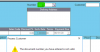
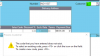
However the issue inside the program, is when trying to process a tax invoice and searching for a invoice number or Customer the Search fields are sort of changed, pressing enter on the blank seach bar should display all customers but for some reason as soon as i press enter "g " is entered in an an expected error occures that the customer could not be found.
No matter what i enter in or try and search for the search field is changed to either the G followed by two spaces or by the word Invoic, i can login to my same profile on another pc that is not using Parallels and this function works fine so it's not exactly a Pastel issue.
I've tried a whole bunch of different keyboard and region settings, tried configuring the keyboard to not use any Mac shortcuts and as well the default Windows settings but there is no difference.
I've exhaused all pastel consultant's i have at my disposal at this point, and hoping some support on the Parallels might have encountered this before.
I've got a strange issue occuring on a instance of Parallels, first and formost the enviroment.
Latest Mac OS with Parallels pro running the latest version of Windows 10, so far no issues, however i utalize a remote desktop connection to connect to a server that runs Sage Pastel partner, the application runs on the host so everything here works as you would expect.
However the issue inside the program, is when trying to process a tax invoice and searching for a invoice number or Customer the Search fields are sort of changed, pressing enter on the blank seach bar should display all customers but for some reason as soon as i press enter "g " is entered in an an expected error occures that the customer could not be found.
No matter what i enter in or try and search for the search field is changed to either the G followed by two spaces or by the word Invoic, i can login to my same profile on another pc that is not using Parallels and this function works fine so it's not exactly a Pastel issue.
I've tried a whole bunch of different keyboard and region settings, tried configuring the keyboard to not use any Mac shortcuts and as well the default Windows settings but there is no difference.
I've exhaused all pastel consultant's i have at my disposal at this point, and hoping some support on the Parallels might have encountered this before.