
Install the app
How to install the app on iOS
Follow along with the video below to see how to install our site as a web app on your home screen.
Note: This feature may not be available in some browsers.
You are using an out of date browser. It may not display this or other websites correctly.
You should upgrade or use an alternative browser.
You should upgrade or use an alternative browser.
DebasmitaM
Forum Maven
Hello, please follow the below steps:-
- Step 1: Boot Kali Linux.
- Step 2: Select Advanced options for Kali GNU/Linux.
- Step 3: Press the e key to enter the GRUB edit mode.
- Step 4: Change the boot mode to read-write.
- Step 5: Inform the kernel to boot into shell mode.
- Step 6: Boot Kali Linux.
- Step 7: Reset the root password.

Adeboye Adeotan
Forum Maven
how is the boot mode changed to read-write? is there a bash command?
how do I inform the kernel to boot into shell mode? Is there a command?
this is kali-linux-2022-2 ARM64
I have the same issue with my Ubuntu 22.04 ARM64
Hello marks80,
Please follow the steps outlined below to reset your password.
1. Start your virtual machine.
2. On the grub menu, press 'e' on your keyboard before the system starts booting.
3. Scroll down and locate the line that begins with 'linux' (see screenshot)
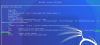
4. Move the cursor to the end of this line, just after 'ro quiet splash' and type "init=/bin/bash"
5. Press Ctrl + x to boot into single-user mode
6. Execute the following command in the terminal "mount -n -o remount,rw /"
7. Reset your parallels account password by executing "passwd parallels".
8. Type in your new password and confirm it. You should get a 'password updated successfully' message on your terminal.
9. Execute "exec /sbin/init" to restart your virtual machine.
You should now be able to log into your virtual machine with the newly updated password

It does not work for me!
also I have to know root password! I use M2 chip and I have big problem with Parallels it is not a VMbox like I used before. And Why I am starting with a parallel user! also it is not possible to see grub menu!
IS there a documentation. Sorry but my general view it is no so user friendly. Where can I find a documentation!
also I have to know root password! I use M2 chip and I have big problem with Parallels it is not a VMbox like I used before. And Why I am starting with a parallel user! also it is not possible to see grub menu!
IS there a documentation. Sorry but my general view it is no so user friendly. Where can I find a documentation!
Works for me, thanks!Hello marks80,
Please follow the steps outlined below to reset your password.
1. Start your virtual machine.
2. On the grub menu, press 'e' on your keyboard before the system starts booting.
3. Scroll down and locate the line that begins with 'linux' (see screenshot)
View attachment 20630
4. Move the cursor to the end of this line, just after 'ro quiet splash' and type "init=/bin/bash"
5. Press Ctrl + x to boot into single-user mode
6. Execute the following command in the terminal "mount -n -o remount,rw /"
7. Reset your parallels account password by executing "passwd parallels".
8. Type in your new password and confirm it. You should get a 'password updated successfully' message on your terminal.
9. Execute "exec /sbin/init" to restart your virtual machine.
You should now be able to log into your virtual machine with the newly updated password