Well @parallels I am on day 3 of the V.16 evaluation period and am not able to test anything due to this problem. Tech support is only available if you purchase... have an old version, but not even having an older version I get support... great way to treat users...

Install the app
How to install the app on iOS
Follow along with the video below to see how to install our site as a web app on your home screen.
Note: This feature may not be available in some browsers.
You are using an out of date browser. It may not display this or other websites correctly.
You should upgrade or use an alternative browser.
You should upgrade or use an alternative browser.
macOS Big Sur and Parallels Desktop
- Thread starter IvanD@Parallels
- Start date
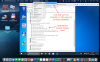
Ok. here's what I came up with: if you go to "Parallel's Desktop Preferences/Devices" and chose "Connect It to to the Active Virtual Machine" when you connect any USB devices it will go to Parallels. but it will have to be reset EVERY TIME. meaning: THIS IS AN ISSUE WITH PARALLELS AND NOT ANYTHING ELSE. @parallels: you're welcome!
Hi All
Just updated to PD 16.1.2 (49151) (hosted on Big Sur 11.1) and was anyone else having a similar problem ..... my windows and linux guests work fine, but my Big Sur guests (again 11.1) all fail to boot and PD errors. Hardware is a Mac Pro 5,1 with dual 6 core 3.46GHz Xeons, 96Gb RAM & flashed Nvidia GeForce GTX 680 (if it matters).
Half way through the boot progress bar, they just crash & the guest window closes.
Bit of fiddling and if the Parallels hypervisor is selected, they crash. If the Apple hypervisor is selected they boot, but at that half way point they go through a resolution change and revert to 1080p (they're set to 1280x800 and didn't change resolution before the update).
Once resolution inside the guest is set back to 1280x800 everything appears fine (apart from them having added 2-8 additional network interfaces inside the guests which may be related to the number of failed attempts to boot), but was just wondering if anyone else is having the same problem with Big Sur guests and the Parallels hypervisor.
Alex
Just updated to PD 16.1.2 (49151) (hosted on Big Sur 11.1) and was anyone else having a similar problem ..... my windows and linux guests work fine, but my Big Sur guests (again 11.1) all fail to boot and PD errors. Hardware is a Mac Pro 5,1 with dual 6 core 3.46GHz Xeons, 96Gb RAM & flashed Nvidia GeForce GTX 680 (if it matters).
Half way through the boot progress bar, they just crash & the guest window closes.
Bit of fiddling and if the Parallels hypervisor is selected, they crash. If the Apple hypervisor is selected they boot, but at that half way point they go through a resolution change and revert to 1080p (they're set to 1280x800 and didn't change resolution before the update).
Once resolution inside the guest is set back to 1280x800 everything appears fine (apart from them having added 2-8 additional network interfaces inside the guests which may be related to the number of failed attempts to boot), but was just wondering if anyone else is having the same problem with Big Sur guests and the Parallels hypervisor.
Alex
DidierMalenfant
Bit poster
Yep. Exact same issue, started with the latest Parallels update and bricked one of my VMs. Your fix sorted it out for now.was just wondering if anyone else is having the same problem with Big Sur guests and the Parallels hypervisor.
My guess is it's a guest tools issue, possibly graphics driver ... the guest initially booted up fine after the PD update, it was only after the tools were auto updated that problems occurredYep. Exact same issue, started with the latest Parallels update and bricked one of my VMs. Your fix sorted it out for now.
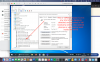
finally I've got answer for my support ticket from Parallels Desktop support Team about other than usb storage devices:
This is clear statement that PD16 is useless for You if you wish to use other usb device than storage pandrive. Move to VirtualBox, we don't need you .
.
Hello, Thank you for your patience and cooperation while we are working on the resolution. USB-to-com or USB-to-lanRJ45 devices are not supported with Parallels Desktop. If you need further assistance, you can reopen the ticket within 14 days by simply replying to this message. Please let us know if you have any additional questions. We appreciate your time and consideration. Thanks, Sakthi Sowmiya Customer Support
This is clear statement that PD16 is useless for You if you wish to use other usb device than storage pandrive. Move to VirtualBox, we don't need you
.
karlemilnikka
Member
Hello,
did you check the "Network initialisation failed." issue with the Bridged network mode?
About the 2nd question: did you reinstall Parallels Tools and check the issue?
Hi @Maria@Parallels. Do you have any updates to share regarding when bridged mode networking will start working reliably on a Big Sur host?
I got the Big Sur running with an external bootable drive. The screen defaults to low res and it is slow. I tried to install the parallels tools, and it showed as successful installation, but when I restart the VM, it is still inferred as not installed. My report ID is 343177820
I have same problme in my bigsur update. I recently install FreeReward Application in my macos but it crash and unable to open. But previous update it is working properly.
Last edited by a moderator:
No I haven't seen that issue. Have you got enough ram assigned to your parallels partition? I have 128gb which is the maximum i think. If you haven't got enough ram and you suspect it is a cause, there is some setting in parallels that gives your partition some kind of fake ram I think.
What macOS are you using?Hi I got a problem:
System: iMac 27" 2020, i9
macOS Big Sur 16.2.
Parallels Desktop 16.1.2
When I open windows via Parallels my iMac freezes after a while of retirement. Does anybody know this issue?
Sorry for my bad English
I have a same issue here...Hi, everything seems to be working well, except my spotlight indexing never completes, even if i use sudo mdutil -E / in terminal to restart it.
I wonder if parallels is interfering with my indexing. Is that possible?
Ok, seems like may be some other applications has installed virtual box library or whatever, I ran the uninstaller tool from virtualbox and is working...
New to forum here... I ran the uninstaller, and downgraded to Parallels 15, and VMs started working.
I am running Parallels Desktop 16 for Mac Pro Edition, version 16.5.0 on a 16" 2019 MacBook Pro with Big Sur 11.2.3. I have a 4K second screen attached via the DGRule HDMI port. So far, so good. But when I wake the Mac from sleep, Parallels cannot handle the second screen anymore - it is completely black when I switch to any Windows app. Selecting a Mac app shows there is no problem with the graphic card or HDMI interface as everything shows up as it should. But switching to any Windows app again makes the second screen go completely black again. After I exit and re-enter Coherence View, I can move Windows application windows to the second screen again and it works fine. I suggest the developers do a more thorough test on using second screens in Coherence View before the next update. This is annoying and should have been found before releasing the Big Sur update.
One more thing that does not work well after waking my Mac from sleep with a second screen attached. I move a Windows application to the second screen. which is larger than my MacBook screen. But when I try to resize the application window, nothing happens - the cursor does not change into the resize handle. It looks like Windows (i.e. Parallels) does not know the dimensions of the second screen. Coherence View with multiple screens seems to be an underdeveloped area.