
Install the app
How to install the app on iOS
Follow along with the video below to see how to install our site as a web app on your home screen.
Note: This feature may not be available in some browsers.
You are using an out of date browser. It may not display this or other websites correctly.
You should upgrade or use an alternative browser.
You should upgrade or use an alternative browser.
Cannot connect to the network
- Thread starter qi yes
- Start date
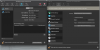
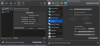
My now working network looks the same as your Big Sur one except the adapter type for me is Intel(R) PRO/1000 MT. I don't know if that's significant.I have same issue. Windows and Linux connect fine on my macOS Catalina system. Neither connect on my macOS Big Sur machine. I see something missing in my Parallels Desktop Preferences / Network / Shared. It shows up on macOS Catalina. See attached images.View attachment 17016View attachment 17017
Are you facing something like this https://forum.parallels.com/threads...itialization-failed.351463/page-4#post-878154
Last edited by a moderator:
The issue is with Parallels Desktop software not Windows, Linux or any other VM operating system. Hopefully the good folks at Parallels will fix this.After updating macOS Big Sur, parallels destop also has updated to 16.1.1, and the virtual machine continues to run, but cannot connect to the network.What could I do something?

Maria@Parallels
Problem solver
Hello, are you running the 16.1.1. version?the same issue.
sometimes switching the network source helps
yes, last versionHello, are you running the 16.1.1. version?
Check this message if your VM is thrwoing "Network initialization failed" error while starting. It may be behind VM window mostly.
https://forum.parallels.com/threads/network-initialization-failed.345647/page-11#post-878198
https://forum.parallels.com/threads/network-initialization-failed.345647/page-11#post-878198
It is unbelievable this is not fixed yet. Installed 16.1.2 today and now no internet access at all. My system was working well until this. That sudo command works until I reboot, and I do not want to setup stuff every time I issue that command. It has been months and this issue has plagued the users!!!
I just upgraded to Parallels v16 (16.1.2 fresh install) today on fresh Big Sur (11.1) install and tried to open a long-used W10 VM. Same network initialization failure as everyone else here. Just really frustrating these days that every new version of apps seems to be plagued with bugs and/or regression in features.
Jonas Schwartz
Bit poster
Guys. I have NO idea if i'm right but i'm now able to connect to the network so it may be. After reading this group chain, tried something that worked. I remembered when I installed the update this morning, that it made me make an update to the security & privacy settings on the mac. So I went back to the privacy settings and noticed that Parallels desktop did not have accessibility nor disk access checked. I checked both and now it's working. Please let me know if that worked for anyone else and more importantly if there's a valid reason for both to be unchecked and that I should immediately uncheck accessibility and/or Disk access.
Thank you. I too just updated and was not having problems until this morning. I did not receive any notice that there were changes in the privacy settings. My Accessibility was checked but the Disk Access was not. As soon as I made that change my VM connected. Thank you!Guys. I have NO idea if i'm right but i'm now able to connect to the network so it may be. After reading this group chain, tried something that worked. I remembered when I installed the update this morning, that it made me make an update to the security & privacy settings on the mac. So I went back to the privacy settings and noticed that Parallels desktop did not have accessibility nor disk access checked. I checked both and now it's working. Please let me know if that worked for anyone else and more importantly if there's a valid reason for both to be unchecked and that I should immediately uncheck accessibility and/or Disk access.
Jonas Schwartz
Bit poster
It was pure luck that I thought of it and tried. So glad I did and so glad that it worked for you as well.Thank you. I too just updated and was not having problems until this morning. I did not receive any notice that there were changes in the privacy settings. My Accessibility was checked but the Disk Access was not. As soon as I made that change my VM connected. Thank you!
I spoke too soon. My iMAC rebooted overnight and now it won't connect again and both boxes are checked. Back to square one...It was pure luck that I thought of it and tried. So glad I did and so glad that it worked for you as well.
Interesting, I don't have a Network Option under Devices.Every time I start up windows 10, it says it not connected, but I've found going to Devices>Network>Shared Network (it should already be checked) and reselecting it instantly fixes the issue.