macOS Big Sur and Parallels Desktop

IvanD@Parallels

Parallels Team
Hello everyone! This thread is dedicated to your feedbacks and questions about macOS Big Sur and Parallels Desktop, feel free to share them. Since the beta version of macOS Big Sur has just been released, the compatibility of Parallels Desktop and macOS Big Sur hasn't been fully tested yet by the Parallels Engineering Team. On the other hand, your feedbacks will help us to test and cover as many scenarios as possible. If your feedback includes technical data along with a short description of the situation you encountered, it will make further troubleshooting and resolution more efficient.
For your convenience we created KB article about the known issues with macOS 11 Big Sur and Parallels Desktop for Mac. Check the KB for more information and subscribe to get timely updates on the available workarounds and fixes.
 
Last edited by a moderator:
I copied the Parallels .app from my Catalina backup and did as this post suggested and it worked! Thank you!
Thanks for the solution at this this allows a person to open parallels when you're running under Catalina. Shape on Parallels Development they have done lots of nothing since the first Catalina beta was released we are now down to several rounds. I really had hopes they were a bit better than VmWare but they seem to be just as bad and slow.
 
I am downloading Beta 4 right now and then I will go for the install.
Expect to your test report :)

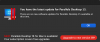
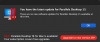
btw, I have tried the above "automator" solution for PD 15@Big Sur, but the OS said "can not open MY-AUTOMATOR-OPEN-PD.app" when I executed the created automator app. By contrast, the same script can be executed correctly inside automator IDE.
 
So, how can I get the invitation email too?
Open a support ticket. I opened one and got an email stating that those responsible for the beta will email me if they decide to allow me into the program. Awaiting the next email.
Expect to your test report :)

btw, I have tried the above "automator" solution for PD 15@Big Sur, but the OS said "can not open MY-AUTOMATOR-OPEN-PD.app" when I executed the created automator app. By contrast, the same script can be executed correctly inside automator IDE.

I am dead in the water, but at least NOW both the download and the App Store version are being more honest with me. It is telling me that my HARDWARE is incompatible. Rightly so as I am using the new A12X CPU from Apple. I clearly saw in Apple's demo of running Linux, that Parallels was running on the A12X chip.

People on this thread have Intel processors but using Big Sur Beta so they will have a better chance.

I am really hoping I get the email regarding becoming a beta tester.
 
Open a support ticket. I opened one and got an email stating that those responsible for the beta will email me if they decide to allow me into the program. Awaiting the next email.


I am dead in the water, but at least NOW both the download and the App Store version are being more honest with me. It is telling me that my HARDWARE is incompatible. Rightly so as I am using the new A12X CPU from Apple. I clearly saw in Apple's demo of running Linux, that Parallels was running on the A12X chip.

People on this thread have Intel processors but using Big Sur Beta so they will have a better chance.

I am really hoping I get the email regarding becoming a beta tester.

Maybe PD@Silicon is a private version just for apple by now :)
For PD 16 beta, the responded engineer of my support ticket told me that he had no more details about it .....
 
How to get rid of the "Restart your Mac to finish your setup" loop on Beta4 ?
Unfortunately no chance to get it working, neither a fresh install nor from a catalina migration ?
Security settings are ok btw

Any hints ?
 
Back
Top