My parallels continues to use more and more disk space even though I haven't saved anything to windows. I have looked for snapshots but can't find any. I have also reclaimed some space, but parallels quickly took the space back. When windows runs, it continues to use more and more of the space I have freed up in order to run programs. Please help I am not sure what to do and my computer continue to not be able to operate when parallels uses all the space I have left. It current uses 116 GB of 250GB. When I first downloaded it, it was around 35 GB. Thanks!

Install the app
How to install the app on iOS
Follow along with the video below to see how to install our site as a web app on your home screen.
Note: This feature may not be available in some browsers.
You are using an out of date browser. It may not display this or other websites correctly.
You should upgrade or use an alternative browser.
You should upgrade or use an alternative browser.
Parallels uncontrollably taking disk space! Help!
- Thread starter JohnH53
- Start date


Maria@Parallels
Problem solver
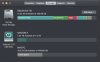
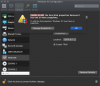
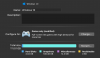
Hello,This is what is displayed in "Windows 10" Configuration
did you try to go to Windows Settings > System > Storage > Free up space now?
I was able to clear a lot of storage, but it is still showing as space used on the parallels used space rather than free space on the Mac hard drive. How do I fix this?Hello,
did you try to go to Windows Settings > System > Storage > Free up space now?
Maria@Parallels
Problem solver
Just one another question: Are you enable detailed logging?I was able to clear a lot of storage, but it is still showing as space used on the parallels used space rather than free space on the Mac hard drive. How do I fix this?
Did you remove logs files?
Hi Maria,Just one another question: Are you enable detailed logging?
Did you remove logs files?
Where do I change my detailed logging settings, and where do I find log files/ how do I remove them?
Maria@Parallels
Problem solver
Please check this KB article for more information.Hi Maria,
Where do I change my detailed logging settings, and where do I find log files/ how do I remove them?