strange macOS boot loader VM in Parallels 14

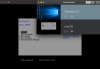
Today I upgraded to Mojave and since then or coincidentally I'm seeing a second VM, named macOS, never saw this before, which is showing a boot manager window, titled Parallels14.1.

It actually does nothing meaningful, when I go into Bootmanager of that window.

Furthermore, when I wipe into Windows 10, it says, it cannot access my camera. Actually I didn't want to allow it to do so. So why is it perpetually asking?
It says, I should finish Parallels. When I'm trying to finish Parallels, it now gives a barf noise. I cannot do any action on that ok box in windows 10.

What gives?

--
Christoph
 
Last edited:
Today I upgraded to Mojave and since then or coincidentally I'm seeing a second VM, named macOS, never saw this before, which is showing a boot manager window, titled Parallels14.1.

It actually does nothing meaningful, when I go into Bootmanager of that window.

Furthermore, when I wipe into Windows 10, it says, it cannot access my camera. Actually I didn't want to allow it to do so. So why is it perpetually asking?
It says, I should finish Parallels. When I'm trying to finish Parallels, it now gives a barf noise. I cannot do any action on that ok box in windows 10.

What gives?

--
Christoph
Hello ChristophK2! In order to access the camera, kindly follow the instructions from this link . To help us understand the Second virtual machine issue better, please take a screenshot of the control center box (refer to http://bit.ly/2pSJ1AZ for assistance) and reply with the same.
 
Today I upgraded to Mojave and since then or coincidentally I'm seeing a second VM, named macOS, never saw this before, which is showing a boot manager window, titled Parallels14.1.

It actually does nothing meaningful, when I go into Bootmanager of that window.

Furthermore, when I wipe into Windows 10, it says, it cannot access my camera. Actually I didn't want to allow it to do so. So why is it perpetually asking?
It says, I should finish Parallels. When I'm trying to finish Parallels, it now gives a barf noise. I cannot do any action on that ok box in windows 10.

What gives?

--
Christoph
Hi @ChristophK2, we have already forwarded your request (Cannot access the camera and it does not allow )to the Engineering team and this issue will be fixed in the upcoming build of Parallels Desktop 14. Stay tuned!
 
Today I upgraded to Mojave and since then or coincidentally I'm seeing a second VM, named macOS, never saw this before, which is showing a boot manager window, titled Parallels14.1.

It actually does nothing meaningful, when I go into Bootmanager of that window.

Furthermore, when I wipe into Windows 10, it says, it cannot access my camera. Actually I didn't want to allow it to do so. So why is it perpetually asking?
It says, I should finish Parallels. When I'm trying to finish Parallels, it now gives a barf noise. I cannot do any action on that ok box in windows 10.

What gives?

--
Christoph
Hi @ChristophK2, we just released a new update Parallels Desktop 14 for Mac Update 14.1.0 (45387) and this update addresses this issue. To check for updates, click on the Parallels Desktop menu on Mac menu bar and select Check for Updates: http://kb.parallels.com/124521
 
Back
Top