StephenB13
Junior Member
Hi everyone.
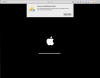
I haven't managed to find any threads with anyone having this same problem. I just downlaoded Parallels Lite to try out running an older version of MacOS to test some things. Whenever I launch a VM I immediately get a message saying: "Network Initialization Failed. Your virtual machine will continue working normally but will have no network connection."
This happens long before the OS loads (or in the case just now after trying again, even before the OS has been installed). I've tried all of the suggested network troubleshooting option but most don't apply (I'm not running windows and the problem seems to be in Parallels not in the OS itself), and none of the others work.
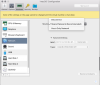
I have selected "shared networking." But I have also noticed that I don't even have the option to choose bridged, and when I look at my network options it doesn't even list any of my network hardware.
I'm at a loss for what to do. I've restarted my Mac, I've uninstalled and reinstalled Parallels. I've installed parallels tools. Again the problem seems to be in parallels itself (or something in my host OS), not in the OS that's being hosted.
I'v attached a few screenshots of what I'm seeing. Please let me know if you have any questions or need any further information.
I'm running MacOS High Sierra updated to the latest version (though obviously I haven't installed Mojave yet). on my host computer. It's a 2017 5k iMac. 24GB of RAM.
Any suggestions?
I haven't managed to find any threads with anyone having this same problem. I just downlaoded Parallels Lite to try out running an older version of MacOS to test some things. Whenever I launch a VM I immediately get a message saying: "Network Initialization Failed. Your virtual machine will continue working normally but will have no network connection."
This happens long before the OS loads (or in the case just now after trying again, even before the OS has been installed). I've tried all of the suggested network troubleshooting option but most don't apply (I'm not running windows and the problem seems to be in Parallels not in the OS itself), and none of the others work.
I have selected "shared networking." But I have also noticed that I don't even have the option to choose bridged, and when I look at my network options it doesn't even list any of my network hardware.
I'm at a loss for what to do. I've restarted my Mac, I've uninstalled and reinstalled Parallels. I've installed parallels tools. Again the problem seems to be in parallels itself (or something in my host OS), not in the OS that's being hosted.
I'v attached a few screenshots of what I'm seeing. Please let me know if you have any questions or need any further information.
I'm running MacOS High Sierra updated to the latest version (though obviously I haven't installed Mojave yet). on my host computer. It's a 2017 5k iMac. 24GB of RAM.
Any suggestions?