S
Sathiya@Parallels
You're welcome. Please post again for any additional queries.It does indeed work now! Thank you so much!

Follow along with the video below to see how to install our site as a web app on your home screen.
Note: This feature may not be available in some browsers.
You're welcome. Please post again for any additional queries.It does indeed work now! Thank you so much!
Hi KarthikeyanS. We have reset the Parallels Desktop 10 for Mac license key. Please follow the below steps to activate on the new Mac.I'm trying to move my Parallels Desktop 10 license to a new Mac, please help deactivating it. I've already uninstalled and wiped the old Mac. Appreciate the help.
Hi KarthikeyanS. We have reset the Parallels Desktop 10 for Mac license key. Please follow the below steps to activate on the new Mac.
1) Open Terminal (Finder --> Applications --> Utilities --> Terminal.app)
2) Execute the command:
prlsrvctl activate-license-online
3) Start Parallels Desktop and try to proceed with the activation once again.
please execute the following command with Terminal < prlsrvctl activate-license-online >.Activation is unsuccessful. "Unable to confirm product license. You have reached maximum number of activations".
Hi LauraR5. We have reset the Parallels Desktop 10 for Mac license key.Hello -
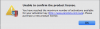
I just transferred my user data to a new Mac via TimeMachine restore. I have deleted Parallels application from my old computer. I have run the terminal command. I am still receiving the account error "Unable to confirm product license. You have reached maximum number of activations".
Would it be possible to have my license key reset?
We have reset the activation key. Please follow the instructions below:Hi The Mac with Parallels is dead (ilke blood on the floor dead) please reset the Parallels Desktop 10 for Mac license key on my account so that I can reactivate Parallels on my new mac.

Hi @DominicL3, we have reset the license key limit. Please restart Parallels Desktop to reactivate the same key. Thanks!Hi,
I'm trying to use my license on a new machine after my previous one stopped working, how can I revoke the license without being able to access the original machine?
View attachment 13986
Hi FeiT. We have reset the Parallels Desktop 8 for Mac license key. Please try to activate on the other Mac and it should work.Hello,
I'm trying to use my Parallels Desktop 8 for Mac on another Mac, I already uninstall Parallel Desktop 8 and installed another new version of Parallel on this Mac. How can I revoke the license? Thank you.
Hello WisnuA, We have made the necessary changes for the Parallels Desktop license key. kindly try to activate it. If the issue still persists, please execute the following command with Terminal < prlsrvctl activate-license-online >.Hello,
I'm trying to use my Parallels Desktop 11 for Mac on new Mac, try many times prlsrvctl activate-license-online
before do this old Mac already sign out
> Failed to activate the license: Unable to confirm the product license. Please activate the product first.
but still not succeed
> Unable to confirm....You reach ..
Please help
aji.wisnu
Dear Sir,Hello,
I'm trying to use my Parallels Desktop 11 for Mac on new Mac, try many times prlsrvctl activate-license-online
before do this old Mac already sign out
> Failed to activate the license: Unable to confirm the product license. Please activate the product first.
but still not succeed
> Unable to confirm....You reach ..
Please help
aji.wisnu
You are welcome, Please feel free to reach us any time for any queries regarding Parallels.Dear Sir,
Thanks for the support .
Already activated.