Raj@Parallels
Guest
Please try activating Parallels Desktop 11 now.hi all. i have parallels 11 on my mac mini. i uninstalled it and tried to install it to my macbookbut i get the same messege. pls help me!!!

Follow along with the video below to see how to install our site as a web app on your home screen.
Note: This feature may not be available in some browsers.
Please try activating Parallels Desktop 11 now.hi all. i have parallels 11 on my mac mini. i uninstalled it and tried to install it to my macbookbut i get the same messege. pls help me!!!
Please check you private message and respond.Hi all, same problem here. Changed computer and old one has be reset. How can I do ? Thanks
We have made changes to the activation key. Please follow the instructions below:Hi all, exactly the same issue here. Just reformatted the HD, tried to reinstall parallels 9 and got asked to buy a new license because I have reached the (unspecified) maximum number of activations.. not keen to do that. Is there a solution? Cheers.
We have made changes to the activation key. Please follow the instructions below:
1. Quit Parallels Desktop, then try to activate after launching it again.
2. If you are still unable to activate, Open Terminal on the Mac and execute this command: prlsrvctl activate-license-online
Glad to hear that! Feel free to reach us anytime.Thanks Ajith - problem solved!
We have made changes to the activation key. Please follow the instructions below:Same problem in Parallels Desktop 10.
Need Help.


Hey, we've reset your license key, please check the issue.hi all. i have parallels 11 on my mac mini. i uninstalled it and tried to install it to my macbookbut i get the same messege. pls help me!!!

Please try activating Parallels Desktop 10 & see how it works.Hi
I think i got the same problem.
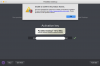
"You have reached the maximum number of activations available for your activation key (http://www.parallels.com/eula). Please purchase a new product license."
View attachment 11905
Hi Raj,Please try activating Parallels Desktop 10 & see how it works.
Please let us know whether you're able to activate Parallels Desktop.Hi Raj,
mine is parallels 10
Hi Raj,Please let us know whether you're able to activate Parallels Desktop.
Hello minery,Hi Raj,
please refer to attached screenshot below. I guess the "green tick" means that i can activate it, right?
View attachment 11908