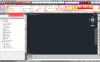
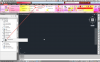
Civil 3D 2012 with pink colors ribbons

Norrigan

Bit poster
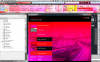
I use AutoCAD Civil 3D 2012 to work on my macbook pro 13" with Parallel Desktop 6 to run windows 7 32bits. Everything was working well, I used the Leopard OS X (10.6.8). After I installed OS Lion (10.7) programs that I use for work (Civil 3D 2012 and Land2009) are colored in tones of pink, icons only appear when I use the mouse and the performace is very bad. I've done the upgrade from Parallel to the latest version and still the same thing.

Host: Lion OS X 10.7
Guest: Windows 7 32bits
Virtual Software: Parallel Desktop 6

Macbook Pro 13"
2.3GHz i5
8gb 1333 ddr3 memory
Intel HD Graphics 3000 512 MB
 

Attachments

  • Captura de Tela 2011-07-27 às 13.52.29.png
    Captura de Tela 2011-07-27 às 13.52.29.png
    663.3 KB · Views: 8
  • Captura de Tela 2011-07-27 às 13.24.39.png
    Captura de Tela 2011-07-27 às 13.24.39.png
    184.3 KB · Views: 4
  • Captura de Tela 2011-07-28 às 15.13.31.png
    Captura de Tela 2011-07-28 às 15.13.31.png
    223.7 KB · Views: 3
  • Log from AutoCAD Civil 3D 2012.txt
    Log from AutoCAD Civil 3D 2012.txt
    1.9 KB · Views: 1
  • Log from AutoCAD Land 2009.txt
    Log from AutoCAD Land 2009.txt
    1.8 KB · Views: 1
This is not exactly the same problem but it is worth the try.

http://forum.parallels.com/showthread.php?t=111817&highlight=graphics

Look for the solution from Alev.


Thanks Tom! You were right and the support team has confirmed what you said.


Parallel Email Suport:

Hello Paulo,

Your issue is handled by second line Technical Support. Please enable these setting back:

1. Shut down the virtual machine and open Virtual Machine Configuration > Hardware > Video
2. Enable both the options "Enable 3D acceleration" and "Enable vertical synchronization"
3. Go to Virtual Machine Configuration > Hardware > Boot Order
4. In Boot flags field, paste the text:

video.dx_profile=6

5. Close the Configuration window and start your virtual machine.

The permanent fix for this issue will be included in the next update of Parallels Desktop 6. I am closing the ticket as resolved, you may reopen it by your reply if the issue still persists and you need further assistance. Thank you for contacting Parallels Technical Support!
 
Back
Top