Parallels Tools on Win 7 VM running on Lion = Color issues?

ScottHammer

Bit poster
Just installed a fresh copy of Windows 7 on bootcamp with my new macbook air running lion.

I installed visual studio 2010 on the win 7 and running in bootcamp is flawless.

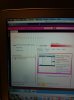
Running on parallels I get odd colors (see image). These problem colors disappear when I remove the parallels tools but then I obviously lose out on other features.

Anyone have this (i.e., keep parallels tools and fix the color) and/or have a solution? Tried doing numerous resolution fixes I've read about online.

Thanks!

Scott
 

Attachments

  • photo(3).jpg
    photo(3).jpg
    137.6 KB · Views: 60
I get the exact same problem! I didn't know that uninstalling the tools would fix the issue. It also seems to affect Microsoft Visual Studio 2010 for me. I hope there's a fix for this soon, it's so annoying!
 
Solution found!

I guessed* this solution, it was pretty obvious.

. Shut down your VM and open Virtual Machine Configuration
. Select Hardware tab, Boot Order section
. In Boot flags field type in "video.dx_profile=6" without quotes

Simple and straight forward.

*got it from another thread :p
 
Has anyone from parallels commented on this? I'm not really happy with having to run what has been described as an unsupported hack to make my primary use case work. Its still not 100% fixed with the hack anyway - have a strange brown coloured notification bar at the bottom of the window with the hack, which is not the correct colour scheme. It should be blue.
 
+1 on VS2010 issue

I'm seeing the same thing. This only appears to impact Visual Studio tools (Expression, VS2010 IDE, etc) - nothing else in the system repros it.

Thanks to PanasheN for the interim fix!

Jeff
 
Red Screen with Lion/Parallels

I am getting a red screen with just the Vista install, and can't get it fixes. No other Microsoft program installed. A fresh install.
 
I am getting a red screen with just the Vista install, and can't get it fixes. No other Microsoft program installed. A fresh install.

I have the same problem. I have a new mac mini with lion server. I just installed vista 64bit and the screen is corrupted and red / orange. I did not install any software on vista yet.

I have tried the other person's fix in this thread and as someone else said, it is not a proper fix - the desktop colours are still not correct. That being said, it now makes the vm usable. Thanks to the person who gave a workable solution.

The parallels tools and Kapersky are installed. I'm running the latest updates on lion and parallels.

I assume it is a parallels issue with lion, and I'm hoping there will be an update to resolve this.

My main issue is that the problem isn't with an app on vista, it is the whole VM which has corrupted video.

If someone hears of an update from parallels, please let me know.
 
Has anyone raised the a support ticket for this? I tagged it on another lion support ticket I've raised, but if more people do it may get noticed as its not on their lion faq...
 
I've got the same issues going with the Lion upgrade. I'm still running Vista but the problem appears to be similar. Weird colors and the tools won't work.
 
. Shut down your VM and open Virtual Machine Configuration
. Select Hardware tab, Boot Order section
. In Boot flags field type in "video.dx_profile=6" without quotes
 
Roman above is actually the support engineer who answered my ticket! He also mentioned in his email that the fix for this is in the next release.
 
+1

I had the same issue - and Roman's fix worked for me as well. Thanks Roman! Hopefully this can be incorporated into the next release.

. Shut down your VM and open Virtual Machine Configuration
. Select Hardware tab, Boot Order section
. In Boot flags field type in "video.dx_profile=6" without quotes
 
Same Here

I am also getting the same visual distortion using Parallels 7 under Lion. I see it with a Win 7 VM using Quicken 11, (picture attached).

I tried Roman's fix but it does not work for me. I am sure it is a video issue because I switched to the "standard VGA" driver under Win 7 and the problem goes away.
 

Attachments

  • Example Q11 Win.jpg
    Example Q11 Win.jpg
    97.3 KB · Views: 13
I had the same issue - and Roman's fix worked for me as well. Thanks Roman! Hopefully this can be incorporated into the next release.

. Shut down your VM and open Virtual Machine Configuration
. Select Hardware tab, Boot Order section
. In Boot flags field type in "video.dx_profile=6" without quotes

Its not a proper fix though as its screws up some of the colours in windows apps.
 
Back
Top
