
Install the app
How to install the app on iOS
Follow along with the video below to see how to install our site as a web app on your home screen.
Note: This feature may not be available in some browsers.
You are using an out of date browser. It may not display this or other websites correctly.
You should upgrade or use an alternative browser.
You should upgrade or use an alternative browser.
No physical network adapter for shared networking in parallels 4.0
- Thread starter eelco
- Start date

Elric
Parallels Team
I'm afraid I received the same "Failed to open the Parallels networking module" surprise today on my XP installation. It was working find last time I used Parallels and I tried the Terminal commands with no resolution. Is there a HotFix available?
Sorry for the inconveniece. Please wait for the HotFix. It will be available very soon.
Not sure if this is the same problem as the others
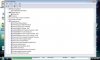
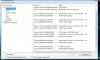
I also do not have network access but I think this has something to do with a resource conflict. Please see the attached screenshots. The Parallels tools seems to conflict somehow with the Parallels Network adapter. I have tried de-installing / re-installing both under safe mode ... if I drop the parallels tools the adapter has no conflicts but still I am unable to use network sharing. I'm lost ....
Thanks in advance for any help!
-) I don't know -)) But I've created a ticket for the mail that specified in the contact info of your problem report.
Please send me a message if you don't receive any mail in fifteen minutes
I also do not have network access but I think this has something to do with a resource conflict. Please see the attached screenshots. The Parallels tools seems to conflict somehow with the Parallels Network adapter. I have tried de-installing / re-installing both under safe mode ... if I drop the parallels tools the adapter has no conflicts but still I am unable to use network sharing. I'm lost ....
Thanks in advance for any help!
Attachments
Elric
Parallels Team
I also do not have network access but I think this has something to do with a resource conflict. Please see the attached screenshots. The Parallels tools seems to conflict somehow with the Parallels Network adapter. I have tried de-installing / re-installing both under safe mode ... if I drop the parallels tools the adapter has no conflicts but still I am unable to use network sharing. I'm lost ....
Thanks in advance for any help!
Have you received mail with support ticket? It's hard orientate in the forum threads and respond properly..
Elric
Parallels Team
It says someone is looking into it and
"You do not have to reply to this message. When responding to any future emails about this issue, please do not change the subject line of the email. "
Hard to , be patient when this affects my work but will try ...
Have you succeeded in replying to the support email?..
May be it is worth to register in the https://www.parallels.com/en/account/flag,0/?request_url=/en/support/desktop/request/
Elric
Parallels Team
I dont believe this is a windows issue. I had everything going OK for Windows AND linux AND Apple Server VMs, and now ALL of them have lost their network connectivity.
Sorry for the delay in answering.
I've got your problem report 13552
This is not a Parallels Networking problem. There should be separate issues with Windows and Linux. I have created a support ticket. Please make a note if you won't receive any mail in fifteen minutes.
ralphrmartin
Member
THREE different operating systems, Windows and Linux and Apple Server have all simultaneously gone bad?! Please, Elric, this stretches credibility way too far. I have used Windows and Linux under Parallels for ages without problems, and then 3 different OSes go bad on the same day? No, I am sure that any logical conclusion has to be that the problems lies either in Parallels, or the host OS, not in the guest OSes.
Elric
Parallels Team
THREE different operating systems, Windows and Linux and Apple Server have all simultaneously gone bad?! Please, Elric, this stretches credibility way too far. I have used Windows and Linux under Parallels for ages without problems, and then 3 different OSes go bad on the same day? No, I am sure that any logical conclusion has to be that the problems lies either in Parallels, or the host OS, not in the guest OSes.
Please let's continue discussion in the support ticket. Have you received mail with it? It is really hard to track forum postings
ralphrmartin
Member
Was contacted by support, and we resolved the problem. It was a MacOS X issue - neither Parallels fault, nor an issue with the VMs. Thanks for the prompt and helpful, high-class support, guys! Keep it up!
Elric
Parallels Team
For all having this issue or issue with "Failed to open the Parallels networking module"
these issues should be fixed in the latest hotfix build,
please check the http://forum.parallels.com/showthread.php?t=31764 topic
these issues should be fixed in the latest hotfix build,
please check the http://forum.parallels.com/showthread.php?t=31764 topic
I am getting some well meaning response for my problem but I have also been told it is unique.
That's of course possible but judging from the traffic in this thread maybe not the case.
The story so far:
1) Windows Vista running without problem for over a year under 3.0
2) I can convert that Vista to Fusion 2.1 and run this without problem
3) Upgrading "1)" or converting "2)" to 4.0 results in loss of network capabilities.
4) I can transport and run XP under 4.0 so far without problem
5) Deleting and restoring adapters as instructed by the support team does not help
While this is being resolved I am stuck with using Fusion. (Which I do not like as much but seems to be better with network connections.)
My question to those reading ... has everyone looked in device manager to notice whether the Parallels adapters conflict with each other as they do in my case?
That's of course possible but judging from the traffic in this thread maybe not the case.
The story so far:
1) Windows Vista running without problem for over a year under 3.0
2) I can convert that Vista to Fusion 2.1 and run this without problem
3) Upgrading "1)" or converting "2)" to 4.0 results in loss of network capabilities.
4) I can transport and run XP under 4.0 so far without problem
5) Deleting and restoring adapters as instructed by the support team does not help
While this is being resolved I am stuck with using Fusion. (Which I do not like as much but seems to be better with network connections.)
My question to those reading ... has everyone looked in device manager to notice whether the Parallels adapters conflict with each other as they do in my case?
Hello, Evengers,
haven't you tried this article to troubleshoot the network problems:
http://kb.parallels.com/en/5664 ?
Also sometimes deleting and then reinstalling the Network adapter's driver from Start -> Control panel -> System -> Hardware -> Device manager might be helpful
haven't you tried this article to troubleshoot the network problems:
http://kb.parallels.com/en/5664 ?
Also sometimes deleting and then reinstalling the Network adapter's driver from Start -> Control panel -> System -> Hardware -> Device manager might be helpful
fingers crossed
Ok, so far after having d/led and installed the hotfix build 3540 my networking issues seemed to be resolved. I've restarted the VM a couple times, ran OS updates w/in the VM and applied VirusScan patches all without issue. This is all being done on a hidden encrypted WAP as well. We'll see how the transition from the work network to the home and back goes and will report back one last time after having confirmed all is good to that extent.
Hats off to the Parallels team for all the rapid responses to our issues and getting an update out to fix this and other issues users have experienced with the 4.0 release.
Hopefully applying this update fixes the issue for others as well, for I empathize with those who may have had to sadly boot their actual PCs during this downtime.
Ok, so far after having d/led and installed the hotfix build 3540 my networking issues seemed to be resolved. I've restarted the VM a couple times, ran OS updates w/in the VM and applied VirusScan patches all without issue. This is all being done on a hidden encrypted WAP as well. We'll see how the transition from the work network to the home and back goes and will report back one last time after having confirmed all is good to that extent.
Hats off to the Parallels team for all the rapid responses to our issues and getting an update out to fix this and other issues users have experienced with the 4.0 release.
Hopefully applying this update fixes the issue for others as well, for I empathize with those who may have had to sadly boot their actual PCs during this downtime.
Hello, Evengers,
haven't you tried this article to troubleshoot the network problems:
http://kb.parallels.com/en/5664 ?
Also sometimes deleting and then reinstalling the Network adapter's driver from Start -> Control panel -> System -> Hardware -> Device manager might be helpful
Thank you for pointing that thread out. It would have saved some time. But, yes all of that has been tried.
I am convinced that since I can easily convert the 3.0 to VM Fusions 2.1 and use that without difficulty, and that not being able to do that with the Parallels 4.0 converter indicates a fault in the 4.0 upgrade/converter package. Faulty logic perhaps but ... if VMWare can do it without a snag shouldn't it also be possible without many hours of hassle to do it with Parallels?
Don't get me wrong. I am a loyal supporter. 3.0 was excellent. If I can ever get 4.0 to work I'm sure I will be happy er, someday ...
John@Parallels
Forum Maven
Update was published , which is right now available at http://forum.parallels.com/showthread.php?t=31764
The most of problem were fixed.
Please navigate to that link, and download build 3540
In post there are various instructions, how to fix problems.
The most of problem were fixed.
Please navigate to that link, and download build 3540
In post there are various instructions, how to fix problems.
Dear Elrich,
I have the identical problem as these other users ("The physical network adapter connected to virtual network adapter 1 does not exist") and the recommended steps also have not worked for me. I really need to get my networked Windows VM running again. Can you please send me the onerous protocol? Thanks.
I have the identical problem as these other users ("The physical network adapter connected to virtual network adapter 1 does not exist") and the recommended steps also have not worked for me. I really need to get my networked Windows VM running again. Can you please send me the onerous protocol? Thanks.
Elric
Parallels Team
Dear Elrich,
I have the identical problem as these other users ("The physical network adapter connected to virtual network adapter 1 does not exist") and the recommended steps also have not worked for me. I really need to get my networked Windows VM running again. Can you please send me the onerous protocol? Thanks.
Please update to the build 3540. It should not have this issue.
If you are already running 3540, then could you please do the following sequence of actions:
1) Please send a problem report using menu "Help" -> Report a Problem and remember the number of report
2) Please go to the Parallels Desktop networking preferences using the menu "Parallels Desktop"->"Preferences"->Networking and press the "Restore Defaults" button
3) The please send one more problem report and post here the first problem report number and this one.
"Restore Defaults" will fix the problem and problem reports will help to identify the cause of the trouble.
Thank you for the report