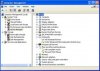
Parallels 3.0 build 5608. Host OS: Mac OS 10.5.4, MBpro 2.4 Ghz, 4 GB RAM.
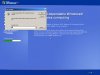
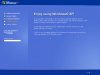
I have my Windows XP Pro machine at work which I am trying to virtualize because I am going to replace it on my work machine with Vista and I want to keep XP Pro for software testing on my MBpro under parallels. Using transporter and transporter agent on the XP machine I successfully copied the XP machine over to a VM image through the network. 1 GB of RAM is allocated to the VM Guest. It boots up no problem, but when I get to the login screen, I click inside the window, I can't move the mouse, I can't type or CTRL-ALT-DEL. I CTRL-ALT to get the mouse back and try to send a CTRL-ALT-DEL and nothing happens. If I let it sit long enough the screen saver on the guest OS starts but I can't move the mouse to bring it out of screen saver. I followed the instructions for Transporter properly but I can't send any keyboard or mouse commands to the guest XP OS. Please advise.
I have my Windows XP Pro machine at work which I am trying to virtualize because I am going to replace it on my work machine with Vista and I want to keep XP Pro for software testing on my MBpro under parallels. Using transporter and transporter agent on the XP machine I successfully copied the XP machine over to a VM image through the network. 1 GB of RAM is allocated to the VM Guest. It boots up no problem, but when I get to the login screen, I click inside the window, I can't move the mouse, I can't type or CTRL-ALT-DEL. I CTRL-ALT to get the mouse back and try to send a CTRL-ALT-DEL and nothing happens. If I let it sit long enough the screen saver on the guest OS starts but I can't move the mouse to bring it out of screen saver. I followed the instructions for Transporter properly but I can't send any keyboard or mouse commands to the guest XP OS. Please advise.