I had exactly the same problem when upgrading from v13 to v14. A perfectly usable Parallels session using my Boot Camp partition, together with a perfect native Boot Camp operation turned into the DanO1's type of blue screens. I was advised to run chkdsk, etc., etc, but this should not be necessary when everything works perfectly in v13! So, eventually, after a few friendly emails with support, I have deleted v14 (and my upgrade payment was immediately refunded - thanks, Parallels), reverted to v13 and it all works like a charm. A real nuisance was having to speak to Microsoft to re-activate Windows 10 for the VM, but they were very helpful, even though it's a lengthy process. I don't mind using terminal, even having to do Calaska's solution - but I can't face buying the upgrade again, it not working, and having to try and revert - and then have another session with Microsoft. For my usage, it isn't worth the trouble. What does surprise me is that Parallels obviously know there is something wrong, but don't appear to have addressed it. One really shouldn't need to go through a load of stages, including fairly complex Terminal instructions, to get things going. One is supposed to click and go..... Never mind.

Install the app
How to install the app on iOS
Follow along with the video below to see how to install our site as a web app on your home screen.
Note: This feature may not be available in some browsers.
You are using an out of date browser. It may not display this or other websites correctly.
You should upgrade or use an alternative browser.
You should upgrade or use an alternative browser.
Win10 Boot Camp won't boot in Parallels
- Thread starter ThomasC9
- Start date
Same problem. Can't get a Bootcamp partition loading, winload.exe not found. My thread here:https://forum.parallels.com/threads...exe-error-code-0xc000000e.344579/#post-847271
Asking for some acknowledgement of this from Parallels and priority to fix. My correspondence with Parallels appears to indicate they acknowledge the existence of a fault in their software:
29 November 2018
"Due to the complexity of the issue, it is now investigated along with our Development Team in the internal case. They are continually working on the cases lifted by the Support Team, however, do not share an ETA required for a fix.
It usually takes time to go into a complicated virtualization software. Yet, we will do our best to find a solution as soon as possible.
Thank you very much for your patience and understanding. We will get back to you as soon as we have an update."
Asking for some acknowledgement of this from Parallels and priority to fix. My correspondence with Parallels appears to indicate they acknowledge the existence of a fault in their software:
29 November 2018
"Due to the complexity of the issue, it is now investigated along with our Development Team in the internal case. They are continually working on the cases lifted by the Support Team, however, do not share an ETA required for a fix.
It usually takes time to go into a complicated virtualization software. Yet, we will do our best to find a solution as soon as possible.
Thank you very much for your patience and understanding. We will get back to you as soon as we have an update."
See my earlier post above, from September. High Sierra has been through a couple (or so) of updates, and I'm running the latesr 10.13.6. I'm letting Mojave "settle" before upgrading to that. The other day, I thought let's see if Parallels v14 will work, so I downloaded the latest version (14.1.2 build 45479), and upgraded. To my delight, everything works perfectly. Windows (10 - 1803) did not even need reactivation!
So, I'm leaving it for a few more days of the 14 day trial, and then repurchasing Parallels. Whether it's Apple's or Parallels' updates since September that have made the difference, I have no idea, but I suspect it is Parallels'. If the support team reads this, then "Thanks." To MalcolmH2, if you haven't tried 14.1.2, give it a go.
So, I'm leaving it for a few more days of the 14 day trial, and then repurchasing Parallels. Whether it's Apple's or Parallels' updates since September that have made the difference, I have no idea, but I suspect it is Parallels'. If the support team reads this, then "Thanks." To MalcolmH2, if you haven't tried 14.1.2, give it a go.
S
Sathiya@Parallels
Hi JohnK24. Nice to know that it works now. Please post again for additional queries.See my earlier post above, from September. High Sierra has been through a couple (or so) of updates, and I'm running the latesr 10.13.6. I'm letting Mojave "settle" before upgrading to that. The other day, I thought let's see if Parallels v14 will work, so I downloaded the latest version (14.1.2 build 45479), and upgraded. To my delight, everything works perfectly. Windows (10 - 1803) did not even need reactivation!
So, I'm leaving it for a few more days of the 14 day trial, and then repurchasing Parallels. Whether it's Apple's or Parallels' updates since September that have made the difference, I have no idea, but I suspect it is Parallels'. If the support team reads this, then "Thanks." To MalcolmH2, if you haven't tried 14.1.2, give it a go.
Nope latest Parallels (Version 14.1.2 (45479)), can't upgrade OS (10.11.6) due to compatibility with legacy software but Parallels lists as supported https://www.parallels.com/blogs/parallels-desktop-14-system-requirements/
Glad to hear you've got you side sorted.
Glad to hear you've got you side sorted.
iciconnect
Member
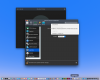
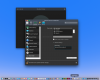
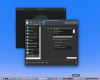
I tried this with no success.Hi @ThomasC9, this issue might have occurred due to the Partition boundaries are not recognized correctly on the disk. File system may or may not be damaged.
To fix the issue, please follow the steps provided mentioned below:
1. Check Windows hard disk for errors as described in this article.
2. Start Parallels Desktop without starting you Boot Camp based virtual machine.
3. In the menu bar choose Actions > Configure > Hardware > Boot Order > Advanced Settings and in Boot flags insert:
devices.sfilter.enable=0
4. Now choose Hard Disk > Edit Partitions > EFI partition should be added.
Attachments
-
 Screen Shot 2019-03-05 at 12.23.47 PM.png850.2 KB · Views: 20
 -
 Screen Shot 2019-03-05 at 12.36.30 PM.png851.9 KB · Views: 19
 -
 Screen Shot 2019-03-05 at 12.37.49 PM.png851.9 KB · Views: 20
 -
 Screen Shot 2019-03-05 at 12.02.40 PM.png125.9 KB · Views: 19
 -
 Screen Shot 2019-03-05 at 12.25.25 PM.png751.3 KB · Views: 19
iciconnect
Member
Would this have anything to due with Apple or Microsoft placing a restriction on using the BootCamp partition for Parallels usage?