Windows 11 ARM VM takes 100% cpu (4cores 400% in mac) even rebooting and ready-for-login state

YFoneL

Bit poster
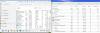
Windows 11 ARM VM takes 100% cpu (4cores 400% in mac) even during windows rebooting and ready-for-login state. After login the cpu usage is the still high even no any app started. The detai list of task manager show no process using much CPU, but performance tab shows 58% cpu usage overall in VM.

Parallels Desktop v20.4.

Please help.
 

Attachments

  • Screenshot 2025-07-30 at 1.25.53 PM.png
    Screenshot 2025-07-30 at 1.25.53 PM.png
    900.1 KB · Views: 12
I'm having the same issue. Started about a week or so ago. The CPUs are pinned, but nothing in Task Manager. Latest Win 11 and Parallels.
 
I'm experiencing the same issue. I hadn't noticed this before, but starting last week, my CPU has been consistently at 100%. For the first time, the fans start running immediately whenever I launch Windows, even if I haven't opened any applications.Screenshot 2025-07-31 at 19.02.36.png
 
In my experience of a few years with Windows 11 on silicon Macs, the CPU percentage as seen in Windows is a rather vague figure that does not appear to mean a great deal. 100% represents the usage of a single core, but a fairly basic Mac mini has ten cores. Activity Monitor gives a clearer picture of the variations. Monitoring Windows 11 start-up just now, I saw a brief burst of 100%, but opening Visio and creating a new diagram hovered around 4% to 5%. Where we need to start to worry is when things slow down or when excessive battery drain occurs on a Macbook.
 
Update: I believe the latest Windows 11 update is the cause of the issue. I attempted to run an older version of the Windows 11 virtual machine (a copy of Mac's Time Machine), and everything seems to be functioning correctly once again.
 
I have the same since the last couple of days or so. MacBook Pro M2, latest MacOs, latest Win11. The CPU usage in idle Win11 is 58%. In activity monitor, Parallels uses 400% (4 CPUs maxed out) at all times, even when Win11 is idle. Power usage when Win11 is idle is 22W, this reduces my working time from 10 hours to about 3 hours.
 
I have the same since the last couple of days or so. MacBook Pro M2, latest MacOs, latest Win11. The CPU usage in idle Win11 is 58%. In activity monitor, Parallels uses 400% (4 CPUs maxed out) at all times, even when Win11 is idle. Power usage when Win11 is idle is 22W, this reduces my working time from 10 hours to about 3 hours.

I've just uninstalled a few of recent Windows updates and the situation seems to be back to normal.
 
Thank you, The cpu usage recovered after I uninstalled the KB5062552.
But this update seems a mandatory required for windows, it has been installed automatically again and waiting for VM reboot.
 
Uninstalling both KB5062552 and KB5062663 is the temporary fix for me.
Has the parallels team addressed the problem in 20.4.1 (55996), or can anyone confirm that Microsoft has fixed it in a later cumulative update? Thanks.
 
Hi.
After latest Parallels and Microsoft updates nothing changed, issue still exist :(
Parallels team, please do something.
 
It would be great to have an update from the Parallels team. I'm on a team of 8 and this bug has started us actively looking for other tools we can use. Parallels is unusable in that state.
 
It would be great to have an update from the Parallels team. I'm on a team of 8 and this bug has started us actively looking for other tools we can use. Parallels is unusable in that state.

Hello Caleb,

Kindly attempt to update your Windows 11 virtual machine to version 24H2:

Firstly, take a snapshot of your virtual machine by navigating to the Mac menu bar > Actions > Take Snapshot.

To update your system to Windows 11 version 24H2 using the ISO file, please follow these steps carefully:
  1. In your virtual machine, download the official Windows 11 24H2 ISO from Microsoft's website ( https://www.microsoft.com/en-au/software-download/windows11 )
  2. Open the downloaded ISO file in File Explorer by double-clicking it.
  3. Run Setup.exe from the mounted ISO.
  4. Choose the Upgrade option and opt to keep your personal files and apps during this process.
  5. Follow the on-screen prompts to complete the upgrade.
  6. Once the upgrade is installed, restart your virtual machine.
Kindly let us know if this resolves the issue.
 
Now even worse, after upgraded to Parallels v26, the windwos 11 arm 23h2 could not boot up any more. The screen showed "Automatic Repair. Your PC did not start correctly."
 
Luckily I could manage the Windows 11 ARM 23H2 working by restoring to snapshot of this April with the latest windows update, 2025-04 Cumulative Update for Windows 11 Version 23H2 for arm64-based Systems (KB5055528) .
 
Back
Top