
I have a few Windows applications that need to read/write to project files from c:\ drive on my Parallels Desktop for Mac that I want to back up via AppleScript. Any idea on how I can reference files/folders from the c:\ drive in AppleScript format? For example, I'd like to do something like this:
set theSourceFolder to "file://localhost/Volumes/C//PBP_Projects/PBP3" as alias
set theDestinationFolder to (path to documents folder as text) & "PBP_Projects:Backups:" as alias
tell application "Finder"
set theContents to a reference to entire contents of theSourceFolder
with timeout of 420 seconds
duplicate theContents to theDestinationFolder with replacing
end timeout
end tell
set theSourceFolder to "file://localhost/Volumes/C//PBP_Projects/PBP3" as alias
set theDestinationFolder to (path to documents folder as text) & "PBP_Projects:Backups:" as alias
tell application "Finder"
set theContents to a reference to entire contents of theSourceFolder
with timeout of 420 seconds
duplicate theContents to theDestinationFolder with replacing
end timeout
end tell
 Most likely, I am, haha.
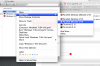

 SF:C:". Here's a simple script: