tomatoandcake
Bit poster
Hi all,
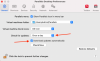
I'd like to automate checking for updates and running those updates in a script.
Is there a way to do this? I don't have the Mac App Store version of Parallels, I have the version from the website.
I found something called mas on GitHub: https://github.com/mas-cli/mas which can auto-install app store purchases in a script - but I don't have the app-store version.
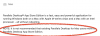
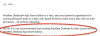
The note on the app store version - Parallels seems to not suggest you move to it from the normal version:
I'm essentially running a headless macOS server, and once a day in the middle of the night I have
run in order to make sure the host system is always up-to-date.
Can I add anything to this to make sure Parallels also installs any updates it finds?
I'd like to automate checking for updates and running those updates in a script.
Is there a way to do this? I don't have the Mac App Store version of Parallels, I have the version from the website.
I found something called mas on GitHub: https://github.com/mas-cli/mas which can auto-install app store purchases in a script - but I don't have the app-store version.
The note on the app store version - Parallels seems to not suggest you move to it from the normal version:
I'm essentially running a headless macOS server, and once a day in the middle of the night I have
Code:
softwareupdate -i -a -RCan I add anything to this to make sure Parallels also installs any updates it finds?