
Install the app
How to install the app on iOS
Follow along with the video below to see how to install our site as a web app on your home screen.
Note: This feature may not be available in some browsers.
You are using an out of date browser. It may not display this or other websites correctly.
You should upgrade or use an alternative browser.
You should upgrade or use an alternative browser.
SQL Server Update to Install on Windows for Arm
- Thread starter Mundford
- Start date
After facing the 4096 byte sector size bug in windows 11 I figured out how to create a VHD disk that solved that particular issue. SQL Server 2019 unfortunately would go all the way through and fail on the last step though. Eventually gave up and installed 32 bit version of SQL Server 2014. That'll have to do for now until an actual fix can be found.
If only I could find that Windows 10 Insider preview, seems Microsoft removed it from their servers unfortunately.
My comments:
- Create a VHD Disk - same results as you - SQL Server 2019 fails
- My application will work only on SQL Server 2010 (lower versions will not work for me)
- Can we all not escalate this to Microsoft (after all, Windows 11 and SQL Server 2019 are both their products)
I suggest all of us start to write in to Microsoft immediatelySir Please help to solve this issue...........
We are unable to install SQL Server 2019 (Express or Standard) in the following scenario:
- MacBook Pro / 2021 Model
- Windows 11 Pro (downloaded the ARM based not x86, which is the right version for my Macbook Pro M1)
- Windows 11 and SQL Server 2019 are both their products
- Microsoft should be able to fix this fairly quickly
The problem is, there soon may be a fix that makes the SQL-Server run ... but M$ will surely not guarantee, that the servers and databases will run reliable and stable, as long ARM/M1 are not officially supported.
Also the Qualcomm-deal may be a problem, when it comes to official support for M1.
We also needed SQL 2019 Express for a working machine, but we returned the M1 and bought a new MBP2019 i9 ... because an unreliably working-machine is worthless ...
Also the Qualcomm-deal may be a problem, when it comes to official support for M1.
We also needed SQL 2019 Express for a working machine, but we returned the M1 and bought a new MBP2019 i9 ... because an unreliably working-machine is worthless ...
The problem is, there soon may be a fix that makes the SQL-Server run ... but M$ will surely not guarantee, that the servers and databases will run reliable and stable, as long ARM/M1 are not officially supported.
Also the Qualcomm-deal may be a problem, when it comes to official support for M1.
We also needed SQL 2019 Express for a working machine, but we returned the M1 and bought a new MBP2019 i9 ... because an unreliably working-machine is worthless ...
What a shame! I would really like to use SQL Server 2019 on the M1 Mac and enjoy the speed and 64GB RAM
- if you have any other tips, would greatly appreciate it
asocial-duck
Bit poster
Hello there,
I installed SQL 2014 32-Bit Version without any problems and it is working, now I will try for 2019 version update and share the results.
Thank you so much bro. SQL 2014, 32 bit version is working perfectly on my "M1 mac, 2020". 2019 version is still not working.
WOW and I mean WOW64. How did you get past the Global Rules check failure for WOW64. Fails for me.Thank you so much bro. SQL 2014, 32 bit version is working perfectly on my "M1 mac, 2020". 2019 version is still not working.
Thank You Mundford,Having had success with most things I've needed on Windows for Arm (currently on Build 21376) except for SQL Server Express, which has constantly failed, I finally had success today by finding this:
https://support.microsoft.com/en-us...ower-cpu-f2ab38f7-1def-c6a3-790e-bfff86f89820
and subsequently downloading the Cumulative Update Package 10 for SQL Server 2019 - KB5001090 from here:
https://www.microsoft.com/en-us/download/details.aspx?id=100809
I hope this helps someone.
Finally it's works for me. ( But SQL Server express 2014 32 bit )
Interesting.. how did you get around the WOW64 rule checkM1 MacBook Pro-2021 only support SQL server express 2014 32 bit. It will work definitely.
I installed in my brand new MacBook Pro with Windows 11 Arm64. There is no issue in above mentioned sql version.
---------------------------
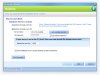
Rule Check Result
---------------------------
Rule "Edition WOW64 platform" failed.
SQL Server Setup is not supported in WOW64. This setup program can be run only on a 32-bit system.
---------------------------
OK
---------------------------
From where did you get the windows 10 build 21354? I am unable to find it from https://uupdump.net/. I mean it is listed there but when I execute the script it get following message,I managed to get this working by installing build 21354 but this now won't update - when using windows update it complains about date and time not being correct. Any ideas how to get past this? I've also installed tortoise svn on this build and don't get the context menus.
Alternatively has anyone had any luck installing in Windows 11 to a VHD. I've seen this mentioned elsewhere but not been able to get it working yet myself.
'Unable to retrieve data from Windows Update servers. Reason: EMPTY_FILELIST'
I really need SQL server 64 bit, 2012 onward. Any help please...
 .
. @MrTea if have success on that can you please update your parallel version somewhere?
Attachments

Which version of SQL Server you installed?I have successfully installed SSMS on Windows 11 arm.
The installed SSMS language version must be consistent with the windows 11 system language to install successfully
Please help !!! my account software must use SQL server how did you connect docker (MacOS) from parallels desktop (Windows)? i checked the ip address everything is connect but why it wont connect? Does it need port forwarding? Please do some showcase, i can paid for thatIt worked for me following this guide: https://database.guide/how-to-install-sql-server-on-an-m1-mac-arm64/
I now have SQL Server 2019 installed via docker and can connect from Windows using Microsoft Sql Server Management Studio
Attachments

Hello, try with the name of the MacBook Pro, you can see in Preferences|Share. Mine works pretty well this wayPlease help !!! my account software must use SQL server how did you connect docker (MacOS) from parallels desktop (Windows)? i checked the ip address everything is connect but why it wont connect? Does it need port forwarding? Please do some showcase, i can paid for that
yes it worked, i use netstat view the internal ip that connect mac and parallels desktop no idea use the macbook pro name also work thanks mate!Hello, try with the name of the MacBook Pro, you can see in Preferences|Share. Mine works pretty well this way
hi, how did u do it. i believe i ran into the same issue like you. setting up autocount on parallels.yes it worked, i use netstat view the internal ip that connect mac and parallels desktop no idea use the macbook pro name also work thanks mate!
SQL Server 2022 is not going to support ARM64, based on what I asked from Microsoft SQL Server 2022 guys.Following this thread every day as I would love to buy a new Mac Studio, but am currently using SQL Server 2017 + Visual Studio 2019 and will wait until it'll be possible to run them on an M1.
BTW: any news if SQL Server 2022 will be arm-compatible or not?