Issue with downloading or playing Netflix Videos using Netflix APP

Kekm

Bit poster
Hello Everyone,

I recently purchased a Macbook Air M1 chip. I downloaded parallels then downloaded all updates (apart from the Windows 11 update), then downloaded the Netflix app, logged in and tried to download a movie and I get the following error message "There was a problem with the download vc2-cv2-v6" , it also doesn't allow me to play movies from the app either but I can in chrome.

I looked online, I saw some talk regarding a media pack but I don't think this is needed for my setup as I am using Windows 10 Pro Dev addition (Insider).

Has anyone managed to solve this yet or anyone having the same issue? As I would prefer to watch Netflix on my Mac rather than on my phone if I am travelling.

Thanks,
 
Still no fix for this. I've tried to watch purchased videos on Movies&TV app and Disney+ not working either. I've tried every solution I can think of. Best guess? It has something to do with the way Parallels bridges the internet to the guest OS. The verification the apps do ultimately fail due to the internet protocol not working right.
 
I feel like this issue is likely on the Windows ARM Preview side rather than Parallels. I wonder if anyone using Windows ARM Preview but not Parallels (i.e. natively) has the same issue?
 
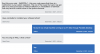
So, I believe I have a fix for watching DRM videos on Windows. IDK just yet and will create a new post once I reset (if not reinstall) Windows 11. I got someone on Microsoft Support that told me what the errors are being caused by. Here is the screenshot for the error code I always got. Error Code 0x800700c1
 

Attachments

  • Screen Shot 2021-12-02 at 4.44.19 PM.png
    Screen Shot 2021-12-02 at 4.44.19 PM.png
    164.2 KB · Views: 50
Please keep this thread up to date as well.
Also, Windows update and Microsoft Web Experience (or whatever it's called) update today. While Netflix still doesn't work, the error has changed: Something about this video not be available to play immediately. Never seen that Netflix error, but it's obviously not the real reason.
 
Please keep this thread up to date as well.
Also, Windows update and Microsoft Web Experience (or whatever it's called) update today. While Netflix still doesn't work, the error has changed: Something about this video not be available to play immediately. Never seen that Netflix error, but it's obviously not the real reason.
Hi,
Yes have the same now..
Dont think it s windows arm related otherwise you ll have plenty of forum speaking about it.. quiete related to Mac but cant figure out what..
 
Hi,
Yes have the same now..
Dont think it s windows arm related otherwise you ll have plenty of forum speaking about it.. quiete related to Mac but cant figure out what..
Jordan11,
Here's what I'm thinking it is: Microsoft still has the deal with Qualcomm exclusive and there's a DRM check every time you try to watch a DRM protected movie. It's why Disney+ app, Netflix app, Movies & TV app, etc (but not the websites as that's done through the browser). do not work because they use an API that checks for DRM protection which also includes a check if the system is running Qualcomm Arm chip. This would obviously fail because the system is reporting an "unknown" cpu aka Apple silicon. It's the only possible reason for this error. It also does this when using the Xbox app and DRM protected games, the reason they run slowly.
UPDATE:
I did reset, reinstalled, and deleted the original VM file and created a new one. Still no good. I even tried using the Movies & TV app with the Parallels tools uninstalled. Failed with the same error code. It has to be a DRM issue since the internet works for everything else. I used Little Snitch (found here https://www.obdev.at/products/littlesnitch/index.html) to figure out what server the Movies & TV app connects to when playing a purchased movie. It was an xboxlive.com server.
To End:
If anyone can find the Registry part that checks for DRM protection and change the value? There might be a fix for it yet. I'm going off what the Microsoft Support person told me yesterday about these kinds of error codes being a corrupted file from an uninstalled app/program. The only errors I know of that isn't affected by resetting/reinstalling for Windows is Registry errors.
 
Thanks for providing your thoughts. I think this makes sense.
As an alternative, I tried to install the Netflix Android App, but I cannot install the Amazon Appstore. It says I don't have enough RAM in my VM (8GB minimum), but when I set the VM to use 8GB of RAM (and confirmed it has 8GB of RAM via About My PC), it still tells me there isn't enough RAM.
Is anyone able to install the Netflix Android App as a workaround??
 
Welp, can't start Android Subsystem because:
https://kb.parallels.com/116239
Note: this feature is currently not supported in Parallels Desktop on Mac computers with Apple M1 chip.

This is really frustrating. My Parallels annual subscription comes up soon, and if this general issue isn't fixed, I'm going to be canceling.
 
Correct!! It has to be a registry error. But what will it be? I think I found it earlier but now I lost it. Will report back if I find it. This has nothing to do with Parallels but with Microsoft exclusivity with Qualcomm. If/when the contract ends, this will work again.
 
Still no good!! Can't find a registry with DRM specifically for Qualcomm that makes sense (thought there's a registry file with uDRM). I think I'm at my wits end. Will leave it alone for now. I got too much going on trying to get back to work lol
 
Back
Top