Install the app
How to install the app on iOS
Follow along with the video below to see how to install our site as a web app on your home screen.
Note: This feature may not be available in some browsers.
You are using an out of date browser. It may not display this or other websites correctly.
You should upgrade or use an alternative browser.
You should upgrade or use an alternative browser.
Error installing Monterey as a VM
- Thread starter GaryA6
- Start date
McallenT@P
Parallels Team
Hello @RonaldC4, You need to download the macOS Monterey.app file from Apple support and refer to this KB article: https://kb.parallels.com/125105 to install the same. Thanks, McAllen.Hi GaryA6, sorry I don't have an answer, but I do have a question. How did you download your Monterey ISO (I'm running a 2011 Mac mini with an Intel i7 and High Sierra so not sure if I am dreaming..)
Sadly not possible on a Mac mini 2011. Can't download Monterey as a valid upgrade (hardware doesn't support it warning). For the heck of it, I downloaded the .app on my. M1 Mac mini, copied it over to the 2011 version but the code chokes on trying to convert the .app to an ISOHello @RonaldC4, You need to download the macOS Monterey.app file from Apple support and refer to this KB article: https://kb.parallels.com/125105 to install the same. Thanks, McAllen.
This is one way to get around the issue. I was not able to create Big Sur or Monterey guest virtual machines when running Parallels on macOS Monterey (Intel). My workaround was to install Parallels on another MacBook running Big Sur. I then used Parallels to create the ISO files, copied them to my Monterey machine and back in business. Now we wait for a real fix.
This is still quite early software, I have never gotten any version of Monterrey running on my Mac mini M1.
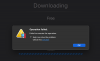
None of the betas could be installed, and now even on the released Monterrey, the download succeeds again, but the install is still broken!
10-29 13:08:36.964 F /prl_client_app:40642:2fbd9/ localhost: received event PET_DSP_EVT_APPLIANCE_ARCHIVE_UNPACK_STARTED, code = [101302]
10-29 13:08:37.005 F /prl_macvm_create:9416:16caf5/ Failed to load IPSW: Internal Virtualization error. Unable to load restore image at path "/Users/jerry/Parallels/{6455fe7a-8dcf-4dfb-9697-46e790ca2d9a}/UniversalMac_12.0.1_21A559_Restore.ipsw".
10-29 13:08:37.006 F /HostUtils:309:16b4ad/ Process finished. pid 9416, exit code 1, cmd '"/Applications/Parallels Desktop.app/Contents/MacOS//prl_macvm_create" "/Users/jerry/Parallels/{6455fe7a-8dcf-4dfb-9697-46e790ca2d9a}/UniversalMac_12.0.1_21A559_Restore.ipsw" "/Users/jerry/Parallels/{6455fe7a-8dcf-4dfb-9697-46e790ca2d9a}/macOS 12.macvm"'
10-29 13:08:37.006 F /disp:309:16b4ad/ Download appliance: cannot extract VM from '/Users/jerry/Parallels/{6455fe7a-8dcf-4dfb-9697-46e790ca2d9a}/UniversalMac_12.0.1_21A559_Restore.ipsw' archive !
10-29 13:08:37.006 F /disp:309:16b4ad/ Error occurred while download appliance with code [0x80041508][PRL_ERR_APPLIANCE_CANNOT_EXTRACT_VM]
10-29 13:08:37.007 F /disp:309:16b4ad/ Task '22Task_DownloadAppliance' with uuid = {41d238dd-366c-48f6-bd16-248e75bd8023} was finished with result PRL_ERR_APPLIANCE_CANNOT_EXTRACT_VM (0x80041508) )
10-29 13:08:37.008 F /prl_client_app:40642:2fbd9/ localhost: received result for [DspCmdInstallAppliance]. RC = [PRL_ERR_APPLIANCE_CANNOT_EXTRACT_VM]
10-29 13:08:37.008 F /prl_client_app:40642:2fbd9/ Error message PRL_ERR_APPLIANCE_CANNOT_EXTRACT_VM was skipped
10-29 13:08:37.008 F /AbstractTask:40642:2fbd9/ Subtask 0 [InitiateDownloadProcess] completed with RC = 80041508 [PRL_ERR_APPLIANCE_CANNOT_EXTRACT_VM]
10-29 13:08:37.009 F /AbstractTask:40642:2fbd9/ Finishing task InstallAppliance <0x6000003957c0> with RC = 80041508 [PRL_ERR_APPLIANCE_CANNOT_EXTRACT_VM]
10-29 13:08:37.010 F /prl_client_app:40642:2fbd9/ localhost: sending [DspCmdUserGetProfile] request...
10-29 13:08:37.010 F /disp:309:2fc75/ Processing command 'DspCmdUserGetProfile' 2045 (PJOC_SRV_GET_USER_PROFILE) from client [{2e6e21dd-bda1-476a-bfa9-d2a301a2f577}]
10-29 13:08:37.017 F /prl_client_app:40642:2fbd9/ localhost: received result for [DspCmdUserGetProfile]. RC = [PRL_ERR_SUCCESS]
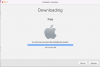
None of the betas could be installed, and now even on the released Monterrey, the download succeeds again, but the install is still broken!
10-29 13:08:36.964 F /prl_client_app:40642:2fbd9/ localhost: received event PET_DSP_EVT_APPLIANCE_ARCHIVE_UNPACK_STARTED, code = [101302]
10-29 13:08:37.005 F /prl_macvm_create:9416:16caf5/ Failed to load IPSW: Internal Virtualization error. Unable to load restore image at path "/Users/jerry/Parallels/{6455fe7a-8dcf-4dfb-9697-46e790ca2d9a}/UniversalMac_12.0.1_21A559_Restore.ipsw".
10-29 13:08:37.006 F /HostUtils:309:16b4ad/ Process finished. pid 9416, exit code 1, cmd '"/Applications/Parallels Desktop.app/Contents/MacOS//prl_macvm_create" "/Users/jerry/Parallels/{6455fe7a-8dcf-4dfb-9697-46e790ca2d9a}/UniversalMac_12.0.1_21A559_Restore.ipsw" "/Users/jerry/Parallels/{6455fe7a-8dcf-4dfb-9697-46e790ca2d9a}/macOS 12.macvm"'
10-29 13:08:37.006 F /disp:309:16b4ad/ Download appliance: cannot extract VM from '/Users/jerry/Parallels/{6455fe7a-8dcf-4dfb-9697-46e790ca2d9a}/UniversalMac_12.0.1_21A559_Restore.ipsw' archive !
10-29 13:08:37.006 F /disp:309:16b4ad/ Error occurred while download appliance with code [0x80041508][PRL_ERR_APPLIANCE_CANNOT_EXTRACT_VM]
10-29 13:08:37.007 F /disp:309:16b4ad/ Task '22Task_DownloadAppliance' with uuid = {41d238dd-366c-48f6-bd16-248e75bd8023} was finished with result PRL_ERR_APPLIANCE_CANNOT_EXTRACT_VM (0x80041508) )
10-29 13:08:37.008 F /prl_client_app:40642:2fbd9/ localhost: received result for [DspCmdInstallAppliance]. RC = [PRL_ERR_APPLIANCE_CANNOT_EXTRACT_VM]
10-29 13:08:37.008 F /prl_client_app:40642:2fbd9/ Error message PRL_ERR_APPLIANCE_CANNOT_EXTRACT_VM was skipped
10-29 13:08:37.008 F /AbstractTask:40642:2fbd9/ Subtask 0 [InitiateDownloadProcess] completed with RC = 80041508 [PRL_ERR_APPLIANCE_CANNOT_EXTRACT_VM]
10-29 13:08:37.009 F /AbstractTask:40642:2fbd9/ Finishing task InstallAppliance <0x6000003957c0> with RC = 80041508 [PRL_ERR_APPLIANCE_CANNOT_EXTRACT_VM]
10-29 13:08:37.010 F /prl_client_app:40642:2fbd9/ localhost: sending [DspCmdUserGetProfile] request...
10-29 13:08:37.010 F /disp:309:2fc75/ Processing command 'DspCmdUserGetProfile' 2045 (PJOC_SRV_GET_USER_PROFILE) from client [{2e6e21dd-bda1-476a-bfa9-d2a301a2f577}]
10-29 13:08:37.017 F /prl_client_app:40642:2fbd9/ localhost: received result for [DspCmdUserGetProfile]. RC = [PRL_ERR_SUCCESS]
Attachments
Another way to get around this is to manually create the ISO from the Install Big Sur or Monterey .app file.
Something like this worked for me. Replace Mojave with Big Sur or Monterey and you can be back in business: https://osxdaily.com/2020/07/20/how-convert-macos-installer-iso/
Something like this worked for me. Replace Mojave with Big Sur or Monterey and you can be back in business: https://osxdaily.com/2020/07/20/how-convert-macos-installer-iso/
Finally making progress again:
$ "/Applications/Parallels Desktop.app/Contents/MacOS//prl_macvm_create" "UniversalMac_12.0.1_21A559_Restore.ipsw" "/Users/jerry/Parallels/macOS 12.macvm"
Starting installation.
Installation progress: 6.00
Installation progress: 8.00
Installation progress: 9.00
Installation progress: 10.00
Installation progress: 11.00
Installation progress: 12.00
Installation progress: 13.00
Installation progress: 14.00
Installation progress: 15.00
$ "/Applications/Parallels Desktop.app/Contents/MacOS//prl_macvm_create" "UniversalMac_12.0.1_21A559_Restore.ipsw" "/Users/jerry/Parallels/macOS 12.macvm"
Starting installation.
Installation progress: 6.00
Installation progress: 8.00
Installation progress: 9.00
Installation progress: 10.00
Installation progress: 11.00
Installation progress: 12.00
Installation progress: 13.00
Installation progress: 14.00
Installation progress: 15.00