Windows 11 on Parallels v17 M1 MacBook Air

adanguspf

Member
I've been running Parallels for years on various Macs, so I'm not a newbie by any stretch.

Lately, I'd been running the Dev version of Win11 ARM on Parallels 16 on a new M1 MacBook Air. When the Beta version of Win11 was announced, the Update page started to state that my computer didn't meet the H/W requirements for Win11, and that I'd have to fall back to Win10 at some point. I couldn't get the Beta release.
Today, I installed Parallels v17 (I have a Pro license) and I went through the various steps to enable the TPM in the h/w page and set the UEFI flags in the Boot Order settings. Within Win11, I already had the data execution settings established for all programs, not just Windows essentials. I have very few programs running on this platform, since it's rather experimental, yes.
Anyway, after various restarts and checks, I'm still getting this Win11 won't run on this hardware message. I have checked all the device security settings that I can imagine. Win11 sees the TPM and UEFI boot security. It indicates DEP is set. And yet... under device security, Win11 says that the computer doesn't meet standard h/w security requirements. It also doesn't say what's missing. The Device Security settings page has a green check by the Security processor and by Secure boot; but still indicates that "Standard hardware security not supported". Clicking "learn more" says that means the TPM, secure boot, data execution protection and UEFI MAT.
What am I missing? Should I just try an new clean install of Win11?

 
I'm having the exact same issue here with Parallels 17 installed on a test rig (Apple MacBook Air M1 16GB). I had to add TPM via Parallels configuration to update from Windows 10 ARM to Windows 11 ARM. Install went fine, Windows 11 working. Windows 11 is setup to receive Dev updates, and I was notified via the Windows Insider Configuration settings in Windows 11 that the system doesn't meet the minimum system requirements. So far I've ensured TPM is there in device manager and have enabled the secure boot config setting for the VM via Parallels. I can't for the life of me tell what Microsoft is looking for regarding the minimum settings as it appears as though I meet them. I'm guessing something Microsoft is looking for regarding security is not enabled properly via Parallels presently.

Regards,

Josh
 
Is this perhaps an issue around activation? My copy of Windows is not yet activated. I'd be happy to buy a license for it, if there was a way to legitimately do so.
 
Is this perhaps an issue around activation? My copy of Windows is not yet activated. I'd be happy to buy a license for it, if there was a way to legitimately do so.
Personally I don't think it has anything to do with Activation. I think it has something to do with it being a beta and Parallels not being fully compatible with it.
 
The most likely culprit is lack of WDDM 2.0 drivers from parallels. If you run the "whynotwin11" tool (Releases · rcmaehl/WhyNotWin11 · GitHub) you should see that lack of directx 12/wddm 2.0 is a problem. You can verify by running dxdiag in your windows vm and clicking on the display tab - you should see wddm 1.3 there.

Until parallels adds 2.0 we probably won't be able to install Win 11 without using the various workarounds that are floating around on youtube.
 
I'm having the exact same issue here with Parallels 17 installed on a test rig (Apple MacBook Air M1 16GB). I had to add TPM via Parallels configuration to update from Windows 10 ARM to Windows 11 ARM. Install went fine, Windows 11 working. Windows 11 is setup to receive Dev updates, and I was notified via the Windows Insider Configuration settings in Windows 11 that the system doesn't meet the minimum system requirements. So far I've ensured TPM is there in device manager and have enabled the secure boot config setting for the VM via Parallels. I can't for the life of me tell what Microsoft is looking for regarding the minimum settings as it appears as though I meet them. I'm guessing something Microsoft is looking for regarding security is not enabled properly via Parallels presently.

Regards,

Josh
Hi, we are currently working on the issue resolution with the Parallels Engineering Team, once we get any updates we will let you know.
 
Not much news here. I am still stuck on the Dev flighting path and blocked from going to Beta because of some problem. One issue is that Windows won't say exactly what the issue is. I have the virtual TPM enabled, sufficient memory, etc etc, and so there seems to be no obvious barrier for Windows 11 to function. I have run several system updates without any issues and, as far as it goes, there seem to be no issues at all with the core MS Office apps. The primary reason for me to run this is to get Intuit QuickBooks to run; and so far, that has been a complete failure. QB is very unstable; so I'm having to run it on a Win10 server platform. I'm not holding my breath for this, luckily.
 
The most likely culprit is lack of WDDM 2.0 drivers from parallels. If you run the "whynotwin11" tool (Releases · rcmaehl/WhyNotWin11 · GitHub) you should see that lack of directx 12/wddm 2.0 is a problem. You can verify by running dxdiag in your windows vm and clicking on the display tab - you should see wddm 1.3 there.
Until parallels adds 2.0 we probably won't be able to install Win 11 without using the various workarounds that are floating around on youtube.

Interesting considering readiness for Windows 11 is a major feature actively being used to sell Parallels 17.
 
Completely agree with @MikeG11, Parallels 17 is supposed to be "Optimized for Windows 11 and macOS Monterey, Parallels Desktop continues to stay up to date so you can keep working without interruption--even when a new macOS, Windows or Linux release pops up.", as per Parallels own product page.
Well, it's not and now it's impossible to upgrade to the latest dev build of Windows 11 because the hardware is unsupported. Parallels is therefore blatantly lying to all of us in making us believe Parallels 17 can run Windows 11, when it's unsupported due to the lack of DirectX 12 / WDDM 2.0.
This issue is going to become a real problem real soon, both on a legal standpoint and in terms of usability.
I really hope this gets fixed soon or I'll have to find another way to run Windows 11.
 
Are you following the threads on the Silicon forum. There is a workaround (https://forum.parallels.com/threads/windows-11-on-arm.353890/page-5#post-889439) which which puts you back on Insider programme, even with not compliant hardware, and anyway it looks like everyone will carry on receiving the 22000.xxx builds even if they don't use the script to get back on Insider Beta or Dev channels.

The other thread where this is being discussed is https://forum.parallels.com/threads...e-insider-programme.354615/page-3#post-891215

Yes Parallels has obligations to steer through the obstacle course but they haven't failed yet.
 
Thanks @Mike Boreham, found that thread earlier today and it did the trick.
I'm not sure though how long this is going to work for, but so far that works fine.
Hopefully this gets cleared up soon by either MS relaxing the requirements or Parallels releasing an update to fulfil them or trick Win11. I would love to have DirectX 12 support but that might be pushing it too far too soon .
 
Bonus...
At least for me, the latest update to Parallels (v17.0.1 51482) seems to run Win11 without issues. It took a few restarts and getting back into the Insider Program, but I'm currently on the Win11 beta install channel and no longer seeing any warnings about the VM not being compatible.
Yeah Parallels!
Now to see if QuickBooks will run properly (I have my doubts).
 
Bonus...
At least for me, the latest update to Parallels (v17.0.1 51482) seems to run Win11 without issues. It took a few restarts and getting back into the Insider Program, but I'm currently on the Win11 beta install channel and no longer seeing any warnings about the VM not being compatible.
Yeah Parallels!
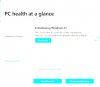
I just upgraded from Parallels 16.5 to 17.0.1 (51482), activated virtual TPM, booted Windows 11 (Insider Dev channel), then ran the official Windows Insider compatibility checker.
Results:
  • Parallels 17 really is noticeably more responsive--downright snappy performance.
  • Passed the TPM check.
  • Still failing the processor check due to Apple Silicon not being on the approved list.
 

Attachments

  • Windows 11 PC Health Check 2021-09-08 213313-2.jpg
    Windows 11 PC Health Check 2021-09-08 213313-2.jpg
    68.3 KB · Views: 11
Back
Top