5160 and Networking with Leopard

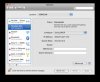
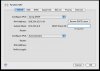
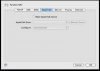
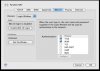
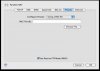
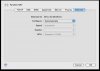
Please find screenshots attached.

As you can see on the first one, the Parallels NAT has a self assigned IP address.

Most of the time, but not always, I click on renew DHCP and then it shows a Parallels DHCP IP address and I can file share.
 

Attachments

  • Picture 1.jpg
    Picture 1.jpg
    13.1 KB · Views: 10
  • Picture 2.jpg
    Picture 2.jpg
    11.5 KB · Views: 7
  • Picture 3.jpg
    Picture 3.jpg
    8.5 KB · Views: 7
  • Picture 4.jpg
    Picture 4.jpg
    8.3 KB · Views: 6
  • Picture 5.jpg
    Picture 5.jpg
    8.4 KB · Views: 6
I have to split the posts as there are 8 files to upload.
 

Attachments

  • Picture 6.jpg
    Picture 6.jpg
    14.2 KB · Views: 3
  • Picture 7.jpg
    Picture 7.jpg
    8.9 KB · Views: 3
  • Picture 8.jpg
    Picture 8.jpg
    9.1 KB · Views: 3
another symptom for the problem on my system

When I run Boot Camp in the virtual machine, there is not network adapter showing up in Windows Network Connections. There is also nothing that shows up when I run "ipconfig" in command prompt. I assume this is related to having no networking. In the Windows device manager, "Parallels Network Adapter" does show up under Network Adapters. I'm wondering how can I add the adapter to Network Connections?
 

Attachments

  • Picture 1.jpg
    Picture 1.jpg
    12.5 KB · Views: 5
  • Picture 2.jpg
    Picture 2.jpg
    14.4 KB · Views: 4
I had no networking with 10.5.1 and 5160

FWIW:

After upgrading to 10.5.1 I could no longer get an ethernet connection, not with shared access nor with bridged.

I got a hint that deinstalling Parallel Tools, reinstalling and rebooting MacOS would remedy the matter, but unfortunately not with me.

After I had tried virtually everything I could think of, I finally came to pressing system setup / network connections / LAN connection 3. And this beast started to activate and I had again internet access :)
 
Hello,

iBecks, I have to make an apology, it seems that it's Parallels bug. Thank you very much for detailed information about this issue - it will help us to investigate and fix it.

Best regards,
Alicia.
 
Has this problem been fixed for others? I have essentially the same symptoms (I'd be happy to provide my specific configuration details), notably nothing showing up if I type ipconfig under XP. I have upgraded to 5582 and done a clean install (doing all the sudo commands).
 
I had the same problem and wasted lot of time thinking it can be fixed. I ended up asking fora refund from Parallels and got the VMware Fusion. Problem solved.
 
Try correcting DHCP scope in Preferences

Has this problem been fixed for others? I have essentially the same symptoms (I'd be happy to provide my specific configuration details), notably nothing showing up if I type ipconfig under XP. I have upgraded to 5582 and done a clean install (doing all the sudo commands).

I had the same problem after upgrading to Leopard and 5582.

I fixed it (knock on wood !!) by changing the DHCP scope in Parallels-->Preferences-->Network-->DHCP scope.

The default range (or at least, what I found there) is 10.55.211.x but my actual DHCP server (as configured by me) uses 10.0.0.150 through 10.0.0.200. I made that change to Parallels, restarted the VM, and now shared networking is functioning OK. Here is what IPCONFIG shows:

Microsoft Windows XP [Version 5.1.2600]
(C) Copyright 1985-2001 Microsoft Corp.

C:\Documents and Settings\martinbear>ipconfig/all

Windows IP Configuration

Host Name . . . . . . . . . . . . : martin-winxp
Primary Dns Suffix . . . . . . . :
Node Type . . . . . . . . . . . . : Hybrid
IP Routing Enabled. . . . . . . . : No
WINS Proxy Enabled. . . . . . . . : No

Ethernet adapter Local Area Connection:

Connection-specific DNS Suffix . :
Description . . . . . . . . . . . : Parallels Network Adapter
Physical Address. . . . . . . . . : 00-7F-FE-F4-78-B3
Dhcp Enabled. . . . . . . . . . . : Yes
Autoconfiguration Enabled . . . . : Yes
IP Address. . . . . . . . . . . . : 10.0.0.151
Subnet Mask . . . . . . . . . . . : 255.255.255.0
Default Gateway . . . . . . . . . : 10.0.0.1
DHCP Server . . . . . . . . . . . : 10.0.0.1
DNS Servers . . . . . . . . . . . : 10.0.0.1
Lease Obtained. . . . . . . . . . : Sunday, December 09, 2007 14:40:22
Lease Expires . . . . . . . . . . : Sunday, December 16, 2007 14:40:22

... and now for the strange part: the Default Gateway and DHCP Server are wrong (in the sense that on my real, physical network the Gateway is 10.0.0.138 and so is the DHCP server).

... but if Parallels is now happy, then I'm happy.
 
Back
Top