How to block update to Windows 11?

I have two M1 Macs running Windows ARM Tech preview Dev Channel. They have both updated to Windows 11.

I would like to keep one of them on Windows 10, so have replaced the Windows 11 VM with a Windows 10 backup, but can't see a way of stopping the Windows 11 update happening again.

I have paused updates for seven days to try and find a way.

Thanks for any help
 
Brilliant thanks! It was somewhat non intuitive to do this. I had to Change the setting "Stop getting Preview builds" to ON, before the "Release preview channel" was available to select instead of the Dev channel.
Having got it on Release Preview Channel, I turned "Stop getting preview builds" back to OFF as I want to carry on getting Windows 10 updates.
Not sure about this last step.
 
You're welcome! :)

I turned "Stop getting preview builds" back to OFF as I want to carry on getting Windows 10 updates.
Not sure about this last step.
You did it right. There should be one last Windows 10 update, 21H2, and because Microsoft switched dev and beta channels for Windows 11 builds, "release preview" is the only channel for remaining windows 10 builds.
 
Is there a way to install latest Windows 10 updates from Dev channel (21390 I suppose) after a fresh install of 21354 build? If I'm switching to Dev channel I'm forced to install Windows 11.
 
Is there a way to install latest Windows 10 updates from Dev channel (21390 I suppose) after a fresh install of 21354 build? If I'm switching to Dev channel I'm forced to install Windows 11.
I would like to know this too. I am getting Windows 10 updates but so far only the routine security ones. Build is still 21390 which was installed while it was on the Dev channel, pre Windows 11.
 
Is there a way to install latest Windows 10 updates from Dev channel (21390 I suppose) after a fresh install of 21354 build? If I'm switching to Dev channel I'm forced to install Windows 11.
I think the only way is the following: download arm build 21390 from uupdump.net, make .iso image, mount it inside VM with 21354 build and run setup.exe from mounted volume.
 
Thanks Alexey1, but I dont really understand this. It sounds like I create a new Windows 10 VM (from uupdump) but then the two parts that puzzle me are:

1. "....mount it inside VM with 21354 build...."
2. "..... run setup.exe from mounted volume."

Windows 10 is not vital to me and I am not sure how much effort to put in to keeping it up date. I would like to understand the above process a bit more before deciding.

Is this a once off exercise, after which Windows Update will get the new Dev channel Windows 10 updates?

Is there a link to explain more, (not asking for detailed instructions from you!)

Thanks
 
It sounds like I create a new Windows 10 VM
No.

I try to explain.
At first, you need to create VM in Parallels using VHD with 21354 build.

Then, you need to go to uupdump.net. Use browser into your VM (running download scripts from Windows is more easy task).
Click "dev channel"
Select arm64 21390 build:

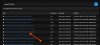
001.jpg

Then you can choose language, and other options. Suppose, you want standard us-en edition, so click "Next".
You'll see the following page:

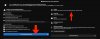
002.jpg
Click "create download package".

You'll get a .zip file inside you download folder. Extract the archive. There will be the script "uup_dowload_windows.cmd" inside. Run this cmd file. (Windows will warn you but allow script to run)
When the execution of the CMD will be finished you'll get .iso file with arm64 21390 build.

Double click .iso file. Windows will mount iso as a new drive. Run Setup from this drive. Standard Windows upgrade will start. When upgrade will be finished you will have 21390 build into your VM. Enjoy ;)

You can delete the folder with script and all downloaded files afterwards.
 

Attachments

  • 001.jpg
    001.jpg
    240.9 KB · Views: 15
  • 002.jpg
    002.jpg
    402.1 KB · Views: 15
I'm not familiar with uupdump and leave that part of your question for Alexey to answer.

What I can tell you is that there will be no further Windows 10 updates in the Dev Channel. The further development of Windows 10 will be in the Release Preview Channel (and possibly the Beta Channel, but I'm not sure about that). You should choose the Release Preview Channel if you want to get further Windows 10 updates.
It could take a while until the RPC catches up with the latest build in the Dev Channel, though. Fortunately build 21390 is fairly reliable and you should be okay without any immediate updates.

Thank you very much, very useful. As earlier in the thread my Windows 10 is already on the Release Preview Channel to stop it being updated to Windows 11. Your reply reassures me that it will not be stuck on 21390 and will be updated at some point, which may be a while, which is OK.
 
No.

I try to explain.
At first, you need to create VM in Parallels using VHD with 21354 build.

Then, you need to go to uupdump.net. Use browser into your VM (running download scripts from Windows is more easy task).
Click "dev channel"
Select arm64 21390 build:

View attachment 17995

Then you can choose language, and other options. Suppose, you want standard us-en edition, so click "Next".
You'll see the following page:

View attachment 17996
Click "create download package".

You'll get a .zip file inside you download folder. Extract the archive. There will be the script "uup_dowload_windows.cmd" inside. Run this cmd file. (Windows will warn you but allow script to run)
When the execution of the CMD will be finished you'll get .iso file with arm64 21390 build.

Double click .iso file. Windows will mount iso as a new drive. Run Setup from this drive. Standard Windows upgrade will start. When upgrade will be finished you will have 21390 build into your VM. Enjoy ;)

You can delete the folder with script and all downloaded files afterwards.

Thank you very much Alexey. I will store this away in case I find I need to do this, but MichaelH23's reply above has reassured me that my Windows 10 on the Release Preview Channel will get updated in due course.
 
You're welcome!

but MichaelH23's reply above has reassured me that my Windows 10 on the Release Preview Channel will get updated in due course.
Maybe yes, but maybe no. ;)
Rumours are spreading that because Microsoft switched dev and beta insider channels to Windows 11, the last Windows 10 update (previously known as 21H2) will be just a maintenance release, with build number 19044. Of course, build 19044 is not workable on M1. All achievements of the last dev builds will appear only in Windows 11. So, as for now, it's a very high probability that build 21390 will be the last Windows 10 build which can run on M1. Anyway, it's rather stable.
 
Back
Top