This PC can't run Windows 11

This almost brought my hopes up. I checked for TPM in my Boot Camp installation, and tried to add it too but couldn't see it in the list. Mine is an iMac 27" 2020.

That's interesting, @mcored, It has to be one of two things. I checked the KB articles again and they don't specify it only works on certain Macs. It does say Parallels must be either
  • Parallels Desktop for Mac Pro Edition
  • Parallels Desktop for Mac Business Edition
Are you running either of these versions of Parallels?

Or - if you go to Hardware > +, but a TPM chip isn't there, it means your Windows virtual machine is based on Legacy BIOS. TPM chip will work with UEFI/EFI BIOS only.
  1. If Legacy is set, create a new Windows virtual machine.
  2. When you get to the Name and Location window when creating a machine, enable Customize settings before installation.
  3. In the automatically opened configuration window go to Hardware, click + > select TPM chip > Add.
  4. Close the configuration window and proceed with Windows installation.
 
That's interesting, @mcored, It has to be one of two things. I checked the KB articles again and they don't specify it only works on certain Macs. It does say Parallels must be either
  • Parallels Desktop for Mac Pro Edition
  • Parallels Desktop for Mac Business Edition
Are you running either of these versions of Parallels?

Or - if you go to Hardware > +, but a TPM chip isn't there, it means your Windows virtual machine is based on Legacy BIOS. TPM chip will work with UEFI/EFI BIOS only.
  1. If Legacy is set, create a new Windows virtual machine.
  2. When you get to the Name and Location window when creating a machine, enable Customize settings before installation.
  3. In the automatically opened configuration window go to Hardware, click + > select TPM chip > Add.
  4. Close the configuration window and proceed with Windows installation.
I have UEFI bios mode, but still no TPM chip option
 
That's interesting, @mcored, It has to be one of two things. I checked the KB articles again and they don't specify it only works on certain Macs. It does say Parallels must be either
  • Parallels Desktop for Mac Pro Edition
  • Parallels Desktop for Mac Business Edition
Are you running either of these versions of Parallels?

Or - if you go to Hardware > +, but a TPM chip isn't there, it means your Windows virtual machine is based on Legacy BIOS. TPM chip will work with UEFI/EFI BIOS only.
  1. If Legacy is set, create a new Windows virtual machine.
  2. When you get to the Name and Location window when creating a machine, enable Customize settings before installation.
  3. In the automatically opened configuration window go to Hardware, click + > select TPM chip > Add.
  4. Close the configuration window and proceed with Windows installation.

Thanks for your response.
I have the latest Pro version. Using Boot Camp, I installed Windows 10 freshly in August 2020 using my brand new iMac 27" (2020).
When I go to State Information, it does say I have UEFI.
This is why I'm out of options again.
 
@DonA2 here is my System Information:
Code:
OS Name    Microsoft Windows 10 Pro
Version    10.0.19043 Build 19043
Other OS Description     Not Available
OS Manufacturer    Microsoft Corporation
System Name    MIKE-PC
System Manufacturer    Parallels Software International Inc.
System Model    Parallels Virtual Platform
System Type    x64-based PC
System SKU    Undefined
Processor    Intel(R) Core(TM) i5-10600 CPU @ 3.30GHz, 3312 Mhz, 2 Core(s), 2 Logical Processor(s)
BIOS Version/Date    Parallels Software International Inc. 16.5.0 (49183), 2/04/2021
SMBIOS Version    2.7
Embedded Controller Version    16.05
BIOS Mode    UEFI
BaseBoard Manufacturer    Parallels Software International Inc.
BaseBoard Product    Parallels Virtual Platform
BaseBoard Version    None
Platform Role    Desktop
Secure Boot State    Unsupported
PCR7 Configuration    Binding Not Possible
Windows Directory    C:\Windows
System Directory    C:\Windows\system32
Boot Device    \Device\HarddiskVolume1
Locale    Australia
Hardware Abstraction Layer    Version = "10.0.19041.964"
Username    MIKE-PC\mike
Time Zone    W. Australia Standard Time
Installed Physical Memory (RAM)    16.0 GB
Total Physical Memory    16.0 GB
Available Physical Memory    12.7 GB
Total Virtual Memory    18.4 GB
Available Virtual Memory    14.5 GB
Page File Space    2.38 GB
Page File    C:\pagefile.sys
Kernel DMA Protection    Off
Virtualisation-based security    Not enabled
Device Encryption Support    Reasons for failed automatic device encryption: TPM is not usable, PCR7 binding is not supported, Hardware Security Test Interface failed and the device is not Modern Standby, Un-allowed DMA-capable bus/device(s) detected, TPM is not usable
A hypervisor has been detected. Features required for Hyper-V will not be displayed.
 
To fix This PC Can't Run Windows 11" message you need to turn on TPM as well as the Secure Boot option on your system.
But first, also confirm if your system meets the minimum system requirements. And if everything seems fine then the motherboard has a TPM 2.0 chip. This component is mostly present on many PC, but you are using an old PC then it might not present. Follow the steps to enable TPM 2.0 to run Windows 11.
  • Reboot and press F1, F2, F10, or F11 to open the Startup Menu
  • Now, click on 'Security Tab'
  • Click on 'TPM device' and a list will available
  • Now select 'Available'
  • Click on save and reboot your PC.
Hope This PC can't run Windows 11 is resolved but if not then this can be shown mistakenly by Microsoft and get resolved with time.
Source: https://answers.microsoft.com/en-us...-enabled/ed91f315-fa29-4fa9-a3aa-6dd6e69a3b8c
 
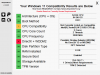
DirectX is fine, VM Windows is ready to go for beta build of Win 11!
View attachment 17924
I just upgraded my standard edition of Parallels to the Pro edition to have the option of adding a virtual TPM Module. This works fine, but how did you manage to not get a warning concerning the processor type and having a DirectX 12 compatible graphics card?
 

Attachments

  • Capture d’écran 2021-06-28 à 22.17.20.png
    Capture d’écran 2021-06-28 à 22.17.20.png
    154.1 KB · Views: 11
NO MAC has a TPM chip, so NO MAC is qualified to run Win11. We don't have a "PC".
You're also posting in a virtual machine forum - there's no holding F1, F2, F10, F11, etc.

This is what I was thinking too. We got no hope for Boot Camp installations i.e. native installations, however, we might have luck installing Windows 11 virtually through Parallels Desktop in the future.
 
Alright, I deleted the Boot Camp partition and reinstalled Windows through Parallels Desktop. This time I am able to add the TPM module. I guess the problem child was Boot Camp installation.
 
On ARM Macs you can run Windows 11 just fine. You dont need a TPM chip as of yet. I have Windows 11 via the Insider Preview as a Windows Update (dev channel).
 
I wonder if in the future Parallels will add the ability to switch to UEFI from BIOS via the settings without redoing a VM, as that would make it much easier to enable TPM 2.0 option.

Also the minimum RAM and minimum storage needed have increased for Windows 11
 
I'm on the 2020 iMac with T2 chip. When I go to Hardware +, there is no 'TPM chip' option available.
TPM emulation is only in the Business and Pro versions of Parallels, not Standard. This will be a problem when Windows 11 finally requires TPM. I'm very curious as to whether Parallels (the company) is planning to extend that feature down to the Standard version, or if those of us with Standard just aren't going to get to have Windows 11, ever.
 
I wonder if in the future Parallels will add the ability to switch to UEFI from BIOS via the settings without redoing a VM, as that would make it much easier to enable TPM 2.0 option.

Also the minimum RAM and minimum storage needed have increased for Windows 11

By shear luck I seem to have found a way to switch from BIOS to UEFI via the Parallels GUI:
1. Having run "mbr2gpt /convert" via the Windows Troubleshooting Terminal menu, close the amended VM
2. With the VM turned off, open the VM Config GUI and select hardware / boot order / advanced
3. Under Advanced / Boot Flags add "vm.bios.efi=1" and select OK
4. My "converted" VM now boots and with "msinfo32" I can see BIOS Mode is UEFI
5. Opening the VM Package Contents on my Mac Pro 5,1, I can edit config.pvr and see that EFI=1 too.
Unfortunately I'm still stuck as the option to add a Virtual TPM under the hardware config setting is missing. The msinfo32 tool provides the reason under the "Device Encryption Support" entry: "Reasons for failed automatic device encryption: TPM is not usable, PCR7 binding is not supported..."
PS: according to the Parallels website Parallels V17.1.0 Standard Edition supports "Use a Virtual TPM chip".
Anyone got any ideas where we go from here?
 
JohnS102, you shouldn't add flag "vm.bios.efi=1"
It's better to edit config.pvs file and set <EfiEnabled>0</EfiEnabled> field, to <EfiEnabled>1</EfiEnabled>
Another way (I'm not sure it is available for Parallels Standard Edition) is to run in terminal two commands:
'
prlctl set <VM_UUID> --bios-type efi64
prlctl set <VM_UUID> --efi-secure-boot on
'
<VM_UUID> can be found, from 'prlctl list -a' output for example.
 
This almost brought my hopes up. I checked for TPM in my Boot Camp installation, and tried to add it too but couldn't see it in the list. Mine is an iMac 27" 2020.
Hello, please update to Parallels Desktop for Mac 17.1.0 for resolving the issue. Thanks, Parallels Team.
 
JohnS102, you shouldn't add flag "vm.bios.efi=1"
It's better to edit config.pvs file and set <EfiEnabled>0</EfiEnabled> field, to <EfiEnabled>1</EfiEnabled>
Another way (I'm not sure it is available for Parallels Standard Edition) is to run in terminal two commands:
'
prlctl set <VM_UUID> --bios-type efi64
prlctl set <VM_UUID> --efi-secure-boot on
'
<VM_UUID> can be found, from 'prlctl list -a' output for example.

Hi, thanks for the suggestion - are you suggesting that adding a BIOS to UEFI flag via the Config GUI might explain the PCR7 bindings problem? The comment from Parallels Staff Member doesn't help as I AM USING Parallels 17.0.1 and I've still got the PCR7 bindings problem!!
 
JonhS102, from my POW this thread is not about "PCR7 bindings problem" if it exists.
Do you get TPM working/accessible for Windows? Does 'tpm.msc' applet see it?

And I replied in context of
Unfortunately I'm still stuck as the option to add a Virtual TPM under the hardware config setting is missing.

To add Virtual TPM via GUI in config editor <EfiEnabled>1</EfiEnabled> must be set.
 
Back
Top