Known Issues and Workarounds for Parallels Desktop with Leopard

Status
Not open for further replies.
15. Parallels is hanging on either suspending or resuming VM

I have build 3214 and this is a problem for me. Tried the workaround suggested and it did not work. Any further suggestions?

Just curious--have you tried excluding the VM from Time Machine? Turning off Spaces?

David
 
Last edited:
David5000 wrote:
Just curious--have you tried excluding the VM from Time Machine? Turning off Spaces?

I abandoned Time Machine about three days after starting it. It got to the point where it was eating 4-5 Gigabytes of my external drive an hour! And this with me doing nothing but editing small PHP files.

Don't know about Spaces. I don't use it -- is it turned on by default? I'll have to look into that.

Edited to add: I checked into Spaces. No, it's not on so, sorry, the problem lies elsewhere. Is it worthwhile to try re-installing Parallels? (that sounds like a Windoze solution -- too many years under the spell of the Evil Empire)

-- Mark
 
Last edited:
Just curious--have you tried excluding the VM from Time Machine? Turning off Spaces?

David

You really have no idea what you're talking about, as Time Machine and Spaces have nothing and can't possibly have anything to do with the suspension problem. I wish you would stop trying to "help" because all you're going to end up doing is causing confusion and spreading misinformation as a result. Moreover, I don't believe Spaces is enabled by default and Time Machine doesn't work without external hardware that a great deal of people aren't using.

I see you've been here for a almost a year and you've made a lot of posts, so I hope they aren't all as worthless as your repeated questions about Leopard features that have nothing to do with this problem. Are you even a Mac user?

Please stop trying to help, because you clearly are not. Thanks.
 
Trying to connect USB HID device to VM

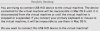
Is there a workaround for a problem I am getting constantly. It is a message that begins with "You are trying to connect USB HID device to the virtual machine."

I have attached a copy of the complete message (Error message.jpg).

If I answer Yes, it hangs up Parallels. If I answer No, it keeps coming and coming, sometimes 3 at a time.

I am running Build 5160 on, of course, Leopard.

Please let me know how to get rid of this message.

Thanks.

Wil
 

Attachments

  • Error message.jpg
    Error message.jpg
    22.6 KB · Views: 3
Regarding Parallels (5160 & 5540, both) constant hangs under Leopard: No, I am NOT using SPACES. As for Time Machine, I have excluded the .HDD file (mine is 60GB) from Time Machine, but I do have it on. However, I have a hard time seeing how that could crash. I will monitor it and see if Time Machine execution is a trigger, but I really highly doubt it. Time Machine is set up to go at a consistent time every hour and these hangs are highly random and often related to my opening new stuff (apps, graphics, files) within the host OS. So I highly doubt either Spaces or Time Machine are culprits.

Someone else had mentioned they needed to reboot their machine... I've found that if I shift focus to a non-Parallels application, I can use the APPLE MENU >> FORCE QUIT to get Parallels to quit. Still not pretty, but better than having to reboot the entire Mac OS.
 
I have tried the fix for reinstalling parallel tools in leopard. I uninstalled them in windows, shut down, rebooted. I then clicked install tools in Actions. Nothing happens after reboot. no icon in the tray and parallel tools directory in the program file. there appears to be no link between the menu and the program. The good news is that removing parallel tools has solved the hangup in trying to shut down and restart. however i have lost all functionality of parallel tools.

I using 5160 on a new Imac 2.4. I also cannot access my dvd/cdrom. i have tried all of the suggested fixes. I am to the point of a clean install of tiger and giving up on leopard. any help will be apreciated!!!!
 
You really have no idea what you're talking about, as Time Machine and Spaces have nothing and can't possibly have anything to do with the suspension problem. I wish you would stop trying to "help" because all you're going to end up doing is causing confusion and spreading misinformation as a result. Moreover, I don't believe Spaces is enabled by default and Time Machine doesn't work without external hardware that a great deal of people aren't using.

I see you've been here for a almost a year and you've made a lot of posts, so I hope they aren't all as worthless as your repeated questions about Leopard features that have nothing to do with this problem. Are you even a Mac user?

Please stop trying to help, because you clearly are not. Thanks.

I apologize if I misled you by seeming to give wrong advice. I thought it was clear, however, that I was simply asking an informational question.

Time Machine and Spaces have been mentioned earlier in this thread and elsewhere as causing problems with Parallels. They apparently also cause problems with VMWare Fusion. I have been curious to know to what extent this might be true.

I am certain that asking such a question will not result in "causing confusion and spreading misinformation."

The poster whose message I had replied to had no trouble responding to me in a friendly manner. You might ask yourself why you chose to respond with hostility.

David
 
Last edited:
The poster whose message I had replied to had no trouble responding to me in a friendly manner. You might ask yourself why you chose to respond with hostility.

David

After reply to you twice in other threads in a friendly manner and seeing no response, not to mention no cessation of your confusion-inducing unhelpfulness, I wanted to be sure you saw my post. I am now confident that you did, though you clearly still have no idea as I can see from the rest of your post.

Spaces issues are with windows showing up in the wrong places or not at all. Time Machine's issue just results in the windows virtual drive being backed up after every change. Neither of these issues has anything to do with the guest OS not restoring after a suspension, and the fact that you don't know this tells me not only that you don't know what you are talking about, but that you also are not helping the situation and CAUSING CONFUSION.

Again I ask, are you even a Mac user? Please stop trying to help if not, and install Leopard and try it for yourself if you are. Thanks again.
 
After reply to you twice in other threads in a friendly manner and seeing no response, not to mention no cessation of your confusion-inducing unhelpfulness, I wanted to be sure you saw my post. I am now confident that you did, though you clearly still have no idea as I can see from the rest of your post.

Spaces issues are with windows showing up in the wrong places or not at all. Time Machine's issue just results in the windows virtual drive being backed up after every change. Neither of these issues has anything to do with the guest OS not restoring after a suspension, and the fact that you don't know this tells me not only that you don't know what you are talking about, but that you also are not helping the situation and CAUSING CONFUSION.

Again I ask, are you even a Mac user? Please stop trying to help if not, and install Leopard and try it for yourself if you are. Thanks again.

Yoicks!

You are certainly right that I often don't know what I am talking about!

In this case, however, I have not said that I do know anything about the matter. In fact, I was only asking a question, which I was doing so that I could understand the problem better.

You are also right that I did not respond to your reply in a previous thread (your second reply was only a reference to your first one), because from the dismissive tone of your answer, as well as your statement, "This problem IS real" (as if I had suggested that it wasn't), you seemed to have other issues and I didn't want to become embroiled in a dialogue like this one.

In any event, as I said previously, I am confident that my having asked the question I did was neither "confusion-inducing unhelpfulness" nor is it "CAUSING CONFUSION." The poster to whom I asked the question in this thread apparently understood what I was asking perfectly well and replied in a normal, matter-of-fact way. You, however, chose to respond with a personal attack.

I know that you must be very frustrated with the problem you are having with Parallels, and I sincerely sympathize with you. Even if you thought I was giving incorrect advice, however, and even if you thought I was giving it more than once, a polite response would still have been in order.

David

P.S. Of course I am a Mac user; that is why I am posting in this discussion forum.
 
Last edited:
WilDersh, please reinstall Parallels Desktop as described in the first post.

mpemburn, hanging on either suspending or resuming VM is a known issue that will be fixed in future updates. Please sorry for the inconvenience caused.

sschiffman, try installing Parallels Tools in the following manner:
Start Parallels and go to Configuration Editor before running Windows.
In Configuration Editor choose CD/DVD-Rom, then Use image file.
In browser choose Mac HD/Library/Parallels/Tools/vmtools.iso.
Press OK.
Launch Windows. Tools installation must start automatically. If it does not, right-click CD/DVD-Rom icon in the right bottom corner of the window and click "Connect image". Choose vmtools.iso -> Open.

And there is a Note for Everybody:

This forum is open for all users to ask questions and offer possible solutions. Please do not engage in personal attacks. We'd like the discussions to be friendly and helpful. Aggression will not be tolerated any more.

If you are troubled with something somebody has posted in a thread, please send a Private Message to a moderator.

Best regards,
Xenos
 
Parallels hangs during the preflight phase of install

When installing, Parallels hangs at the running scripts preflight phase. Last lines from install.log are as follows:

Nov 12 18:31:32 pnxlik001-3 Installer[395]: run preflight script for Parallels Desktop
Nov 12 18:31:32 pnxlik001-3 runner[399]: preflight[402]: grep: /Applications/Parallels/Parallels.app/Contents/Info.plist: No such file or directory
Nov 12 18:31:32 pnxlik001-3 runner[399]: preflight[402]:
Nov 12 18:31:32 pnxlik001-3 runner[399]: preflight[402]: /Volumes/Parallels Desktop/Install Parallels Desktop.pkg/Contents/Resources/preflight: line 82: /Library/StartupItems/Parallels/Parallels: No such file or directory
Nov 12 18:31:32 pnxlik001-3 runner[399]: preflight[402]:
Nov 12 18:31:34 pnxlik001-3 runner[399]: preflight[402]: kextunload: /Library/StartupItems/Parallels/Pvsvnic.kext: no such bundle file exists
Nov 12 18:31:34 pnxlik001-3 runner[399]: preflight[402]: can't add kext (file access/permissions).
Nov 12 18:31:34 pnxlik001-3 runner[399]: preflight[402]:
Nov 12 18:31:37 pnxlik001-3 installdb[401]: done. (0.006u + 0.004s)

I did an erase and install for Leopard so should be a clean drive. Also removes the prefs as suggested in the first post. Still nothing :(
 
kLy, when installer is hanging, please open Terminal and run these commands:

cd /Volumes/Parallels Desktop/Install Parallels Desktop.pkg/Contents/Resources
sudo ./preflight

After this installation should proceed.

Best regards,
Xenos
 
CPU utilization with 5160 and Leopard

I've noticed that this new build uses a fair amount of CPU even when nothing is going on in Windows. On MacBook Pro 2.0GHz, both CPUs are running around 30% when Windows XP task manager says CPU is at 0%. With previous versions Mac CPU typically went to less than 5% for both cores when Windows was idle.
 
sschiffman, one more try. After you've mounted vmtools.iso as described above (or you can also go to Devices in Parallels Desktop menu, choose CD/DVD-Rom, Connect to vmtools.iso), open My Computer. You'll see Parallels Tools setup disk. Open it and run PrlTools Setup.exe file.

[email protected], build 5160 was intended to minimize CPU usage to 5 - 7%. And it did, as users confirmed. Do you possibly have some USB devices connected to your VM?

Best regards,
Xenos
 
At the time I did not have any USB devices connected. However, later that evening I plugged in my iPhone to update to 1.1.2, and Parallels pegged the CPU. When I moved to the parallels app window (it was in another "space") it had the dialog up asking me what to do with the new USB device I just inserted. When I told it to ignore it, the Mac OSX CPU usage went back to normal. I will keep an eye on CPU usage and try to provide more info as to the possible causes if I come up with any.
 
[email protected], thank you very much for the details. Although we tried to reduce CPU load in 5160 as much as possible, it can grow up when USB devices are connected to VM. We'll try to improve this in the next update.

Best regards,
Xenos
 
Every time I link Tools to Windows in any of the ways given so far, Windows halts and has to be stopped. I am using 10.5 and build 5160.

Should I re-install Parallels?
 
markbrafferty, please try to move check from the box at Share Mac applications to Windows in Snared Applications (Configuration Editor).

Best regards,
Xenos
 
I had posted a problem with Parallels and Spaces earlier in this thread and since then have encountered the same problem with other applications and Spaces. So I think that some of these might be Leopard issues and not strictly Parallels interaction with Leopard.

By the way, I use Parallels Build 5160 in fullscreen mode running XP.

- Chris
 
Status
Not open for further replies.
Back
Top